How to Digitize Your Insurance Cards: Both Sides, Stored Safely
Digitize your health insurance cards in minutes: capture both sides, store them securely, use them offline and share them with doctors and family safely.
How to Digitize Your Insurance Cards: Both Sides, Stored Safely
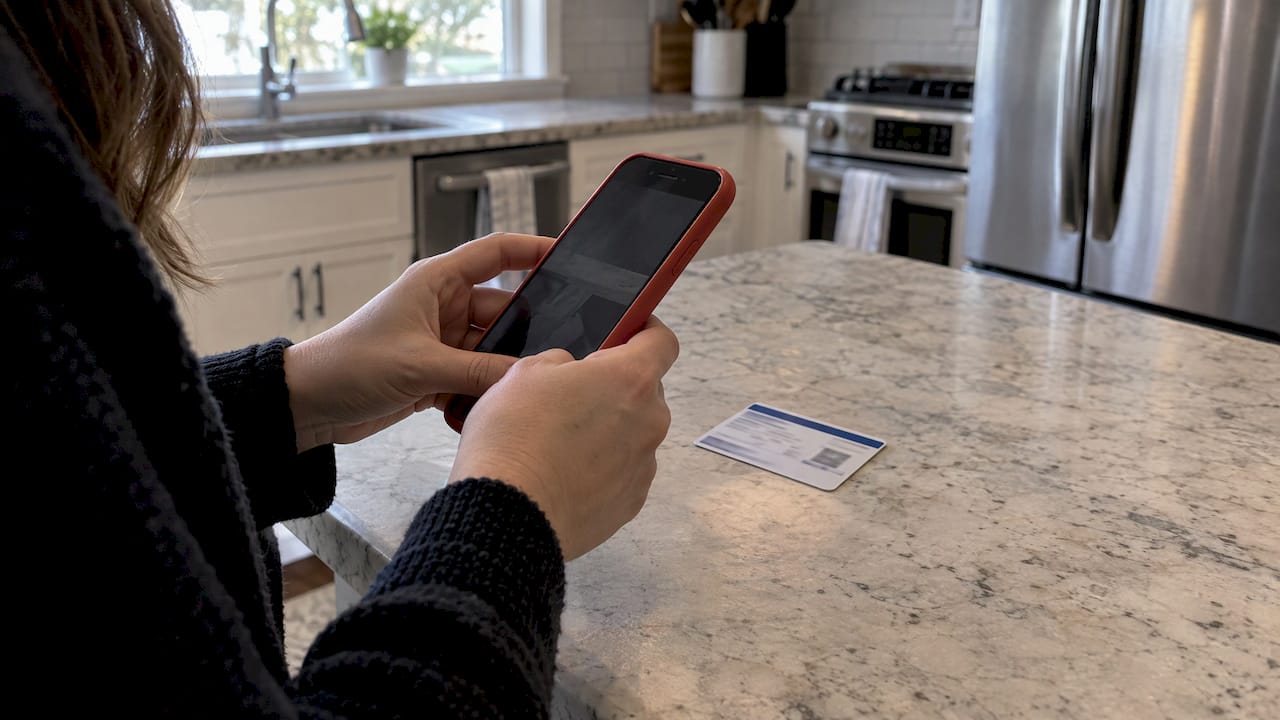
Digitizing an insurance card takes about five minutes: photograph the front and back, save the images somewhere private and encrypted, and keep a way to open them without a signal. The harder part is what comes after. A photo buried in your camera roll is easy to lose, easy to leak and impossible for a spouse or a parent’s caregiver to find in an emergency. A card kept with your other medical documents, one profile per person, is the version that actually helps when you need it. That is how we built MedFiles: your cards, test results and prescriptions in one secure place, ready to open or share.
This guide shows you how to capture a card properly, where to keep it, how to hand it to a doctor and what to do to keep it out of the wrong hands.
TL;DR
- Photograph both sides of every card (health, dental, vision, pharmacy, Medicare) in good light, flat, with all four corners visible.
- Store the images in an encrypted, private place with the rest of your medical records, not just in your camera roll.
- Many plans accept a digital card as valid proof of coverage, and your insurer’s app or member portal can always show or print the official version.
- Share a card only through secure channels such as a patient portal, online check-in or a private sharing link, and treat it like a credit card.
- Set up one profile per family member so anyone you care for is covered, including a spouse, a parent or a child.
Table of Contents
- Why digitize your insurance cards at all
- Step 1: Capture the card correctly
- Step 2: Get the official digital version too
- Step 3: Store it where you can find it and others can too
- Step 4: Share the card safely
- Step 5: Protect it from misuse
- Which cards to digitize
- What the card is used for, and when to bring the paper
- A simple routine that keeps it all current
- Our perspective
- Put your cards in one secure place
- FAQ
- Sources
Why digitize your insurance cards at all
A physical card is easy to forget at home, and it sits in a wallet that can be lost or stolen. Medicare’s own guidance tells members to guard the card like a credit card and keep it somewhere safe. The CMS patient booklet adds that you need your card when you see a provider or call your plan, and that you should keep a copy with you in case of an emergency.
A digital copy answers three everyday problems:
- You forget the card. The front desk asks for it, and your phone has it.
- You need the back. The back usually carries the claims address and the phone numbers for the plan, pharmacy benefits and provider services. Offices and pharmacies often ask for both sides.
- You manage more than one person. A parent with a child on one plan and a mother on another has four or five cards to track, and each plan changes over time.
The CMS booklet lists what a typical card shows: member name, member number, copayment, phone numbers and plan type such as HMO or PPO. Those are the details you will be asked for again and again, at every new office, lab and pharmacy.
Step 1: Capture the card correctly
A clear image is what makes a digital card useful. A blurry photo that a clinic cannot read gets you the same delay as a missing card.
- Remove the card from its sleeve. Glare from plastic covers hides member numbers.
- Lay it flat on a dark, plain surface such as a table or a sheet of dark paper. A contrasting background makes the edges obvious.
- Use daylight or a bright room, and turn off the flash. Flash causes a white hot spot right across the numbers.
- Hold the phone parallel to the card. Angled shots stretch the text and make digits hard to read.
- Fit all four corners in the frame, and keep the card straight. Tap to focus before you shoot.
- Photograph the front, then the back. Do not skip the back. It holds the phone numbers and claims details the office may need.
- Zoom in on the image afterward. If you can read every digit of the member ID and group number at full size, it is good. If not, retake it.
Where it goes wrong: a cropped corner that cuts off a group number, a thumb over the edge, a shadow across the member ID, or a photo taken at a slant. A retake costs ten seconds. Finding out at a pharmacy counter costs far more.
Cards also get replaced. When your plan issues a new one, usually at renewal or after a change in coverage, capture the new card and retire the old one so nobody uses outdated numbers.
Step 2: Get the official digital version too
A photo is a copy. Most plans also give you an official digital card you can view and print yourself, and some providers say plainly that it counts as proof of coverage. For example, one California health plan reminded its providers that a physical ID card is not required for medical services when a digital card is available, and that the digital card serves as valid proof of insurance. The same notice says an office can print a temporary card the same day if a member has neither.
How you get the digital version depends on the card:
- Commercial and Medicaid managed care plans: log in to your plan’s member portal or app. Blue Cross NC, for instance, says you can view, download or print your ID card from the account menu after logging in on a phone or tablet, and suggests keeping it in your wallet or mobile wallet so offices can verify benefits. Anthem tells members that a phone or computer is enough with a digital ID card in its app or account.
- Original Medicare: the Medicare & You handbook says you can log in to or create a secure Medicare.gov account to print a copy of your official card.
- Lost card: Anthem’s page notes you can print a temporary card from its customer care menu before an appointment. Your own plan’s member services number, on the back of the card or on its site, is the right place to ask.
Save a screenshot or PDF of that official card as well. The official file is the version to trust when you have both.
Step 3: Store it where you can find it and others can too
The camera roll is the default and the weakest choice. It is mixed with thousands of photos, it may sync to an account you share, and a stranger who picks up your unlocked phone sees it.
A better setup has four traits:
- Private and encrypted, so a lost phone does not expose your member ID.
- Organized, so you find the card in seconds, not after scrolling.
- Accessible from any device, so a new phone, a spouse’s phone or a laptop at the hospital works.
- Linked to the person, so the card sits next to that person’s records.
FEMA’s emergency financial kit gives a useful baseline for records in general: it recommends electronic copies of important documents in a password-protected format, with a secure offsite storage service as an option. That is the principle behind keeping cards in a protected account rather than loose on a phone.
Keep it with your medical records
Your card matters most alongside the rest of your health information: the medication list, allergy notes, recent lab results, referral letters. In MedFiles, you upload documents and images, they are organized automatically, and each person gets their own profile. That includes children, parents and, if you want, pets. You can keep your family’s records together so that when a new specialist asks for the insurance card and last year’s blood work, both are in the same place.
If you travel, or someone you look after might need help away from home, the Digital Emergency ID gives responders and relatives fast access to the essentials. Keep the insurance card in the same profile so that coverage details travel with the medical ones.
Make sure it works offline
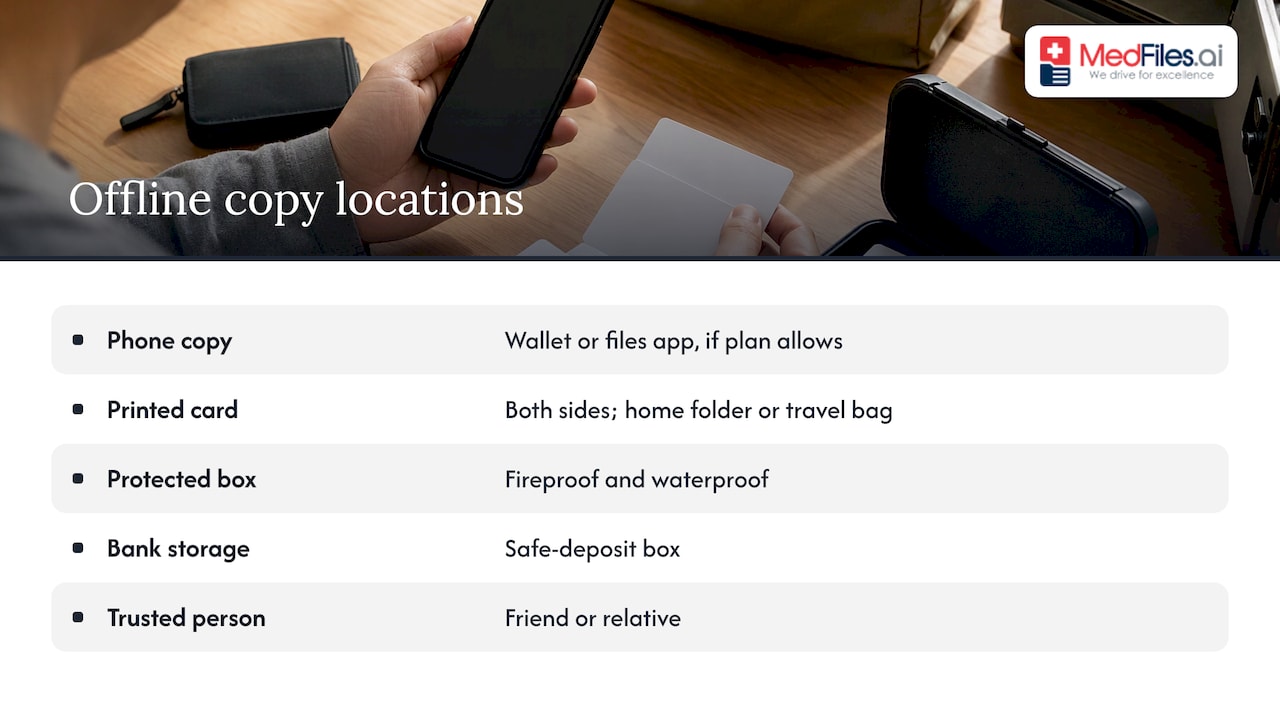
Signal fails in hospitals’ basements, on planes and abroad. Do two things: save the official card to your phone’s wallet or files app if your plan allows it, and keep a printed copy of both sides in a folder at home or in a travel bag. FEMA’s guidance suggests paper copies can go in a fireproof and waterproof box, a bank safe deposit box or with a trusted friend or relative. Your digital copy is the everyday tool. The paper backup is for the day the phone is dead.
Step 4: Share the card safely
You will share your card more often than you expect: new patient forms, referrals, online check-in, a family member picking up a prescription, a caregiver calling to schedule a visit.
The safest routes are the ones built for health information:
- A patient portal. Anthem lists uploading a copy to a patient portal or at online check-in among the ways to give your doctor a digital card.
- A secure sharing link or account. Secure sharing in MedFiles lets you send documents to a provider or a relative without passing them through a text thread or an open email chain. Doctors who receive records can use the Doctor Center to review what you share.
- Plain email or fax, when an office asks for it. Anthem notes that sending by email, fax or download is a common route, but a portal or private link keeps the card out of long email threads that stay in an inbox for years.
A few habits make sharing safer:
- Send only what is asked. An insurance card does not need a driver’s license photo attached unless the office requests ID.
- Share with the person, not the group chat. A card posted in a family group chat stays there, visible to everyone and every device in it.
- Delete stray copies. After you send a card from your camera roll, remove the loose image once it is in your protected account.
- Use a link you can turn off, so access ends when the need does, for example after a caregiver’s visit or a trip.
For more on how families can pass health information around without exposing it, see our tips for sharing health information securely.
Step 5: Protect it from misuse
An insurance card is not a bank card, but misuse still costs real money and real trouble. The CMS booklet is direct: if someone else uses your card or member number to get care or prescriptions, that is fraud. It tells you to never let anyone use your card, keep your personal information safe and call your health plan right away if you lose the card or suspect fraud.
In practice:
- Lock your phone with a passcode or biometrics, and turn on automatic lock.
- Use strong, unique passwords. FEMA advises against reusing passwords across accounts and against keeping a written list of passwords or PINs alongside your document copies.
- Turn on identity verification where it is offered. Medicare.gov now offers ID.me, CLEARme and Login.gov as free identity-verification services for logging in to your Medicare account.
- Read your Explanation of Benefits. If you see a service you did not receive, call your plan.
- Know how your health apps treat your data. A practical guide to protecting your health app data explains what to look for in privacy settings and sharing permissions.
We describe how MedFiles protects stored records on our Security & Privacy page: HIPAA-ready infrastructure with end-to-end encryption, and you stay in control of who sees what.
Which cards to digitize
Don’t stop at the main medical card. A complete set saves calls later.
| Card | Why you need a copy | Both sides? |
|---|---|---|
| Medical (employer, marketplace, Medicaid plan) | Visits, labs, imaging, hospital registration | Yes |
| Medicare (Original or Advantage) | Provider visits, pharmacy, supplemental coverage | Yes |
| Prescription drug or pharmacy benefit | Pharmacy counter, mail-order setup | Yes |
| Dental | Cleanings, procedures, claims | Yes |
| Vision | Exams, glasses, contacts | Yes |
| Supplemental or secondary | Coordination of benefits when you have two plans | Yes |
| Pet insurance | Vet claims, if you insure a pet | Yes |
If your household has several of these, give each person a profile and store their cards there. For a child covered by two parents’ plans, store both cards and note which is primary, so the front desk gets the right answer the first time.
What the card is used for, and when to bring the paper
A digital card works in most everyday settings, but the rules are set by your plan and by each office. A few situations to plan for:
- Pharmacies can often read a member ID and group number from a clear image of the card. Keep the back handy because it carries the pharmacy bin and PCN numbers.
- New patient registration usually asks you to upload both sides ahead of time. Do it from the account where you keep your records, and you will not need to go hunting while the form times out.
- Emergencies: do not delay care to look for a card. Hospitals treat first. A stored card helps the billing staff afterward.
- Travel away from home: keep the digital card and a paper copy, and note your plan’s member services number from the back of the card.
A simple routine that keeps it all current
The set-up is quick. Keeping it right is a small habit:
- At open enrollment or any plan change, replace the cards for everyone in the household.
- After every new card arrives, capture both sides the same day.
- Twice a year, check that each family member’s profile holds the current medical, pharmacy, dental and vision cards.
- When someone loses access, for example after a job change, remove the old card so nobody presents it.
Our perspective
We see the insurance card as the first document in a person’s health file, not a separate item. It is the key that opens the door to care, and it goes with everything else you carry: your lab results, your prescriptions, the reports your specialist wrote last spring.
That is why we built MedFiles around one idea: your whole record, in one secure place, organized for you, instantly available when it counts. Multiple profiles let one person look after a spouse, a parent, children and pets without mixing their information. Sharing is built for providers and family, so the card reaches the right person and nobody else. WhatsApp alerts and health overview dashboards keep the rest of the picture in front of you.
Your insurance card will change many times. Your health history will not. Keep them together, encrypted, and open to you.
Team
Put your cards in one secure place
If you want your cards, records and family profiles together, start with the free plan and add more when you need it. Understand Your Health is $2.99 per month and Protect Everyone is $4.99 per month, and you can try MedFiles free without a credit card. See the plans and create your account.
If you are a clinician who receives records from patients, the Doctor Center is where shared documents arrive.
FAQ
Can I use a picture of my insurance card on my phone?
Often, yes, but it depends on the plan and the office. Some plans state that a digital card serves as valid proof of insurance. A clear image of both sides plus the official card from your member portal gives you the best chance of being accepted without delay.
Do I need to photograph the back of the card?
Yes. The back typically holds the phone numbers for the plan and provider services, and offices and pharmacies often need those details. Capture both sides in one session so you never have a half-set.
Where should I store a digital insurance card?
Keep it in a private, encrypted account with your other health records, not only in the camera roll. Your plan’s member portal holds the official version, and your own records account keeps the copy next to your lab results and prescriptions. Add a printed backup for times when the phone is off.
How do I share my card with a family member or caregiver?
Give them access through a secure sharing feature or a patient portal rather than a group text. A caregiver who looks after a parent or a child can then find the right card in the right profile. Turn the access off when it is no longer needed.
What should I do if my card is lost or someone uses it?
Call your health plan right away. The CMS booklet says to do this if you lose the card or suspect fraud. Your plan can issue a replacement, and you can print a temporary card from the member portal in many cases.
Sources
- CMS: Your Insurance Card booklet
- Medicare Rights & Protections
- Medicare & You 2027
- IEHP provider notice: Digital Member ID Cards Serve as Valid Proof of Insurance
- Blue Cross NC: Your member ID card
- Anthem: Your Member ID Card
- FEMA: Emergency Financial First Aid Kit
- Guide to protecting health app data