How to Merge Medical PDFs Into One Organized File
Merge medical PDFs into one clean, ordered file on Windows, Mac or Acrobat, check every page, and keep family records separate and easy to share.

How to Merge Medical PDFs Into One Organized File
You have lab results from one portal, a discharge summary from another, and an imaging report that arrived as an email attachment. Merging them into one PDF is quick. Merging them so a doctor can use the file, and so you can find the right page in a hurry, takes a little more care. This guide covers both: the merge itself, the order and naming that make the file useful, the privacy basics, and a simpler way to keep every record in one place. With MedFiles, you upload your documents and they are organized automatically, for you, your family and your pets.
TL;DR
- Ask each provider for PDFs first. Under HIPAA you can request your records in an electronic format that is readily producible.
- Merge in the order a new doctor would read them: summary first, then newest to oldest by type.
- Check that every page carries the patient’s name or ID, and that nothing is missing or upside down.
- Send the file only through secure channels, not ordinary email or text.
- For ongoing records, a single file gets stale fast. MedFiles keeps documents organized as you upload them, per person.
Table of Contents
- Start with clean source files
- Merge the PDFs step by step
- Put the pages in an order a doctor can use
- Check the merged file before you rely on it
- Keep family members and pets apart
- Protect the file when you store and share it
- Be ready for travel and emergencies
- Why a folder of merged PDFs eventually stops working
- Our perspective
- Try it with your own records
- FAQ
- Sources
Start with clean source files
A merged file is only as good as the pieces. Before you combine anything, get the records in the best format you can.
In the US, you generally have the right to inspect and get a copy of your protected health information (PHI) held by a provider or health plan. The CDC’s HIPAA guidance says this applies for as long as the record is maintained, with exceptions such as psychotherapy notes. The Patient’s Guide to HIPAA explains that you can usually ask for an electronic format of your choice, as long as the provider can readily produce it. So ask for PDFs. You can also ask in writing that the record be sent directly to a person you name.
Timing matters too. HHS’s privacy and security guide says covered entities generally must grant or deny an access request within 30 days. If you need records before a trip or a specialist visit, ask early.
A few practical habits help:
- Request text-based PDFs rather than photos of paper where you can. They are smaller and easier to read on a phone.
- Rename files before merging with the date and type, such as 2026-03-14 Lab CBC. You will thank yourself when you reorder pages.
- Keep the originals. Merge a copy, never your only version.
If you have a stack of paper or imaging CDs, our guide to organizing imaging CDs walks through a four-step routine so scans do not get lost.
Merge the PDFs step by step
The steps below cover the two most common setups. Pick the one that matches your computer.
On a Mac
The Idaho College of Osteopathic Medicine’s help page describes the built-in method:
- Select the PDFs in Finder, in the order you want them to appear.
- Right-click and choose Quick Actions, then Create PDF.
- Rename the combined file. It saves in the same folder.
Where it goes wrong: the order follows your selection, so a misplaced click puts a 2019 lab before a 2026 summary. Check the order before you rename.
With Adobe Acrobat
Adobe’s merge guide lists the Acrobat steps:
- Open the Tools tab and select Combine files.
- Click Add Files and choose your PDFs, or a mix of PDFs and other file types.
- Drag and drop to reorder, or delete anything you added by mistake.
- Click Combine Files, then name and save the result.
Where it goes wrong: mixed file types can come out at different page sizes. Scroll through the whole result before you save.
A word on free online mergers
Medical files hold names, birth dates, diagnoses and sometimes insurance numbers. Any tool that uploads your file to a server you know nothing about is a privacy decision, not just a convenience. Prefer a tool already on your computer, and delete working copies from shared or public machines when you finish.
Put the pages in an order a doctor can use
The order is the difference between a file a clinician reads and one they scroll past. A simple structure that works for most people:
| Position | What goes there | Why |
|---|---|---|
| 1 | One-page summary: conditions, medications, allergies, surgeries | The doctor sees the essentials first |
| 2 | Most recent visit notes or discharge summaries | Current picture |
| 3 | Lab results, newest first | Easy to compare trends |
| 4 | Imaging reports | Reports before images |
| 5 | Older records and outside records | Background |
If the file is for one specific visit, include only what that visit needs. HHS’s Privacy Rule summary describes a minimum necessary standard for providers and plans: use or share only the PHI needed for the purpose. The standard does not apply to disclosures to your own providers for treatment, or to you. It is still a good habit for a family file: a dermatology visit does not need your whole history.
Check the merged file before you rely on it
Run a quick quality check every time:
- Every page identifies the patient. The Washington Medical Commission’s guidance says each page of a medical record should carry the patient’s name or ID number, and that consultation, laboratory and imaging reports should be entered into the record and reviewed. Use that as your checklist. A page without a name is a page that can end up in the wrong chart.
- Nothing is missing. Compare the page count with the sum of your source files.
- Nothing is rotated, cropped or blurry. Zoom in on lab values and dosages.
- Consistency. The Ohio State Medical Association toolkit calls consistency and ease of use the top priority in a records system, and suggests the patient’s name and date of birth or identifier on every page. If a page lacks it, add it to the file name at the very least.
Make scans searchable
A scanned page is a picture. Optical character recognition (OCR) turns it into text you can search. The FDA’s Staff Manual Guide 3291.10 requires OCR for full-text searchability in its own digitized records, keeps them searchable but not editable to protect integrity, and calls for quality control on accuracy, legibility and completeness. You are not the FDA, but the same logic applies at home: a searchable, unaltered copy is easier to trust and easier to use.
Keep family members and pets apart
One giant PDF for the whole household is a mistake. A pediatrician does not need your father’s cardiology reports, and a vet does not need anyone’s. Keep one file per person, and one per pet, each named the same way: Last name, first name, date of birth, then the content.
A few rules that prevent mix-ups:
- Never merge two people into one file. Even when the names are similar, such as a parent and child with the same name.
- Put the birth date in the file name. It separates people with the same name.
- Keep pets in their own set. Vaccination certificates and lab work for a dog belong with the dog.
This is where a single merged PDF starts to strain. Each new result means unmerging, re-merging and renaming. MedFiles is built around separate profiles for family members and pets, so each person’s documents stay in their own place. Our family workflow guide shows how to set it up.
Protect the file when you store and share it
A merged medical PDF is more sensitive than any single page in it, because it tells the whole story. Treat it that way.
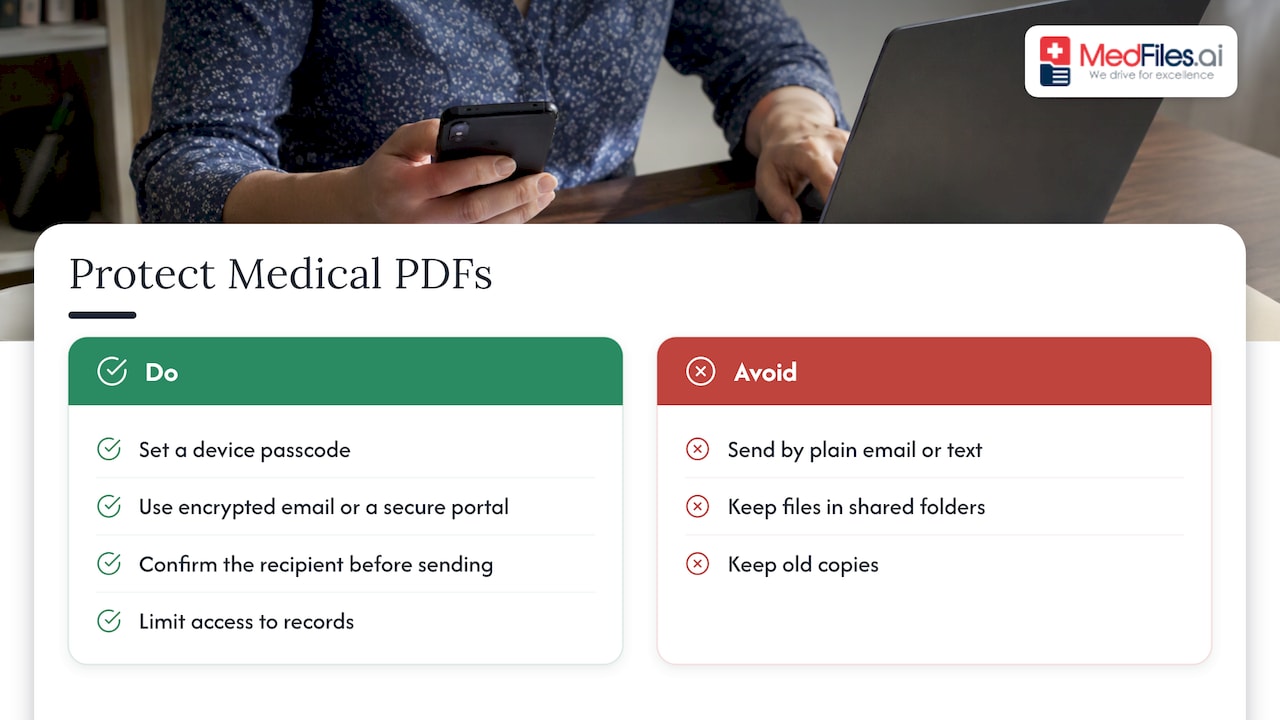
HHS’s Privacy Rule summary lists reasonable administrative, technical and physical safeguards, with examples such as shredding paper containing PHI before discarding it and securing records with a lock and key or a pass code. The same thinking applies to digital copies: use a device passcode, keep files out of shared folders, and remove old copies. For a broader look at protecting client confidentiality privacy, the same principles of limited access and careful handling apply.
When you send the file, avoid plain email and texting. HHS’s guide to privacy and security of electronic health information recommends encrypted email or a secure patient portal over ordinary email or texting. HHS’s small practice security guide also tells practices to consider how they will know they are communicating with the right person, so confirm the recipient before you send.
Sharing with another provider for treatment does not need extra authorization on their side. ONC’s Chapter 2 guide says a covered entity may disclose PHI to another provider for treatment, while psychotherapy notes generally need the individual’s written authorization. If your file includes those notes, ask your therapist’s office how they handle release.
For family sharing, our secure sharing tips for families cover who should see what.
Be ready for travel and emergencies
The moment you need your records is rarely a calm one. A merged PDF on your laptop at home does little for you in an urgent care waiting room two states away.
Plan for it ahead of time:
- Build a short emergency summary: allergies, medications, conditions, implanted devices, emergency contacts.
- Make sure it is reachable from your phone, not only a desktop.
- Give a trusted person access, so a caregiver can pull it up for you.
MedFiles is designed for instant access in emergencies and while traveling, and for sharing with healthcare providers and family. See how secure medical document sharing works.
Why a folder of merged PDFs eventually stops working
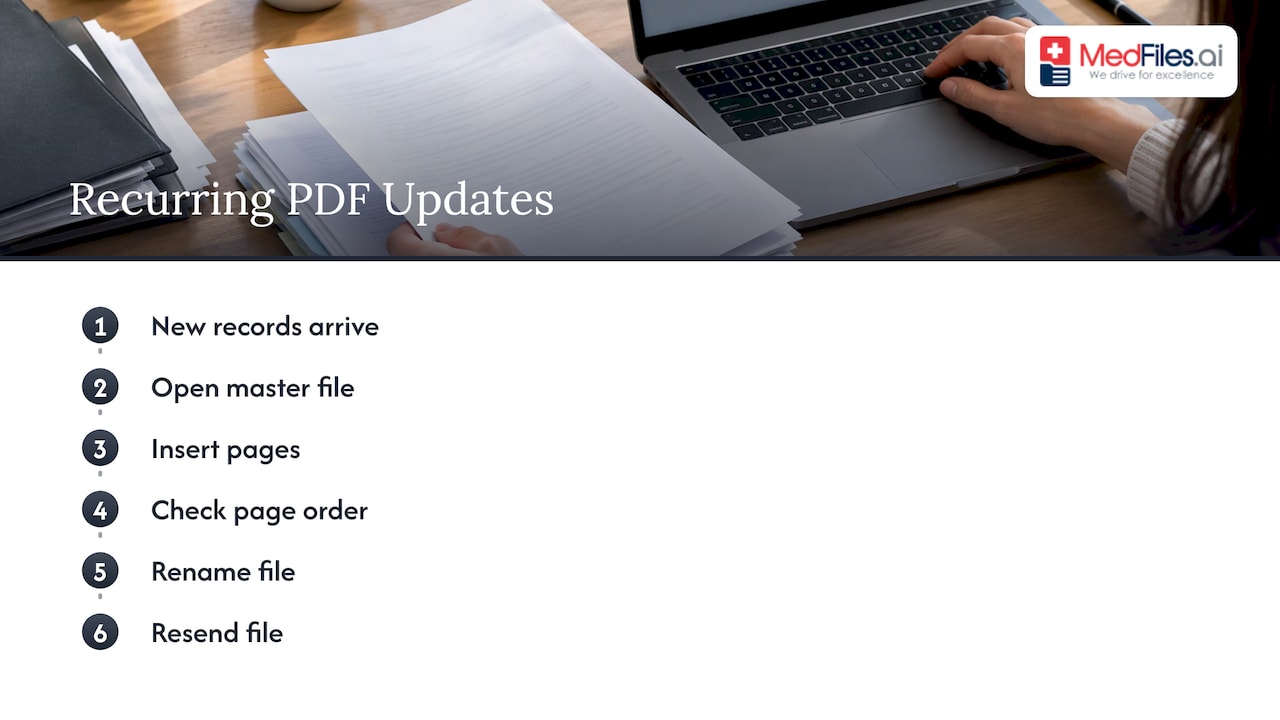
Merging is a good one-time job. It is a poor system. Records keep arriving: a new lab every few months, a new specialist every year. Each arrival means opening the master file, inserting pages, checking order, renaming and re-sending. Families multiply that by every person and pet.
The lasting fix is a place where documents are organized as they come in. MedFiles automatically organizes what you upload, gives each family member and pet a profile, and offers AI-powered analysis of your documents. It also sends WhatsApp alerts and shows health overview dashboards that include preventive care gaps. Healthcare professionals can receive shared records through our Doctor Center. Our medical document storage page explains how it works, and the six-step plan for combining medical records shows how to preserve metadata.
If you are a US patient, our guide to using HIPAA rights to upload records shows how to request files and get them in.
Our perspective
We built MedFiles because medical history lives in too many places: portals, paper folders, CDs, email attachments. Merging PDFs is a smart first step, and we encourage it. But a merged file is a snapshot. Your health is not.
What families tell us they want is simple: every document findable, every person kept separate, and the right page ready when a doctor asks. That is why we focus on automatic organization, profiles for each family member and pet, and secure sharing with providers and relatives.
Your records are yours. You should control who sees them, and you should be able to reach them instantly, wherever you are. Our infrastructure is HIPAA-ready and uses end-to-end encryption, because the reassurance that your information is protected should come built in.
Team
Try it with your own records
Start with the free plan to upload your first documents and see them organized. When you want more, Understand Your Health is $2.99 per month and Protect Everyone is $4.99 per month. A free trial is available without a credit card. See the plans and pricing.
Your whole medical history can sit in your pocket, organized, one profile per person, ready to share when it counts.
FAQ
Can I merge medical PDFs for free?
Yes. A Mac can combine PDFs with Quick Actions in Finder, and Acrobat has a Combine files tool. Either way, work on copies and keep your originals untouched.
Is it safe to use a free online PDF merger for medical records?
Medical files contain sensitive details, so be careful where you upload them. HHS recommends reasonable safeguards for PHI, and a tool you can trust to keep your files private is the safer choice. Delete working copies when you finish.
What order should I put medical PDFs in?
Start with a one-page summary, then the latest visit notes, then labs newest first, then imaging reports, then older records. Make sure every page shows the patient’s name or ID.
Can I give a merged file to a new doctor?
Yes. Sharing with another provider for treatment does not need extra authorization from the provider’s side, and you can share your own records as you choose. Use a secure method such as a patient portal or encrypted email rather than plain email or text.
Sources
- CDC MMWR: HIPAA privacy rule guidance
- Patient’s Guide to HIPAA, World Privacy Forum
- HHS ONC: Guide to Privacy and Security of Electronic Health Information
- HHS ONC: Chapter 2, Your Practice and the HIPAA Rule
- HHS: Summary of the HIPAA Privacy Rule
- HHS: Electronic Health Information Security small practice guide
- Adobe: Merge multiple PDF documents
- Idaho College of Osteopathic Medicine: Create a PDF from multiple files
- Washington Medical Commission: Medical Records Guidance Document
- OSMA Medical Records Toolkit
- FDA Staff Manual Guide 3291.10