Two-Factor Authentication for Medical Practices: What to Deploy
Protect your medical practice with effective two-factor authentication. Safeguard ePHI and ensure compliance by implementing essential security measures...
Two-Factor Authentication for Medical Practices: What to Deploy
Two-factor authentication is not optional for protecting electronic protected health information (ePHI), and it’s federally mandatory at one specific moment: signing a controlled-substance e-prescription. Everything else is a risk-based decision, but a clear one.
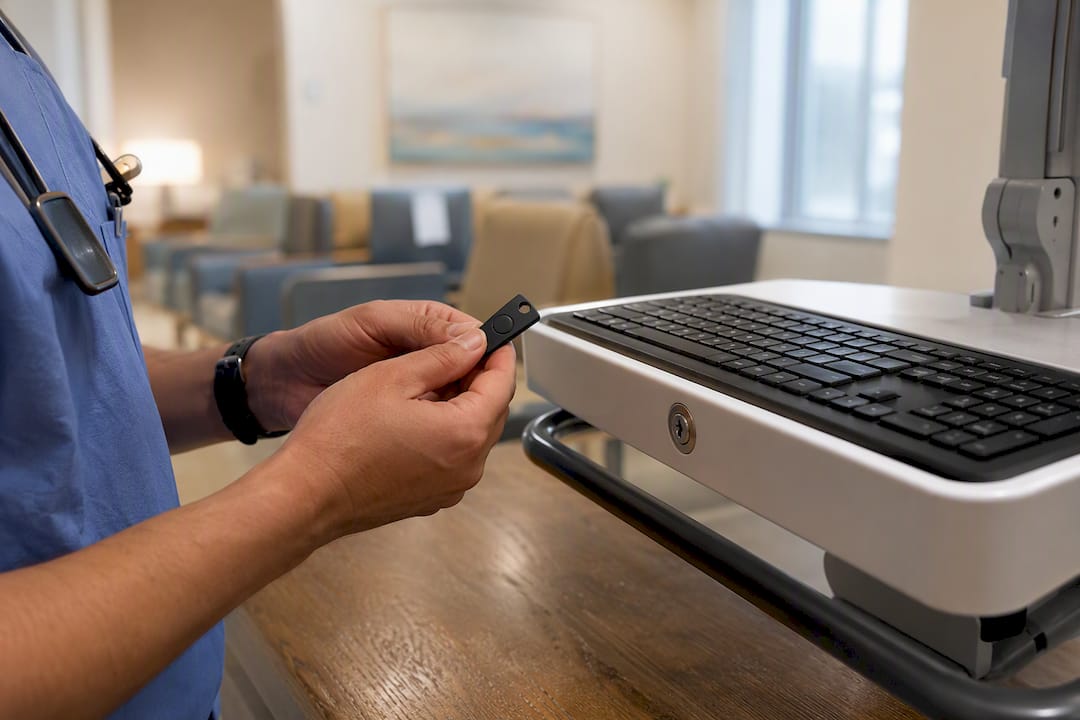
For clinician sign-on and any signing action, deploy phishing-resistant authenticators, FIDO2 hardware keys, passkeys, or FIPS-validated smart cards. For administrative accounts, remote access, and cloud consoles, enforce multi-factor authentication (MFA) without exception. For patient portals, a pragmatic mix of authenticator apps, passkeys, and device biometrics works, with SMS reserved for the lowest-risk interactions.
If you’re starting today, move on three things immediately:
- Inventory your high-risk access points. List every system touching ePHI or e-prescribing, then rank by exposure: EHR sign-on, VPN, admin consoles, EPCS signing stations.
- Pick a pilot group. Choose a single department or clinic to test hardware keys or passkeys before a system-wide rollout.
- Require hardware or passkey credentials for prescribers first. DEA rules already demand two-factor signing for controlled substances (21 CFR Part 1311), so this group gets you compliant and battle-tested fastest.
The rest of this guide walks through the regulatory backdrop, the threat data that justifies urgency, and the operational playbook for rolling this out without wrecking clinical workflows.
Key Takeaways
Two-factor authentication protects healthcare data effectively only when the method matches the risk: phishing-resistant credentials for signing and clinical access, layered options for patients.
| Point | Details |
|---|---|
| DEA mandate is specific | EPCS signing requires two-factor authentication with a hard token or biometric under 21 CFR Part 1311. |
| HIPAA sets a standard, not a technology | Section 164.312(d) requires reasonable identity verification; MFA is the defensible technical control. |
| SMS is the weakest method | SIM-swap and phishing risks make SMS unsuitable for EPCS or administrative access. |
| Latency is solvable | Cryptographic authentication protocols can complete in hundredths of a second, so speed is not a valid reason to skip strong methods. |
| Device trust reduces friction | A 90-day trusted-device window cuts repeated login prompts for patients without eliminating periodic re-verification. |
Table of Contents
- Two Factor Authentication Medical Definitions: 2FA vs MFA
- Regulatory Context: HIPAA, DEA EPCS, and NIST Expectations
- How Credential Attacks Target Healthcare Systems
- Which Authentication Method Fits Which Use Case
- Deploying 2FA Without Breaking Clinical Workflows
- Securing Patient Portal Logins Without Losing Patients
- Rollout Checklist: From Decision to Production
- Logging, Testing, and Audit Evidence
- How a HIPAA-Ready Platform Handles Access Control
- Ready to Protect Your Medical Records the Right Way?
- What the Evidence Actually Supports
- Sources
Two Factor Authentication Medical Definitions: 2FA vs MFA
Two-factor authentication (2FA) requires exactly two independent proofs of identity. Multi-factor authentication (MFA) is the broader term, requiring two or more. Every 2FA setup is technically MFA, but not every MFA setup is 2FA, some systems require three factors for the highest-risk actions.
Authentication factors fall into four categories:
- Knowledge: something you know, like a password or PIN.
- Possession: something you have, like a hardware key, smartphone, or badge.
- Inherence: something you are, fingerprint, face, or other biometric.
- Cryptographic device-bound: a private key tied permanently to a specific device or hardware token that can’t be copied or phished.
That last category is where “phishing-resistant” comes from. A phishing-resistant authenticator cryptographically binds your identity to a physical device, so even if an attacker tricks you into visiting a fake login page, there’s no shared secret to steal. A password typed into a fake site is compromised instantly. A FIDO2 key plugged into a fake site simply refuses to authenticate, because the cryptographic challenge doesn’t match the legitimate domain.
Here’s how common implementations map onto that framework:
- Passkeys: cryptographic, device-bound, phishing-resistant by design.
- FIDO2 hardware keys (YubiKey-style tokens): cryptographic, possession-based, phishing-resistant.
- TOTP authenticator apps (Google Authenticator, Authy): possession-based, time-limited codes, resistant to remote phishing but not to real-time relay attacks.
- SMS one-time codes: possession-based in theory, but tied to a phone number rather than a device, which is exactly why it’s the weakest option on this list.
- Biometrics: inherence-based, strong when verified locally on-device, weaker when centralized in a shared database.
Getting this taxonomy straight matters because vendors love to market anything with a second step as “secure MFA.” A password plus an SMS code technically clears the 2FA bar. It does not clear the phishing-resistance bar regulators increasingly expect for high-assurance healthcare actions.
Regulatory Context: HIPAA, DEA EPCS, and NIST Expectations
Two separate legal frameworks govern authentication in healthcare, and they don’t say the same thing. Confusing them is how compliance programs end up either overspending on controls nobody required or underspending on the one control that’s actually mandatory.
HIPAA is a “reasonable safeguard” standard, not a specific technology mandate. The Security Rule at §164.312(d) requires covered entities to implement technical safeguards that verify a person seeking access to ePHI is who they claim to be. It doesn’t name 2FA, FIDO2, or any specific vendor. What it does is set a bar: your identity verification has to be reasonable and appropriate given your risk profile. In 2026, with credential theft as the leading breach vector in the sector, “reasonable” for any system touching ePHI increasingly means MFA at minimum, and phishing-resistant MFA for privileged or remote access.
DEA EPCS is the one place the law is explicit. Under 21 CFR Part 1311, any provider signing a controlled-substance electronic prescription must use two-factor authentication at the moment of signing. The rule specifies acceptable factor combinations: a knowledge factor (password or PIN) paired with either a hard token or a biometric. Software-only or SMS-based approaches don’t satisfy this requirement. The signing event itself must generate an audit trail, meaning you need logging infrastructure that captures who signed, when, and with what credential, not just that a login occurred somewhere nearby in time.
There is no equivalent federal rule for prescriptions generally. This trips up a lot of compliance teams. Only controlled substances trigger the federal EPCS two-factor mandate; state pharmacy board rules have occasionally layered additional requirements on top, and some of those have since been lifted, so check your state board’s current position rather than assuming a rule from a few years ago still stands, per AMA’s guidance on the topic.
NIST guidance fills the gap between “reasonable” and “specific.” For high-assurance contexts, meaning anything touching signing authority, administrative privilege, or remote access to clinical systems, NIST’s authenticator assurance level framework points toward FIPS-validated cryptographic devices. You don’t have to use FIPS-validated hardware everywhere. You should use it wherever a compromised credential could let someone prescribe medication, alter records, or exfiltrate data at scale.
Practically, this breaks into three enforcement tiers:
- Mandatory, no exceptions: EPCS signing requires two-factor authentication with a hard token or biometric, full stop.
- Strongly expected, defensible via risk assessment: MFA on all systems touching ePHI, with phishing-resistant methods for privileged and remote accounts.
- Risk-based judgment calls: patient portal authentication, where a documented risk assessment justifying your method choice satisfies HIPAA’s reasonableness standard.
Peer-reviewed analysis of healthcare breach patterns consistently identifies missing or weak MFA as a contributing factor in operational-impact incidents, which is the evidence base regulators point to when they push covered entities toward stronger authentication even where the letter of HIPAA law stays technology-neutral, according to research on healthcare cyber risk.
How Credential Attacks Target Healthcare Systems
Healthcare organizations sit at the intersection of high-value data and historically thin security budgets, which makes the sector a preferred target rather than an incidental one. Credential theft, phishing, and remote-access abuse dominate the attack patterns security teams see, and each one has a direct countermeasure in modern authentication design.
Phishing remains the most common entry point. An attacker sends a convincing email, a staff member enters credentials into a fake portal, and from there the attacker has a legitimate login to pivot from. SIM-swap attacks target the weak link in SMS-based verification: convince a carrier to port a victim’s phone number to a new SIM, and every SMS code meant to protect that account routes straight to the attacker instead. Remote-access abuse, stolen VPN or remote desktop credentials, has become especially costly in healthcare because so many systems were never designed with distributed clinical staff in mind.
The 2024 Change Healthcare ransomware attack is the incident every healthcare CISO now references, and for good reason. The attack exploited a system lacking multi-factor authentication, and the operational fallout, disrupted prescription processing and claims payments across a large share of the US healthcare system, illustrated just how far a single missing control can cascade. That single gap is the reason peer-reviewed literature on healthcare cyber risk treats MFA as foundational infrastructure rather than an optional hardening step.
MFA is genuinely effective against most of these vectors, but not uniformly across every method. Here’s where the distinction matters:
- Any MFA beats no MFA against basic credential-stuffing and reused-password attacks.
- App-based TOTP beats SMS against SIM-swap, since it doesn’t depend on the phone network.
- Only phishing-resistant, cryptographic methods (FIDO2, passkeys) stop real-time phishing relay attacks, where an attacker proxies your login session live and captures even a TOTP code as you type it.
Industry analysis is blunt about the gap: SMS-based one-time codes are vulnerable to both SIM-swap and phishing, and the field is moving toward phishing-resistant, device-bound credentials for anything high-assurance, according to perspective on MFA effectiveness. If your organization’s MFA rollout stopped at “password plus SMS code,” you’ve closed the easiest attack path and left the second-easiest one wide open.
Which Authentication Method Fits Which Use Case
Not every account needs the same authenticator, and treating them all identically usually means either over-engineering low-risk patient logins or under-protecting high-risk clinical signing moments. Match the method to the stakes.
FIDO2 hardware keys and FIPS-validated smart cards belong at the top of the stack. For clinician EHR sign-on and EPCS signing, this is the recommended baseline: phishing-resistant, cryptographically bound to the device, and immune to the credential-relay attacks that defeat even app-based codes. One review of high-assurance healthcare authentication recommends going further and standardizing on a single cryptographic credential per clinician across SSO, EPCS signing, and step-up verification, rather than juggling separate credentials for each system. That single-credential model simplifies lifecycle management and creates one clean, auditable signing chain instead of three fragmented ones.
Biometrics work best when verified locally on the device itself, a fingerprint reader or face scan that never leaves the workstation or phone, rather than stored in a centralized biometric database. Local verification sidesteps the privacy and breach-liability questions that come with housing biometric templates centrally, and it satisfies the DEA’s biometric-factor option for EPCS signing when properly implemented.
Authenticator apps (TOTP) are a solid secondary method for workforce accounts and many patient-facing flows. They’re not phishing-resistant against sophisticated relay attacks, but they’re a significant step up from SMS and cost nothing to deploy since most staff already carry a smartphone. Pairing TOTP with device-binding, where the app is registered to a specific enrolled device, closes some of the gap toward cryptographic security.
SMS and email one-time codes should be reserved for low-risk patient interactions only, checking a lab result, confirming an appointment, that kind of thing. Never use SMS for EPCS signing or administrative access; the SIM-swap and interception risks are well documented, and DEA rules don’t recognize it as a compliant factor anyway.
Device trust windows solve the everyday friction problem. A patient portal that requires full 2FA on every single login will generate support tickets and abandoned accounts. A 90-day trusted-device window, where a recognized device skips the second factor until the trust period expires, cuts that friction dramatically while still requiring re-verification periodically. This pattern shows up in real deployments: one hospital system’s MyChart implementation offers exactly this kind of 90-day device trust alongside four different verification options at setup.
Pro Tip: Don’t let device trust windows become permanent. Set an automatic re-verification trigger tied to IP address changes or new geographic locations, not just the calendar, so a stolen but still-recognized device doesn’t get a free 90-day pass.
Deploying 2FA Without Breaking Clinical Workflows
The single biggest reason 2FA rollouts fail in clinical settings isn’t security resistance, it’s speed. A nurse moving between six patient rooms in an hour cannot tolerate a 15-second authentication delay at each workstation. Get the latency wrong and you’ll see workarounds: shared logins, sticky notes with passwords, credentials left logged in all shift. Get it right and clinicians barely notice the control exists.
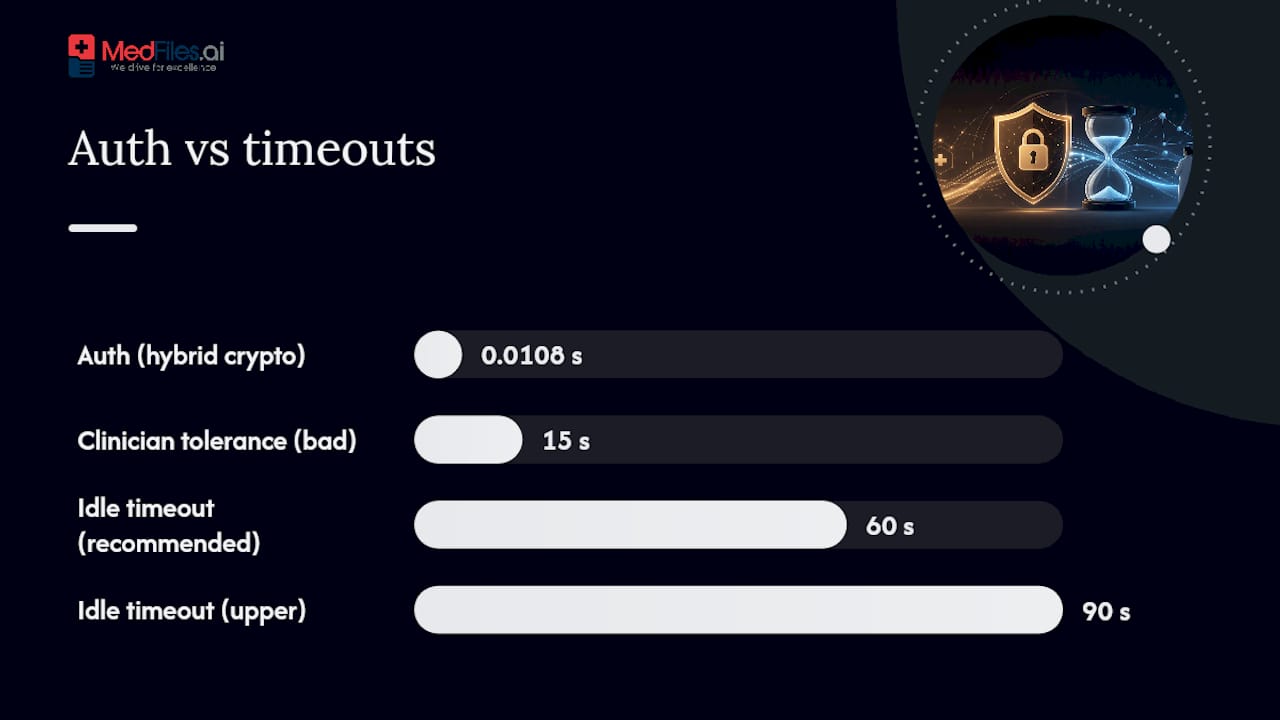
Recent research on cryptographic authentication protocols designed specifically for hospital environments shows this tension is solvable. A hybrid approach combining zero-knowledge proofs with Schnorr signatures achieved end-to-end authentication times around 0.0107 to 0.0109 seconds in simulated hospital traffic, essentially imperceptible to the user. The takeaway for implementers: strong cryptographic authentication does not have to mean slow authentication. The bottleneck is almost always implementation choices, not the underlying math.
For shared workstations, the answer isn’t to skip 2FA, it’s to change the interaction model:
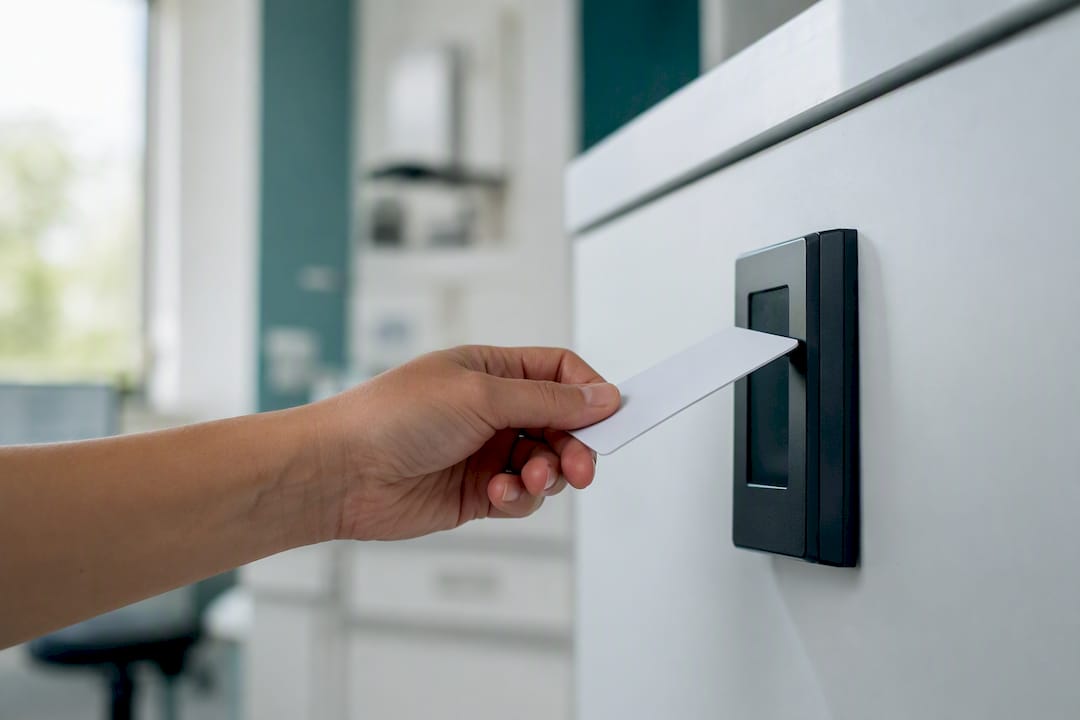
- Deploy proximity badges for tap-and-go authentication. A clinician taps a badge against a reader, the session unlocks instantly, and walking away locks it automatically. This satisfies possession-factor requirements without typing anything.
- Standardize on one cryptographic credential per clinician rather than separate logins per application. One badge or key that works across the EHR, EPCS signing, and administrative tools reduces both friction and the number of credentials that need separate lifecycle management.
- Set aggressive but sensible session-lock policies. A 60 to 90 second idle timeout on shared stations balances security against the reality that clinicians step away mid-task constantly.
- Build break-glass access with built-in accountability. Emergency overrides should issue short-lived, supervised tokens rather than a permanent bypass, and every override should generate an immediate audit alert reviewed within 24 hours.
- Formalize provisioning and revocation. When a clinician is hired, replaced, or terminated, hardware key issuance and deactivation need a documented workflow with a defined turnaround time, not an ad hoc IT ticket that sits for a week.
Pro Tip: Run your break-glass process as a tabletop drill before you need it for real. If your emergency-access token takes longer to issue than the clinical situation can wait, you haven’t built emergency access, you’ve built a bottleneck with an alarming name.
Securing Patient Portal Logins Without Losing Patients
Patients are far less tolerant of authentication friction than clinicians, they don’t have an IT department reminding them why it matters, and a confusing login screen is often enough to make them give up and call the front desk instead. The goal here is layered choice, not maximum security everywhere.
Offer patients a menu, not a mandate:
- Authenticator apps for patients comfortable with a bit more setup, offering solid phishing resistance.
- Passkeys, increasingly supported on modern phones, giving strong security with essentially zero user friction after initial setup.
- Device biometrics (fingerprint or face unlock) for patients on smartphones already configured that way.
- SMS or email one-time codes as the accessible fallback for patients without smartphones or those less comfortable with app-based verification.
Trusted-device intervals matter enormously here. One widely used patient portal implementation lets patients choose a “skip this next time” option at login, applying a 90-day trust window before prompting for the second factor again. That design choice is often the difference between patients actually using a portal and patients avoiding it because logging in feels like a hassle.
Account recovery deserves the same scrutiny as the login itself, since it’s the path attackers exploit when they can’t beat the front door. Telephonic fallback options should verify identity through more than one data point (date of birth plus a recent visit date, for instance) rather than a single easily-guessed security question. For guidance on sharing records securely alongside these login protections, see secure health information sharing practices for families.
Rollout Checklist: From Decision to Production
A phased rollout beats a big-bang deployment every time in healthcare, mostly because clinical operations can’t absorb a systemwide authentication failure on day one. Sequence matters as much as the technology choice itself.
Prioritize systems by risk, in this order:
- EPCS signing workflows — mandatory, and you’re already exposed to compliance risk if this isn’t locked down.
- EHR sign-in for clinical staff — highest volume of ePHI access.
- Administrative consoles and cloud platforms — high-privilege targets for attackers.
- VPN and remote access — the entry point for distributed and after-hours staff.
- Patient portals — lower individual risk per account, but highest volume overall.
Before enrollment starts, lock down policy on four fronts: which authenticators are acceptable for which risk tier, how emergency access works and who can authorize it, how long a device stays trusted before re-verification, and how exceptions get documented and reviewed rather than granted ad hoc and forgotten.
For the pilot itself:
- Choose one department or clinic as early adopters, ideally one with an engaged manager who’ll surface friction quickly.
- Measure authentication latency at the workstation level, not just backend login success rates.
- Track helpdesk ticket volume before and after, this is your clearest signal of workflow disruption.
- Collect direct clinician feedback within the first two weeks, before workarounds have a chance to become habits.
Support planning is where rollouts quietly succeed or fail. Draft helpdesk scripts before go-live so staff aren’t improvising answers to “my key isn’t working” at 2am. Set a realistic hardware provisioning timeline, ordering, shipping, and distributing physical keys for a large organization takes weeks, not days. Send enrollment communications early and repeat them; one email a month before launch is not the same as three touchpoints spaced over that month. If your organization also handles healthcare staffing or credentialing workflows, credential documentation and onboarding guidance offers useful parallel process design for the enrollment side of a rollout.
Logging, Testing, and Audit Evidence
Deploying 2FA is only half the job. Regulators and auditors want proof it’s working, and “we turned it on” isn’t evidence, logs are.
Capture these categories at minimum:
- Every authentication attempt, successful and failed, with timestamp, account, and method used.
- Second-factor events specifically, separate from the primary password check, so you can distinguish a compromised password from a compromised full authentication chain.
- EPCS signing audit trails, capturing who signed, what was signed, when, and with which credential, since this is the record DEA auditors will want to see.
- Device enrollment and trust-window changes, so you can trace when a device was added, trusted, or revoked.
Testing needs to be scheduled, not reactive. Run simulated phishing campaigns quarterly to measure how many staff still fall for credential-harvesting attempts even with MFA as a backstop. Rotate test tokens periodically to confirm your revocation process actually works, not just that it exists on paper. Review authentication failure analytics monthly, a sudden spike in failed second-factor attempts from one account or one geographic region is often the earliest sign of an active attack.
Watch for these specific indicators of compromise: mass token failures across multiple accounts in a short window, second-factor requests originating from unusual geographic locations, and repeated failed attempts followed by a single success, a pattern consistent with credential-stuffing tools eventually guessing correctly.
Track four KPIs on a recurring basis: reduction in confirmed account-compromise incidents, enrollment percentage across your target systems, helpdesk ticket volume tied to authentication, and mean authentication latency at the workstation. Peer-reviewed analysis of healthcare authentication systems flags provisioning and revocation delays as a primary operational failure mode, so if your latency or helpdesk numbers are climbing instead of settling after the first month, that’s your signal to revisit the rollout design before it becomes entrenched.
How a HIPAA-Ready Platform Handles Access Control
Medfiles was built around the assumption that medical records need both strong protection and everyday usability, the same balance this entire guide has been arguing for. The platform runs on HIPAA-ready infrastructure with end-to-end encryption and its architecture reflects the layered approach recommended throughout this article rather than a one-size-fits-all login screen.
For everyday personal and family use, Medfiles supports convenient authentication, device biometrics, and passkey-style credentials that keep a busy parent or caregiver from getting locked out while managing multiple family profiles. For clinical review access, where a healthcare provider is reviewing shared records rather than casually browsing, stronger cryptographic verification and role-based permissions apply, mirroring the higher-assurance tier this guide recommends for clinician-facing systems.
A few architectural choices worth noting:
- Role-based access control ensures a family member, a caregiver, and a treating physician each see only what their role permits.
- Multi-profile management lets one account holder secure records for an entire family or pet roster without diluting the authentication strength on any single profile.
- End-to-end encryption protects documents in transit and at rest, addressing the same ePHI-verification intent behind HIPAA’s §164.312(d).
The full technical breakdown lives on Medfiles’s security and privacy page, including how encryption and access controls work together across the platform.
Ready to Protect Your Medical Records the Right Way?
Everything in this guide, phishing-resistant credentials, risk-based method selection, device trust windows, applies just as much to your own family’s medical records as it does to a hospital’s EHR. Most people manage their health documents scattered across email attachments, portal downloads, and paper folders, with no consistent access control over any of it.
Medfiles gives you one HIPAA-ready place to store, organize, and share medical records, protected by the same security principles this article recommends for clinical systems. Upload lab results, prescriptions, and imaging reports once. Access them instantly during a new doctor visit, a travel emergency, or a specialist referral, without digging through old emails or calling three different offices for records.
Secure sharing lets you send documents directly to a provider or family member without the security risk of an email attachment. Multi-profile management means you can manage records for your kids, aging parents, and pets under one secured account instead of juggling separate logins for each.
Create Free Account and see how it feels to have your entire medical history secured and organized in one place, no credit card required to start.
What the Evidence Actually Supports
The conventional advice on this topic tends to stop at “enable MFA everywhere,” as if every login carries the same stakes. It doesn’t. A patient checking a lab result and a physician signing an oxycodone prescription are not the same risk event, and treating them identically either annoys patients with unnecessary friction or under-protects your highest-liability moments.
What’s overrated: SMS-based MFA as a universal solution. It clears a compliance checkbox without clearing the actual threat, SIM-swap and phishing attacks go right through it, and the DEA already doesn’t recognize it for EPCS.
What’s underrated: latency as a design constraint, not an afterthought. Security teams that ignore workstation-level speed end up with clinicians writing passwords on sticky notes, which defeats the entire investment. The research on sub-second cryptographic authentication proves this tradeoff is a false one.
Prioritize the signing moment first. Get EPCS and clinician sign-on right with phishing-resistant credentials, then extend outward to administrative systems and finally to patient portals, where a lighter touch is both compliant and appropriate.
— Team
This article is general information, not a substitute for advice from a qualified doctor. Consult a qualified healthcare professional about your own circumstances before acting on anything here.
Sources
- Peer-reviewed literature on healthcare cyber risk and the role of MFA
- MyChart two-factor FAQ (example patient-portal implementation)
- AMA guidance on prescription 2FA requirements