How medical records make emergencies safer for families
Discover the vital role of medical records for emergencies and how they ensure timely care for your loved ones when every second counts.

How medical records make emergencies safer for families
Most people assume that in an emergency, doctors and hospitals will simply “have everything they need.” That assumption can be dangerous. When your child is rushed to an unfamiliar hospital, or an elderly parent is admitted after a fall, the medical team needs accurate information fast. Missing records during care episodes can cause serious uncertainty for families and delay critical treatment decisions. The families who fare best in those moments are almost always the ones who came prepared.
Table of Contents
- Why medical records are crucial in emergencies
- How emergency access works in hospitals and clinics
- Legal rights for families to access records in emergencies
- Managing and protecting your family’s medical records
- Why family coordination is the missing link in emergency care
- For easier, safer medical record access, try MedFiles.ai
- Frequently asked questions
Key Takeaways
| Point | Details |
|---|---|
| Records speed emergency care | Having up-to-date medical records ensures faster, safer treatment in emergencies. |
| Legal rights protect access | HIPAA guarantees families broad access to health records, even under urgent conditions. |
| Break-glass workflows add security | Hospitals use special authentication protocols to access sensitive medical records during emergencies. |
| Digital organization prevents loss | Storing records digitally minimizes delays and reduces the risk of missing information during crises. |
| Family preparedness matters | Families that proactively manage records fill care gaps and help providers deliver better outcomes. |
Why medical records are crucial in emergencies
Building on the introduction’s urgency, let’s explore the concrete benefits medical records deliver during emergencies.
When someone arrives at an emergency room unconscious, disoriented, or in severe pain, they often cannot speak for themselves. The medical team is immediately working against the clock. Every minute spent tracking down medication history or allergy information is a minute lost.
Having quick access to accurate, complete records changes the outcome. Doctors can rule out dangerous drug interactions. Nurses can confirm existing diagnoses. Specialists can review prior imaging without ordering duplicate tests. All of that happens faster and more safely when the records are there.
Here is what the most useful medical records include:
- Allergies and adverse drug reactions (especially life-threatening ones like penicillin or latex)
- Current medications with dosages and prescribing physicians
- Chronic conditions such as diabetes, heart disease, or epilepsy
- Prior surgeries and procedures with dates and complications
- Vaccination records and immunization history
- Recent lab work, imaging, and diagnostic reports
- Blood type and known genetic conditions
- Emergency contacts and designated healthcare decision-makers
“A patient who arrives with a complete medication list is a patient whose care team can focus on treating, not guessing.”
That shift from guessing to treating is exactly what saves lives. It also reduces the risk of medication errors, which remain one of the most preventable causes of harm in healthcare settings.
Families often try to fill information gaps verbally. While that help is valuable, spoken recollections under stress are prone to error. Someone might forget a medication name, mix up dosages, or not know about a procedure their spouse had three years ago. Understanding the full types of medical records that exist helps families know exactly what to gather and keep ready.
That is why proactively organizing complete records is not just convenient. It is a form of protection. The medical history benefits extend far beyond routine checkups. They reach into the most stressful, high-stakes moments your family will ever face.
How emergency access works in hospitals and clinics
Now that we know why records are vital, let’s examine how hospitals and clinics handle urgent requests for information.
Most hospitals in the United States use an EHR, or electronic health record, system to store and retrieve patient data. Under normal circumstances, staff access records using secure logins tied to their role and department. But in emergencies, that standard process can be too slow.
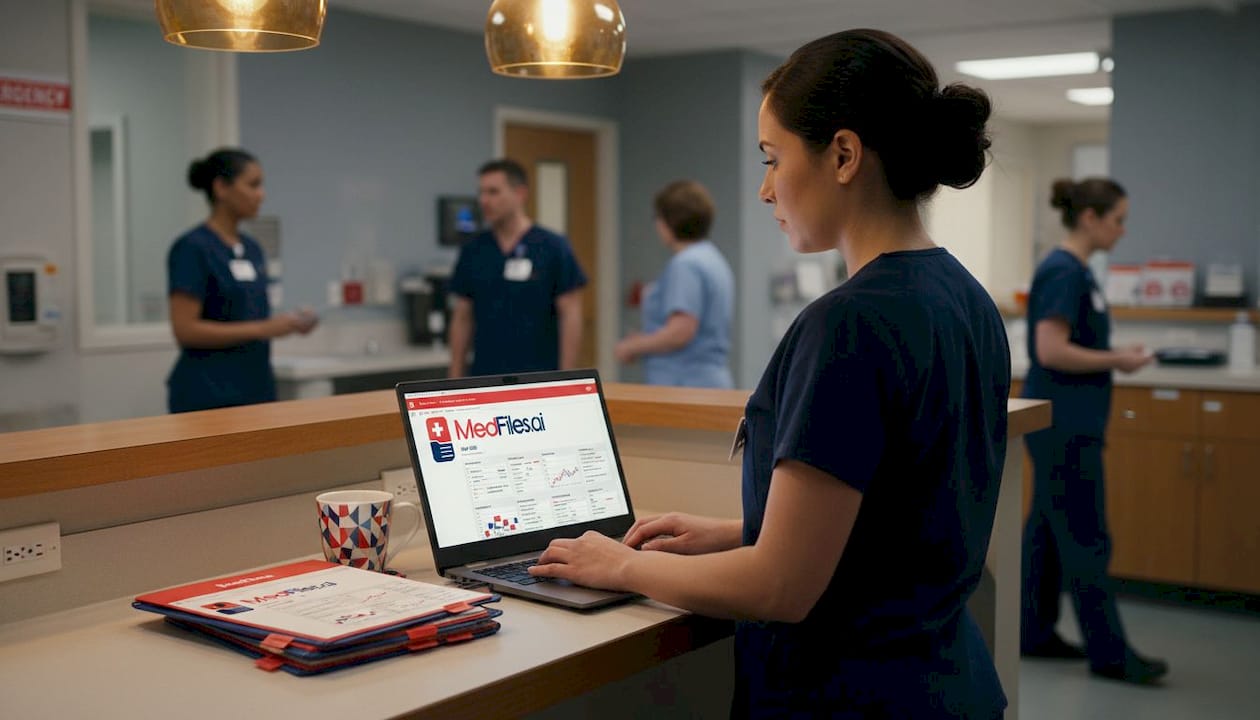
That is where “break-glass” access comes in. Break-glass workflows allow a clinician to override standard access controls in urgent situations, granting immediate entry to a patient’s records. The term comes from the idea of breaking a glass panel to access emergency equipment. It is fast. It is intentional. And it is carefully monitored.
Here is a snapshot of how emergency EHR access typically works across different settings:
| Setting | Access method | Monitoring level | Record availability |
|---|---|---|---|
| Large hospital (urban) | Break-glass override | High, fully logged | Usually comprehensive |
| Small regional hospital | Manual request or phone | Moderate | May be incomplete |
| Urgent care clinic | Limited EHR access | Low to moderate | Often partial |
| Traveling or out of state | Depends on networks | Variable | Frequently unavailable |
| Home or remote emergency | No institutional access | None | Entirely dependent on family |
That last row is critical. When an emergency happens at home, on vacation, or in a location outside your usual healthcare network, institutional systems simply cannot help. The only records available are the ones you or your family bring with you.
Pro Tip: Keep a one-page emergency health summary for each family member. Include allergies, medications, blood type, and key diagnoses. Store it digitally and print a backup. This is the document that saves time when systems fail.
Every break-glass access event is logged, time-stamped, and subject to review. Hospitals take unauthorized access seriously and most have compliance teams that audit these records. So while the process is fast, it is not unsupervised. That accountability protects patients and ensures the system is not abused.
Understanding the digital records workflow hospitals follow helps you anticipate where gaps might exist, and gives you the motivation to fill them before an emergency strikes.
Legal rights for families to access records in emergencies
Understanding the hospital workflow is only part of the equation. Families also need to know their legal rights and processes.
The Health Insurance Portability and Accountability Act, commonly known as HIPAA, is the federal law that governs medical record privacy and access in the United States. Many people assume HIPAA only restricts access. In reality, patients have broad rights to access and receive copies of their own protected health information (PHI) from any covered entity, including hospitals, clinics, and insurance companies.
Here is how HIPAA rules compare between standard and emergency situations:
| Scenario | Written authorization needed? | Time frame for response | Who can receive records |
|---|---|---|---|
| Routine records request | Yes, in most cases | Up to 30 days | Patient or authorized rep |
| Emergency treatment | No | Immediate | Treating providers |
| Parent accessing minor’s records | Generally no | Standard timelines apply | Parent or legal guardian |
| Incapacitated patient (emergency) | No | Immediate | Next of kin or emergency contact |
| Out-of-state care | No (for treatment) | Immediate | Active care team |
This means that in a genuine emergency, your family does not need to navigate paperwork to allow doctors to share information with other treating physicians. The law already permits it. What it does not guarantee is that the records actually exist in a usable, accessible format.
Here are steps to request records quickly when time matters:
- Identify yourself clearly. Provide your name, your relationship to the patient, and a photo ID if possible.
- State the urgency. Most hospitals have expedited processes for active emergency situations. Ask specifically for the “urgent” or “immediate release” process.
- Contact the Health Information Management (HIM) department. This is the hospital office responsible for medical records. They can often provide summaries within hours.
- Request a discharge summary. For patients recently seen at another facility, discharge summaries contain the most relevant condensed information.
- Ask about record sharing networks. Many states participate in Health Information Exchanges (HIEs) that allow participating hospitals to share records electronically in real time.
- Keep your own copies. The fastest way to provide records is to already have them on hand.
Knowing how to organize secure family access ahead of time means you will not be scrambling to learn the system when you are already under stress.
The digital storage benefits are also worth understanding here. When records are stored digitally in a HIPAA-ready platform, you can share them instantly and securely with any provider, from any location, without waiting for a fax or a phone call to go through.
Managing and protecting your family’s medical records
After understanding your rights, the final step is proactive management. Making sure your records are accessible when needed most takes consistent effort, but the payoff is enormous.
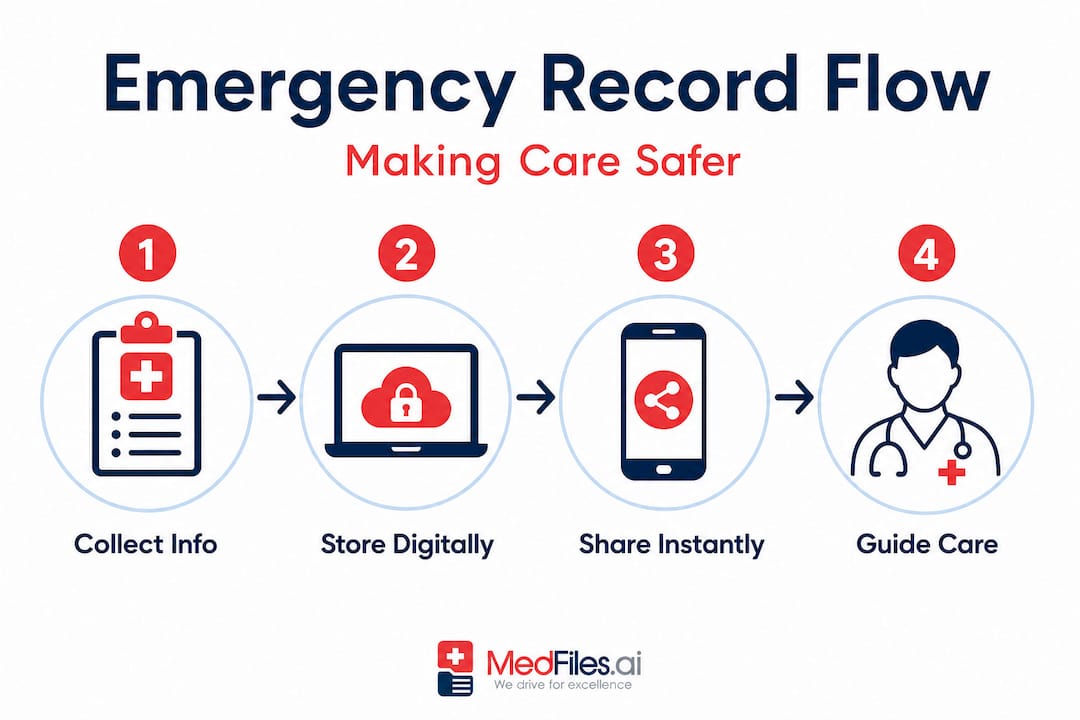
Many families discover during an emergency that their records are outdated, scattered, or simply missing. A prescription list from two years ago is not useful if the patient has changed medications three times since then. A surgery report that only exists in a filing cabinet at home cannot help a doctor in another city.
Missing records during care episodes are not just an inconvenience. They can lead to repeated tests, delayed diagnoses, and dangerous assumptions. Proactive management prevents that.
Here is what good medical record management looks like for families:
- Store records digitally in a secure, encrypted platform rather than relying on physical paper alone
- Update records after every significant appointment, including medication changes, new diagnoses, and procedure results
- Include everyone in the household, including children, elderly parents, and even pets if they have relevant histories
- Share access with trusted family members so that if you are the one incapacitated, someone else can provide the information
- Back up documents in multiple formats, including cloud storage and a portable USB drive
- Use platforms with AI-powered organization, which can automatically sort and label uploaded documents so nothing gets buried
- Review your records at least twice a year, treating it the same way you would review a financial or insurance file
Pro Tip: After any hospital visit or specialist appointment, request a copy of the visit summary before you leave. Upload it to your digital records platform that same day. Small habits done consistently create a complete, reliable record over time.
Privacy is also a real concern. Any platform you use to store health data should meet HIPAA standards and use end-to-end encryption. That means only you and the people you choose to share with can read your information. No third-party advertising. No data selling. Security is not optional when it comes to health records.
Learn more about maintaining records safely to build a system that holds up over years, not just weeks.
Why family coordination is the missing link in emergency care
Here is a perspective that rarely gets discussed: while healthcare systems focus almost entirely on technology, compliance, and clinical workflows, the most impactful variable in emergency outcomes is often the family.
Hospitals build sophisticated EHR systems. They train staff on break-glass protocols. They draft HIPAA policies and audit access logs. All of that infrastructure is valuable. But it assumes the records are already there and accurate. When they are not, the entire system stalls.
Families are the ones who fill that gap. They remember the diagnosis that was mentioned once three years ago. They know which pharmacy the patient uses. They can confirm whether a reported allergy is real or outdated. Family-provided information can be clinically helpful in these settings, though healthcare workflows should also include ways to validate and record that information properly.
The problem is that most families are not coordinated around this responsibility. There is no shared record. No designated person who knows where the documents are. No updated medication list. Everyone assumes someone else is handling it.
This is not a criticism. Life is busy. Managing medical records feels abstract until the moment it is desperately needed. But that moment always arrives eventually, and it rarely gives warning.
The families who walk into an emergency room with a complete digital record on their phone, ready to share instantly with the care team, are not unusual. They are simply prepared. They have used the family records workflow approach to take shared ownership of their health information.
Digital tools make this easier than it has ever been. A secure platform lets you manage multiple family profiles in one place, share specific records with a doctor’s office in seconds, and receive alerts when documents need updating. The technology exists. The only missing piece is the decision to start.
Do not wait for an emergency to wish you had started earlier. Start now, when there is no pressure, no urgency, and no stakes. That is when preparation is easiest and most effective.
For easier, safer medical record access, try MedFiles.ai
Now that you understand the stakes, here is a practical way to make your family’s medical records instantly accessible and secure.
MedFiles.ai is built for exactly the situations this article describes. It gives individuals and families a centralized, encrypted space to store, organize, and share their complete medical history. Upload lab results, prescriptions, imaging reports, and discharge summaries. The platform automatically organizes everything so you can find what you need in seconds.

Whether you are managing records for yourself, your children, elderly parents, or the whole household, MedFiles.ai supports multi-profile management in one account. For patients and families, it means peace of mind every time you step into a care setting. For medical providers, it means receiving accurate, complete records without the delay. Your entire medical history. In your pocket. Forever.
Frequently asked questions
Can hospitals access my records in an emergency without my permission?
Yes. PHI can be shared for treatment and care coordination without written authorization under HIPAA, so long as it is consistent with applicable law and used for legitimate emergency care purposes.
What information should I always have ready for emergencies?
Keep allergies, current medications with dosages, chronic diagnoses, recent procedures, blood type, and emergency contacts organized and easily accessible, ideally in a digital format you can pull up on your phone.
Are delays or lost records common when electronic systems change?
Permanent loss is rare, but system transitions can cause delayed or missing records during care episodes, which creates real uncertainty for families. Having your own backup copies is the best protection.
How can families organize medical records for easy access?
Use a secure digital platform that supports multiple profiles, automatic organization, and encrypted sharing so that you can update records regularly and grant access to care teams instantly when needed.
What should I do if a hospital can’t find my or my child’s medical records?
Contact the hospital’s Health Information Management department directly, provide any backup documents you have on hand, and specifically ask about expedited or emergency access protocols that can accelerate the process.