What Are Medical Record Files, and How Do You Get Yours?
Discover what medical record files are and learn how to easily access yours. Take control of your health records today!

What Are Medical Record Files, and How Do You Get Yours?
Medical record files are the complete set of documents, images, and administrative paperwork that track your health and care over time. That includes clinical notes, lab results, imaging, prescriptions, discharge summaries, and billing records. The single best first action: request a complete copy from every provider you’ve seen, then build one secure, searchable master copy you control.
You have a legal right to this. Under HIPAA’s Privacy Rule, you can inspect, review, and receive copies of your medical and billing records held by covered entities, with few exceptions. Providers deliver records through patient portals built on standards like the ONC’s Blue Button framework, but the portal only shows you what that one provider has. A personal vault, like MedFiles.ai, pulls everything into one place you actually control.
Three steps, start today: Request records from each provider (in writing, specifying format). Collect everything into a single folder, digital or physical. Secure one searchable master copy with backups, so you’re never scrambling during an emergency or a new-doctor visit.
Quick fact: Roughly 87% of office-based physicians now use some form of electronic health record. Your data almost certainly exists digitally somewhere. The challenge isn’t whether it exists. It’s that it’s scattered across a dozen different systems that don’t talk to each other.
Key Takeaways
Building one secure, searchable medical history is the single most effective step you can take to control your own care and respond fast in an emergency.
| Point | Details |
|---|---|
| Request everything | Use your HIPAA right to request complete records from every provider within the 30-day response window. |
| Digitize and consolidate | Scan paper documents into searchable PDFs and build one master folder instead of scattered files. |
| Keep an emergency summary ready | Maintain a one-page document with medications, allergies, and critical diagnoses, stored physically and digitally. |
| Secure everything you store | Use encryption, strong passwords, and two-factor authentication for any digital medical file. |
| Consider a personal vault | Tools like Medfiles consolidate records from multiple portals into one HIPAA-ready, searchable home. |
Table of Contents
- What Counts as a Medical Record File?
- How Do You Request Your Medical Records?
- What Documents Should You Keep at the Ready?
- How Do You Organize and Store Medical Records?
- How Do You Get Decades-Old or Archived Medical Records?
- How Do You Keep Medical Records Private and Secure?
- Patient Portals vs. Personal Vaults: What’s the Difference?
- Sample Records Request Letter and Organization Checklist
- Why a Single Searchable History Changes Everything
- How Medfiles Helps You Build That Master File
- Where to Learn More
- Frequently Asked Questions
- Sources
What Counts as a Medical Record File?
Most people underestimate how much falls under this umbrella. A “medical record” isn’t just the doctor’s handwritten notes. It’s a whole category of documentation, and the HIPAA Privacy Rule defines what’s included in your “designated record set.”
Here’s what typically counts:
- Clinical notes: Visit summaries, physician observations, treatment plans. Example: a progress note documenting your blood pressure trend across three visits.
- Diagnostic results: Lab reports with reference ranges, pathology findings, and blood work. Example: a cholesterol panel showing your LDL against the normal range.
- Imaging: X-rays, MRIs, CT scans, and the radiologist’s written interpretation, not just the images themselves.
- Medication and prescription histories: A running list of what you’ve been prescribed, dosages, and refill dates.
- Discharge summaries: Admission and discharge dates, diagnosis, treatment given, and follow-up instructions after a hospital stay.
- Consent forms: Signed authorizations for procedures, treatments, or data sharing.
- Billing and claims records: Itemized charges, insurance claims, and payment history. These count as part of your designated record set, not a separate category you can be denied.
- Immunization records: Vaccine dates, lot numbers, and administering provider.
One category behaves differently: psychotherapy notes. These are treated as legally distinct under HIPAA and are often excluded from routine access requests, unlike the rest of your file. If mental health treatment is part of your history, don’t assume those session notes will arrive with everything else. If you’re organizing records for a relative or your whole household, family medical records work best in a structure where each person’s categories stay separate but searchable together.
How Do You Request Your Medical Records?
You generally have the right to access most of your protected health information, and providers can’t stall you indefinitely. Under federal guidance on HIPAA access rights, covered entities must respond within 30 days, with one allowable 30-day extension if they give you a written explanation. That’s a maximum wait of 60 days, and it should usually be faster.
Here’s the practical process. Contact the medical records department or health information management (HIM) office, not the front desk scheduler. Put your request in writing, and include your full name, date of birth, dates of service, and exactly which records you want. Specify a format: PDF, scanned images, or a structured export if the provider supports one. You can also request that records go directly to a third party, like a new specialist, instead of routing through you first.
Some clinics ask for identifying details on intake-style forms before releasing anything. Reviewing a sample patient forms page gives you a sense of the fields a clinic typically collects, which helps you anticipate what a records office will ask for.
| What to Know | Details |
|---|---|
| Response deadline | 30 days, with one 30-day extension allowed if the provider explains the delay in writing |
| Who handles it | Medical records or health information management (HIM) department |
| Allowable fees | Reasonable, cost-based charges for copying and mailing |
| Prohibited fees | Charges for search or retrieval time, or denial of access over unpaid bills |
| Preferred format | Machine-readable exports (PDF, structured data) when the provider supports ONC-guided formats |
Pro Tip: If a provider quotes you a flat fee that seems high, ask for an itemized breakdown. HHS guidance is explicit that providers can charge for copying and mailing, but not for the labor of searching or retrieving your file, and a written breakdown often reveals overcharges.
What Documents Should You Keep at the Ready?
Most of your medical history doesn’t need to be at your fingertips every day. A small subset does, and it’s worth building a one-page emergency summary now, before you need it in a waiting room at 2 a.m.
Keep these ready at all times:
- Emergency summary: current medications with dosages, known allergies, and critical diagnoses (diabetes, cardiac conditions, seizure disorders).
- Insurance cards: front and back, digital photo plus physical copy.
- Advance directives: living will, healthcare proxy, or power of attorney for medical decisions.
- Recent discharge summaries: anything from the last 12 months, especially post-surgical or post-hospitalization instructions.
- Provider contact list: primary care, specialists, pharmacy, with phone numbers.
Your one-page emergency summary should lead with the most urgent line first: allergies and any life-threatening conditions, in bold, at the top. Follow with a short medication table (drug name, dose, frequency), then a two-line summary of major diagnoses. Keep the whole thing to one page. Paramedics and ER staff don’t have time to read three pages of history when minutes matter.
Store a laminated physical copy in your wallet or glove compartment, and a digital copy somewhere accessible offline, not buried in an email you’d need Wi-Fi to open.
Pro Tip: Update your emergency summary every time a medication changes, not on a set schedule. A stale allergy list is worse than no list at all, because it creates false confidence.
How Do You Organize and Store Medical Records?
Start with one master repository. Searchable PDFs plus basic metadata beats a drawer of manila folders or, worse, a phone camera roll with 400 unlabeled photos. Keep original paper documents only where a provider or agency legally requires it, and digitize everything else.
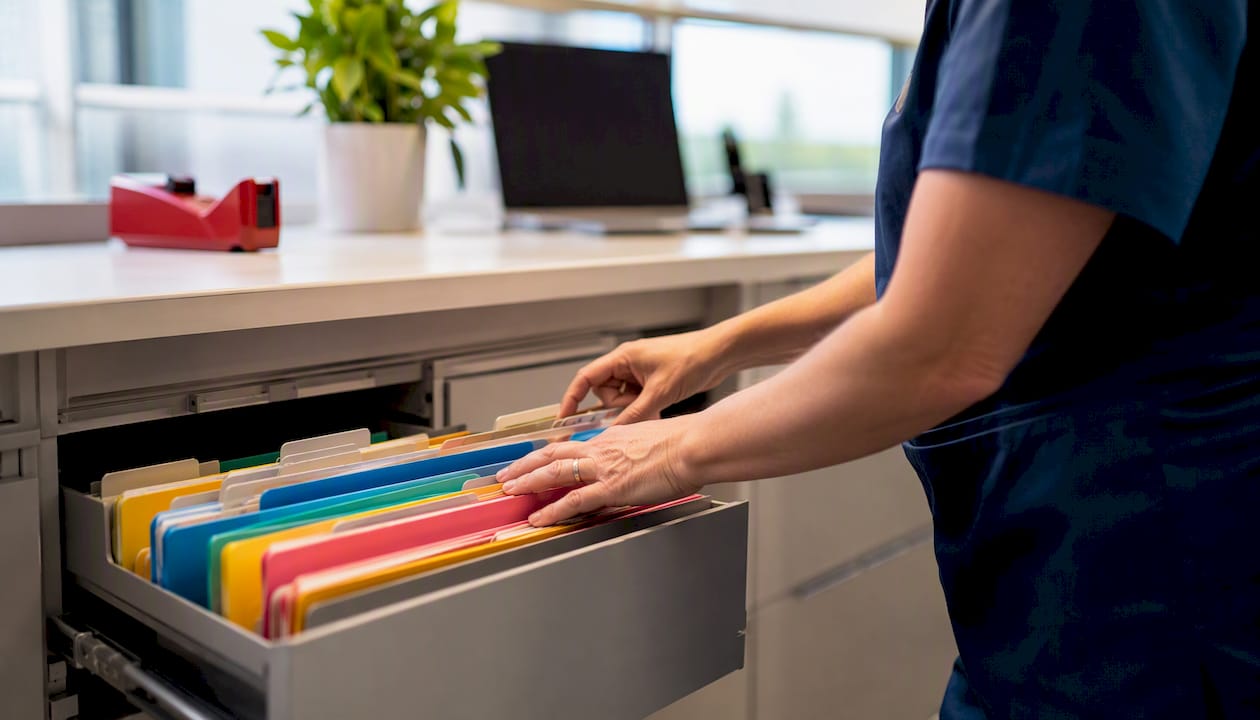
A documented intervention at a municipal hospital cut duplicate patient folders by 97% and pushed single-folder compliance to 99%, simply by introducing a defined filing system with staff training and monitoring. The lesson scales down to your own filing cabinet: a consistent structure and a habit of checking it beats good intentions every time.
Here’s a sample structure you can copy directly:
| Folder Level | Example | Naming Convention |
|---|---|---|
| Top-level | Lab Results, Imaging, Prescriptions, Visit Notes, Billing | Category name only |
| Sub-folder | Lab Results > 2026 | Year, most recent first |
| File name | CBC-Panel_DrChen.pdf | ISO date, short descriptor, provider |
Scan at a minimum of 300 DPI, save as searchable PDFs (OCR converts scanned text into text you can actually search), and batch-tag documents with simple metadata like date, category, and provider name. Keep records in reverse chronological order within each section, so the most recent lab work or note sits at the top when a clinician needs it fast.
Two philosophies compete here: organizing by problem (all records for your diabetes management in one folder, regardless of provider) versus organizing by source (all records from Dr. Chen’s office in one folder, regardless of condition). Patients managing a single chronic condition across specialists generally do better with problem-oriented filing. Someone with a straightforward, low-complexity history is often fine sticking with source-oriented folders. If you’re not sure which fits, digital storage best practices walk through both approaches in more depth.
Pro Tip: Keep a running “living notes” file alongside your official documents, tracking over-the-counter medications, symptom changes, and family history updates. Patient-reported details like these make a personal file far more clinically useful than a folder of official paperwork alone, according to research on patient-generated health data.
How Do You Get Decades-Old or Archived Medical Records?
You can often retrieve records that are decades old, though the process moves slower than a routine request. Retention rules and archive systems vary widely by facility and by state, so patience and persistence matter more than urgency here.
Start with these steps:
- Contact the records office of the specific facility, even if it’s changed names or ownership since your visit.
- Provide every identifying detail you have: full name at the time, date of birth, approximate dates of treatment, and treating physician if you remember it.
- Ask specifically whether records have been transferred to an off-site archive or a third-party storage vendor, which is common for anything older than seven to ten years.
- Search by major events (a surgery, a hospitalization) rather than trying to request “everything,” since old systems are often indexed by encounter, not by patient timeline.
Sometimes the original chart simply doesn’t exist anymore. When that happens, fall back on secondary sources: discharge summaries that reference the original treatment, physician notes from later visits that mention your history, insurance claims records (which often outlast clinical charts), and archived lab results from reference labs that may have retained data longer than the ordering physician’s office.
Document your search as you go: who you called, what date, and what they told you. If records truly can’t be found, that log becomes useful for continuity of care. It tells your current provider “we tried” rather than leaving a silent gap in your history.
How Do You Keep Medical Records Private and Secure?
Control who can see your protected health information. That’s the single rule everything else builds on. Whether you’re storing files on a laptop or sharing them with a new specialist, encrypted storage and authenticated access should be non-negotiable, not an afterthought.

For storage: use encryption both at rest and in transit, set strong unique passwords (not the one you use for your streaming account), enable two-factor authentication wherever it’s offered, and keep backups in more than one location. A phone that gets lost or stolen shouldn’t mean your entire medical history is exposed.
For sharing: limit what you send to exactly what’s needed, and for how long. A provider portal or a secure link with an expiration date beats emailing a PDF as an attachment, which can sit in an inbox indefinitely and gets forwarded without your knowledge. Never send unprotected medical files over public chat apps or unencrypted email, even to family.
Watch for red flags. A provider or third party asking for more access than the task requires, an unexplained high fee for a simple records request, or a request to send sensitive files through an insecure channel are all signs of poor handling. If you see any of them, ask direct questions before you comply, and don’t be afraid to push back on the request.
Quick fact: Roughly 87% of office-based physicians run some form of EHR, which means most of your data already lives in a digital system with its own security standards. The gap isn’t whether your provider secures their system. It’s whether you secure the copies you pull out of it.
Pro Tip: Before sharing records with a new specialist, ask whether they accept a secure upload link instead of email. Most modern practices do, and it takes the same amount of time on your end. Review security and privacy standards before choosing where to store your master file long-term.
Patient Portals vs. Personal Vaults: What’s the Difference?
Patient portals are provider-centric access points. A personal vault is a patient-controlled repository. Both matter, but they solve different problems, and confusing the two leaves gaps in your coverage.
A portal, like the one your primary care office or hospital system runs, shows you what that specific provider has on file. It’s useful for messaging your doctor and viewing recent results, but it won’t show you your cardiologist’s notes or last year’s imaging from a different hospital network. A personal vault pulls records from every source into one searchable place you own, independent of any single provider relationship.
| Feature | Patient Portal | Personal Vault |
|---|---|---|
| Who controls it | The provider or health system | You |
| Scope | One provider’s records only | All providers, consolidated |
| Export options | Often limited, PDF or basic download | Structured import from multiple sources |
| Sharing controls | Provider sets the rules | You set access, scope, and duration |
| Best for | Messaging your doctor, viewing recent results | Emergency access, specialist referrals, travel |
Getting started takes four steps: export your data from each portal you use, standardize the file names as you pull them (using the ISO-date convention from the organization section above), import everything into a single vault, and enable secure sharing so a new clinician can pull what they need without you emailing attachments. If you’re currently juggling logins across multiple portal systems, consolidating into one vault eliminates the password fatigue that comes with it.
A HIPAA-ready personal vault should offer end-to-end encryption, audit logs showing who accessed what and when, secure sharing controls you can revoke, and multi-profile management if you’re tracking records for a family or a pet. MedFiles.ai is built around exactly this model: a single encrypted home for records pulled from every provider you’ve ever seen.
Pro Tip: Set a recurring calendar reminder to export new documents from each portal every three months. Providers won’t push updates to your vault automatically. Someone has to pull the data, and that someone is you.
Sample Records Request Letter and Organization Checklist
Two tools make this whole process concrete: a letter you can copy and send today, and a checklist you can work through this weekend.
Here’s a request letter template you can adapt for any provider:
To: Medical Records Department, [Provider or Facility Name]
I am requesting a complete copy of my medical records under my rights of access provided by HIPAA. Please include: Full name: [Your Name] Date of birth: [MM/DD/YYYY] Dates of service: [Range or “all records on file”] Records requested: clinical notes, lab results, imaging reports, prescription history, discharge summaries, and billing records. Preferred format: PDF or structured digital export. Delivery method: [Secure email, patient portal, or mail to the address below] Please provide an itemized breakdown of any applicable fees before processing this request.
Thank you, [Your Name and Contact Information]
Adjust the recipient line for hospitals (send to the HIM department), clinics (front office or records coordinator), and labs (customer service or records line, since labs often route differently than clinical offices). Track responses in a simple spreadsheet: date sent, provider, response received, and format delivered, so you know exactly where each request stands after 30 days.
Now the organization checklist:
- List every provider you’ve seen in the last ten years, including specialists, labs, and hospitals.
- Send a records request letter to each one using the template above.
- Create your top-level folder structure (Lab Results, Imaging, Prescriptions, Visit Notes, Billing).
- Scan any paper documents at 300 DPI or higher, saved as searchable PDFs.
- Rename each file using the ISO-date-first convention (YYYY-MM-DD_Descriptor_Provider).
- File each document into its category folder, most recent first.
- Build your one-page emergency summary and store both a physical and digital copy.
- Set up encrypted backup storage, whether cloud-based or an external drive.
- Schedule a recurring quarterly review to add new documents and confirm backups succeeded.
Why a Single Searchable History Changes Everything
I think about medical records the way I think about tax documents: nobody wants to deal with them until the exact moment they desperately need to, and by then it’s too late to build the system calmly. The difference is that a missing tax form costs you money. A missing medical record can cost you time in an emergency, or force you to repeat a test you already paid for because nobody could locate the original results.
The habit that actually works isn’t heroic. It’s a quarterly 15-minute review: log into each portal, download anything new, drop it into the right folder, rename it, and confirm your backup ran. That’s it. Do that four times a year and you’ll never again show up to a specialist appointment empty-handed, explaining your history from memory while they nod politely and order redundant tests.
Fragmentation isn’t going away on its own. Your data will keep splitting across new portals every time you see a new provider, which means the “pull” habit, actively exporting and consolidating, matters more than waiting for some future system to unify it for you. Nobody is going to do this consolidation for you. But once it’s built, it pays you back every single time a doctor asks “do you have your last MRI?” and you actually do.
How Medfiles Helps You Build That Master File
Everything above describes a process: request, collect, organize, secure. Medfiles.ai is built to make that process take minutes instead of a weekend, by giving you one HIPAA-ready home for every record you pull from every provider.

Three features solve the exact problems this guide covers:
- Automatic organization sorts uploaded documents by type and date, so you skip the manual folder-building described above.
- Secure sharing lets you send specific records to a new specialist or a family member with controlled, revocable access, not an email attachment floating in someone’s inbox forever.
- Instant emergency access puts your medication list, allergies, and critical history in one place you or a family member can pull up from a phone, anywhere.
If you’re managing records for kids, aging parents, or even pets, multi-profile storage and organization keeps each person’s history separate but instantly searchable. Start a free trial, no credit card required, and upload your first batch of records today.
Where to Learn More
A handful of official sources cover the legal and technical details behind everything in this guide, worth bookmarking if you want to dig deeper.
- HHS guidance on medical records access covers your legal right to inspect and copy your records, plus the rules around fees.
- The HIPAA Privacy Rule access guidance explains exactly what falls inside your designated record set and the psychotherapy notes exception.
- ONC’s Get It resource walks through how to request records in different formats, including structured digital exports.
- Healthit shows how widespread digital records have become among physicians.
Frequently Asked Questions
How long do I have to wait for my medical records after requesting them? Providers must generally respond within 30 days, with one allowable 30-day extension if they give you written notice explaining the delay. That means a maximum realistic wait of 60 days in most cases.
Can a provider refuse to give me my records if I have an unpaid bill? No. HIPAA prohibits providers from denying you access to your records because of unpaid fees for the underlying medical services.
Are psychotherapy notes included when I request my medical record files? Usually not automatically. Psychotherapy notes are treated as a separate legal category under HIPAA and are often excluded from standard access requests, unlike the rest of your designated record set.
What’s the difference between a patient portal and a personal medical vault? A patient portal shows records from one specific provider or health system. A personal vault consolidates records from every provider you’ve seen into a single repository you control and can share on your own terms.
Can I still get medical records from decades ago? Often, yes, though the process moves slower than a recent request. Contact the facility’s records office directly, provide every identifying detail you have, and ask whether older files were transferred to an archive.
This article provides general information about accessing and organizing medical records and is not a substitute for legal or medical advice. Confirm current rules and procedures with your provider or a qualified professional.
Sources
- Hhs
- The HIPAA Privacy Rule and individuals’ right under HIPAA to access their health information
- Office-based Physician Electronic Health Record Adoption, QuickStats
- Improving Medical Records Filing in a Municipal Hospital in Ghana
- HIPAA and the right of access: a Q&A for covered entities
- Get It — ONC