Replace a Medical Binder With a Secure Digital Health Vault
Ditch your paper medical binder! Switch to a HIPAA-ready health vault for quick access to records and easy sharing with providers.
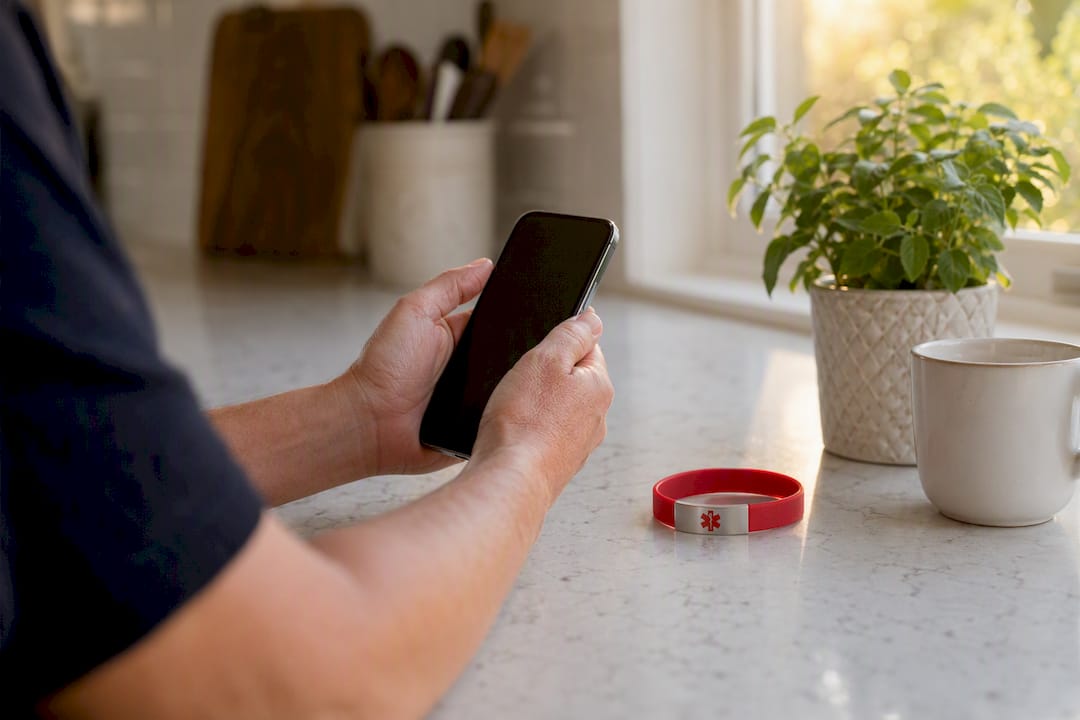
Replace a Medical Binder With a Secure Digital Health Vault
Replace your paper medical binder with a HIPAA-ready personal health record (PHR), and you fix the two biggest problems binders create: nothing is shareable in seconds, and nothing is backed up if it burns, floods, or gets left at a specialist’s office. Start today with three files for each family member:
- Current medication list
- Known allergies
- Most recent visit summary
MedFiles.ai is built for exactly this move. It’s HIPAA-ready, it holds separate profiles for every family member and pet, and it lets you share any document with a provider in a couple of taps instead of a phone call and a fax number nobody uses anymore.
Key Takeaways
Replacing a paper medical binder with a HIPAA-ready digital PHR gives families faster emergency access, fewer duplicate tests, and records that survive a move, a flood, or a lost folder.
| Point | Details |
|---|---|
| Start with three files | Upload current medications, allergies, and your most recent visit summary before anything else. |
| Verify before you trust automation | Cross-check FHIR-imported data and scanned medication lists against pharmacy records for accuracy. |
| Build one emergency card per person | Keep meds, allergies, diagnoses, and contacts on a single page stored on your phone and in your app. |
| Confirm real security, not marketing claims | Look for encryption, audit logs, and export rights backed by HIPAA Security Rule safeguards. |
| Medfiles fits the full checklist | Offers HIPAA-ready storage, family multi-profile management, and secure sharing built for this exact migration. |
Table of Contents
- Why Replace a Medical Binder With a Digital System?
- What Documents Should You Digitize First?
- How Do You Migrate From a Binder to a Digital Record?
- How Should Families Organize Multiple Health Profiles?
- What Security Features Actually Matter in a PHR?
- Does EHR Integration Actually Work?
- How Do You Share Records and Set Up Emergency Access?
- What Mistakes Should You Avoid?
- Who Controls Your Health Data, and What Rights Do You Have?
- What Do You Do With Old CDs, DVDs, and Paper Prescriptions?
- Why This Effort Pays Off for Families
- Ready to Replace Your Medical Binder?
- Frequently Asked Questions
- Sources
Why Replace a Medical Binder With a Digital System?
A binder holds paper. It doesn’t search, it doesn’t back up, and it doesn’t travel well when you’re standing in an urgent care waiting room three states from home. A digital medical binder replacement fixes all three at once.
- Faster emergency access. Pull up the med list and allergy history on your phone before the intake nurse finishes her first question.
- Fewer repeat tests. When your record travels with you, a new specialist can see what was already run instead of ordering it again, which cuts both cost and delay.
- Better continuity of care. A specialist who can see six months of history treats you differently than one working from your memory alone.
- Real durability. Paper degrades, gets lost in moves, and doesn’t survive a house fire. Encrypted cloud storage does.
Pro Tip: Upload your emergency summary first, before anything else. It’s the one file you’ll actually need on a Tuesday night in an ER waiting room, and it’s the one people forget to digitize until they need it.
What Documents Should You Digitize First?
Not everything in your binder deserves equal urgency. Triage it like a nurse would triage a waiting room.
First pass, this week:
- Current medications and dosages
- Allergies and adverse reactions
- Active problem list or diagnoses
- Most recent visit summary
- Immunization records
- Any critical or abnormal test results
Second pass, over the following weeks:
- Imaging reports (MRI, CT, X-ray)
- Full lab histories
- Operative and procedure notes
- Insurance cards and policy documents
- Advance directives or power-of-attorney forms for healthcare
Every file needs the same four pieces of metadata attached: patient name, date of birth, date of service, and document type. Skip this step and you’ll end up with a folder of PDFs that all look identical six months from now, especially once you’re managing family medical records across multiple profiles.
How Do You Migrate From a Binder to a Digital Record?
Treat this as a five-step project you can finish in short sessions, not a weekend marathon.
- Collect. Log into every patient portal you have, call your pharmacy for a printed medication history, and pull loose papers from drawers, cars, and old binders. Ask your primary care office for a full records release if you’ve switched providers recently.
- Digitize or import. Use your phone’s camera with a scanning app that applies OCR, so text becomes searchable rather than just a flat image. For portal downloads, save directly as PDF rather than screenshotting; screenshots lose resolution and can’t be searched.
- Verify. Cross-check the medication list against your pharmacy’s records. Confirm dates on lab results match what your provider’s portal shows. This step catches the transcription errors that hand-copied binder pages are full of.
- Organize. Sort into folders by category, not by date alone; a “Labs” folder beats a pile of PDFs named “scan001,” “scan002.”
- Finalize and back up. Confirm you can export your full record set in a portable format, then set a recurring reminder, after every appointment and again each quarter, to upload anything new.
Save documents as standard PDF rather than image-only files whenever your scanner offers the choice; PDF/A is worth using if your app supports it, since it’s built for long-term archiving without formatting drift. A flatbed scanner beats a phone camera for anything with fine print, like an operative report, but for quick captures, a phone with a dedicated scanning mode is faster and good enough for everyday medical documents.
How Should Families Organize Multiple Health Profiles?
The binder model of “one big binder, tabs for each kid” translates directly into digital, just cleaner. Give each family member their own profile, then use the same category subfolders inside every profile: medications, labs, visits, imaging, insurance.
- Naming convention:
YYYY-MM-DD_Provider_DocumentType. Date-first sorting means your files land in chronological order automatically, no manual reordering required. - Tagging for caregivers: tag shared items like a child’s school medication form or a parent’s care plan so anyone with access finds it without hunting.
- Multi-profile dashboards let you glance at everyone’s status at once, while a separate one-page emergency card per person keeps critical facts isolated and fast to pull up.
This structure scales whether you’re managing your own file or organizing medical records for a family of six.
Pro Tip: Give pets their own profile too, especially if you’re managing chronic conditions or multiple medications. Vets ask the same questions doctors do, and “when did the vomiting start” is easier to answer from a log than a memory.
What Security Features Actually Matter in a PHR?
Not every app calling itself a “health vault” backs that claim with real infrastructure. Look for specifics, not marketing language.
- Encryption at rest and in transit, not just “secure servers”
- Role-based access controls, so you decide who sees what
- Audit logs that show who accessed a record and when
- Export and portability rights, so your data isn’t locked in
- A privacy policy that states plainly who owns your data (it should be you)
The HIPAA Security Rule requires regulated entities to implement administrative, physical, and technical safeguards for electronic protected health information, and NIST’s SP 800-66 Rev. 2 translates that requirement into practical controls like documented risk analysis and audit mechanisms. Federal regulation also specifically requires covered entities and their business associates to protect the confidentiality, integrity, and availability of that data.
Consumer PHR apps aren’t automatically covered by HIPAA unless they’re acting as a business associate to a covered entity. That’s why it matters when a platform voluntarily builds to that standard anyway. Check for two-factor authentication and ask, directly, whether the vendor documents its own risk-management process. See Medfiles’s security approach for one example of what that looks like in practice.
Does EHR Integration Actually Work?
FHIR-enabled integration is real and useful, but it’s not the frictionless magic the marketing implies. A federally funded feasibility study of a mobile FHIR-enabled PHR for family care coordination found genuine value in structured data import, but also ran into recurring log-in and EHR-connection problems that limited how consistently families could rely on it.
- What it delivers: medication lists and lab results pulled in automatically, no retyping.
- What it doesn’t guarantee: every EHR vendor supports FHIR connections equally well, and connection drops happen.
- Practical move: treat FHIR import as a shortcut, not a substitute for manual verification on anything critical, like an active diagnosis or a recent surgical note. Building any shared health data exchange also depends on the kind of layered security architecture NIST describes for health information exchanges, which is part of why connections between systems can be slower and glitchier than a simple file upload.
How Do You Share Records and Set Up Emergency Access?
A binder only helps if someone’s holding it. A digital record helps whether you’re conscious or not, if you set it up right.
- Permission tiers: view-only links for a specialist reviewing history, time-limited access for a one-time consult, full clinician-review access for your primary provider.
- Emergency card contents: current medications, allergies, primary diagnoses, and emergency contacts, all on one page.
- Where to keep it: your phone lock screen, a wallet card, and the emergency section of your PHR app, so it’s findable even if your phone is locked or dead.
Verify who you’re sending records to before you send them, and prefer a secure sharing link over email attachments, which sit unencrypted in inboxes indefinitely. Review your active shares periodically and revoke anything you don’t recognize. If your household includes a family member with complex, multi-specialist care, this guide for families managing complex care covers coordination details worth layering on top of your emergency card.
Pro Tip: For a child with a chronic condition or a caregiver managing crisis situations, coordinate your emergency-card contents with school staff or care teams in advance. Clear crisis-response roles prevent confusion when minutes matter.
What Mistakes Should You Avoid?
The most common failure isn’t skipping the migration. It’s doing it halfway.
- Uploading files without metadata, so nothing’s searchable six months later
- Trusting an automated import without spot-checking accuracy
- Never reading the app’s privacy terms before uploading sensitive data
- Skipping backups, recreating the exact single-point-of-failure problem paper had
Readiness checklist: Have you exported your portal PDFs? Verified your medication list against the pharmacy? Built emergency cards for everyone in the house? Confirmed the app encrypts data and logs access? Set a calendar reminder for quarterly updates?
Who Controls Your Health Data, and What Rights Do You Have?
You should own your data, not rent access to it. That distinction shapes how you evaluate any platform before uploading years of sensitive history.
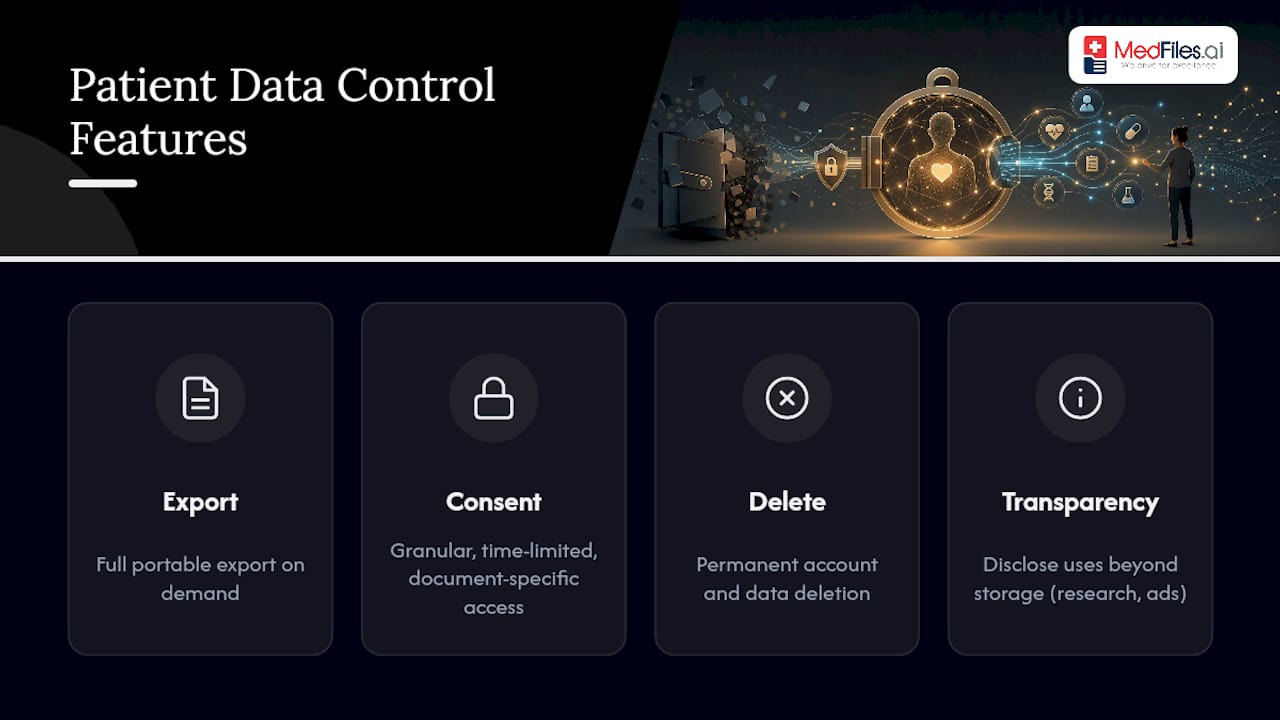
A legitimate PHR gives you full export rights on demand, not “contact support and wait.” It should let you set granular consent, meaning you choose exactly what a specific provider or family member can see, rather than an all-or-nothing account share. And it should disclose plainly whether it ever uses your data for purposes beyond storage and sharing, like aggregated research or advertising.
Consent management matters most when your household includes shared caregiving. A parent managing a teenager’s records, or an adult child managing an aging parent’s care, needs the ability to grant and revoke access without deleting the underlying file. Look for platforms that let you set time-limited or document-specific permissions rather than handing over blanket account access.
Ask three questions before committing your family’s records to any platform: Can you export everything in a portable format at any time? Can you delete your account and data completely if you leave? Does the privacy policy specify who, if anyone, the company shares data with? If any answer is vague or missing, that’s a signal to look elsewhere; a platform confident in its own privacy practices states them plainly, not in buried legal language.
What Do You Do With Old CDs, DVDs, and Paper Prescriptions?
Every long-time binder has that one section nobody’s touched in years: a CD from a 2019 MRI, a stack of handwritten prescriptions, maybe a DVD from an old ultrasound. These need a different approach than a stack of paper.
For imaging discs, most hospital radiology departments can transfer studies directly to a new provider’s system on request, which is often cleaner than trying to open a decade-old DICOM viewer on a laptop that no longer has a disc drive. If you must handle it yourself, an external USB drive reader lets you copy the files, but confirm the images actually opened and displayed correctly before you toss the original disc.
Paper prescriptions and handwritten notes just need a clear photo or scan with OCR enabled so the text becomes searchable, not a flat image you’d have to squint at later. Old immunization cards and faded thermal-paper lab printouts deserve a scan sooner rather than later, since thermal paper fades within a few years regardless of how carefully it’s stored.
Tag every legacy document with the same metadata rule as everything else: name, date of birth, date of service, document type. A ten-year-old scan without a date attached is nearly useless once it’s buried among newer files.
Why This Effort Pays Off for Families
Families who make this switch stop re-explaining their history at every new appointment. A parent tracking three kids’ allergies, a caregiver managing a parent’s medication changes, they all describe the same shift: less scrambling, fewer repeated tests, more confidence walking into any exam room. Medfiles is built for exactly that shift, with HIPAA-ready storage, family profiles, and sharing that doesn’t require a fax machine.

Ready to Replace Your Medical Binder?
You’ve seen the checklist. Now here’s the shortest path through it: Medfiles handles the parts that make binders fail, searchability, backup, and instant sharing, in one HIPAA-ready platform built specifically for families and caregivers juggling more than one person’s health history.

Sign up, upload your first three documents (medications, allergies, last visit summary), and set up an emergency card before you do anything else. From there, invite one caregiver or provider to see how secure sharing actually works in practice. Multi-profile management means your kids, your parents, and even your pets each get their own organized space instead of one messy shared folder. Storage, tagging, and export all live under one medical document storage system built to be portable, not locked in.
Start your free trial today. No credit card required, just your first three documents and about ten minutes.
Frequently Asked Questions
Is it safe to replace a medical binder with a digital app? Yes, provided the platform is HIPAA-ready and documents real safeguards: encryption at rest and in transit, access controls, and audit logs, as outlined in the HIPAA Security Rule.
What’s the fastest way to start a digital medical binder replacement? Upload your current medication list, allergies, and most recent visit summary first. Everything else can follow over the next few weeks.
Can I still keep paper copies after switching to a digital medical binder? Some people keep a slim physical folder with a few originals, like advance directives, but the working record should live digitally so it’s searchable and shareable.
Does a personal health record app replace my doctor’s own records? No. It supplements them by giving you your own portable copy you control, which you can share with new providers or during emergencies.
How do I handle old prescriptions or imaging discs when digitizing? Scan paper prescriptions with OCR enabled, and request imaging transfers directly from the originating hospital’s radiology department when possible rather than relying on an old disc.
Sources
- Hhs
- SP 800-66 Rev. 2, Implementing the HIPAA Security Rule: A Cybersecurity Resource Guide | CSRC
- Feasibility Study of a Mobile Digital Personal Health Record for Family-Centered Care Coordination for Children and Youth with Special Healthcare Needs - Final Report
- Security Architecture Design Process for Health Information Exchange | NIST IR 7497
- § 164.306 Security standards: General rules. | govinfo