Step by Step Medical File Management for Families
Discover step by step medical file management to keep your family's health records organized. Prevent chaos and stay prepared!

Step by Step Medical File Management for Families
Most people don’t think about their medical records until they desperately need one. You’re at an urgent care clinic in another city, or your child’s new pediatrician asks for a vaccination history, and suddenly you’re digging through a shoebox of papers or scrolling through dozens of unread patient portal emails. Step by step medical file management isn’t complicated, but without a clear system, it falls apart fast. This guide gives you a practical, hybrid approach that works for individuals and families, covering everything from what to collect to how to keep it current without the chaos.
Table of Contents
- Key Takeaways
- Step by step medical file management: what to gather first
- How to organize and file your medical records
- Common pitfalls and how to avoid them
- What consistent medical file management actually does for you
- My honest take on what actually matters
- Medfiles makes this easier to maintain
- FAQ
Key Takeaways
| Point | Details |
|---|---|
| Start with a document audit | Gather all existing records in one place before sorting or filing anything. |
| Use a hybrid system | A physical go-binder plus a secure digital archive covers you in any situation. |
| Name files consistently | Use a format like YYYY-MM-DD_Type_Provider so you can search and find instantly. |
| Build a post-appointment routine | Filing documents the same day prevents backlogs that become impossible to fix. |
| Prioritize your medical snapshot | One updated summary page of diagnoses, medications, and allergies saves lives in emergencies. |
Step by step medical file management: what to gather first
Before you sort a single document, you need to know what you’re working with. Most families are surprised by how many records they already have scattered across portals, paper bags, and email inboxes.
Under the HIPAA Privacy Rule, you have a legal right to request copies of your health records from hospitals, clinics, pharmacies, labs, and nursing homes. Start there. Request records from every provider you’ve seen in the past five years, or longer if you’re managing a chronic condition.
Document categories to collect
Here’s a table to guide your collection process:
| Category | Examples | Suggested tool |
|---|---|---|
| Visit records | Discharge summaries, office notes | Digital archive, physical binder |
| Lab and imaging | Blood panels, X-rays, MRI results | Secure cloud storage |
| Prescriptions | Current meds, past prescriptions | Go-binder, digital scan |
| Insurance and billing | EOBs, cards, prior auth letters | Physical folder, digital backup |
| Immunizations | Vaccine records, travel shots | Go-binder, digital copy |
| Specialist reports | Cardiology, dermatology, referrals | Digital archive |
Once you know what categories apply to your family, gather the physical supplies you need:
- A three-ring binder with tabbed dividers (your go-binder)
- Colored folders for broad categories
- A flatbed or phone-based document scanner
- A reliable cloud storage app or dedicated medical record platform
- A label maker or consistent handwritten labels
The goal at this stage is collection, not perfection. Get everything into one physical pile and one digital folder before you organize anything. Trying to sort while you gather is the fastest way to stall.
Pro Tip: If your family has multiple members, create a separate go-binder and digital folder per person from day one. Mixing records is one of the most common and most dangerous mistakes families make.

How to organize and file your medical records
Now that you have everything in one place, here’s the step-by-step process that actually works. Follow this order and don’t skip steps.
-
Sort everything by person, then by category. If you’re managing records for a family, separate each person’s documents first. Then sort within each group using the category list above. Don’t worry about dates yet.
-
Within each category, sort by date, newest first. Reverse chronological order is the most practical for medical records. You almost always want the most recent document, not the oldest.
-
Create a consistent naming convention for digital files. Standardized file naming like YYYY-MM-DD_DocumentType_ProviderName is the single biggest improvement most people can make. A file named 2025-11-14_LabResults_CityLabCorp is findable in seconds. A file named “scan003.pdf” is not.
-
Build your physical go-binder. This binder is not a complete archive. It holds only critical current information: your medication list, known allergies, insurance cards, emergency contacts, and recent visit summaries. If you’re in an ER at 2 a.m., this binder is what you hand the doctor.
-
Create a medical snapshot page. A one-page summary listing current diagnoses, active medications with dosages, allergies, primary care provider, and emergency contacts is more practical than any binder tab system. Update it every time something changes.
-
Scan all paper documents and file them digitally. Use your naming convention every time, no exceptions. If your phone camera is your scanner, use an app that saves directly to PDF rather than a photo library.
-
Set up your digital folder structure. Mirror your physical categories: one top-level folder per family member, subfolders for each category, and an “Archive” folder for records older than five years.
-
Schedule a post-appointment filing routine. Every time you leave a doctor’s office, file the paperwork that day. Not the weekend. Not “when you have time.” That day. Scanning without immediate filing creates backlogs that pile up until the system collapses entirely.
Pro Tip: Set a five-minute phone reminder for the evening of every appointment. Label it “file today’s records.” That five-minute habit protects months of organizational work.
Common pitfalls and how to avoid them
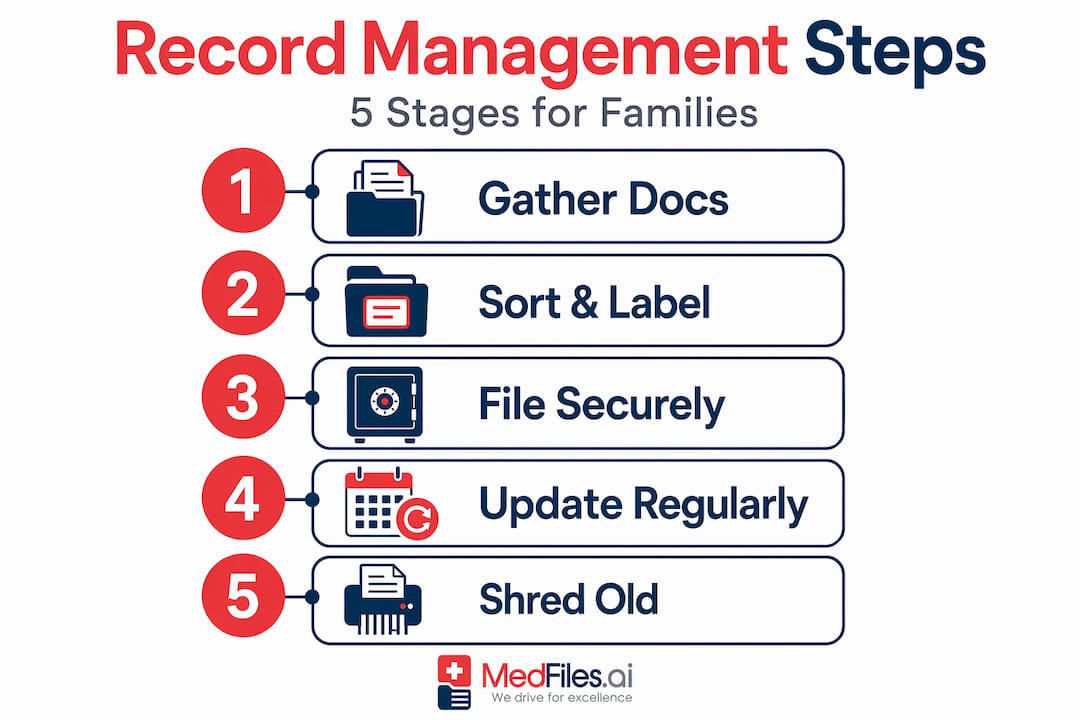
Even people with good systems run into the same predictable problems. Knowing these in advance keeps your medical records organization on track.
Duplicate documents. When you request records from multiple sources or download from several portals, you’ll inevitably get the same document twice. Version control matters here. Use your date-based naming convention to spot duplicates immediately and delete the extra before it creates confusion about which is current.
Mixing active and archived files. Your active files should only contain records from the past one to two years or anything currently relevant to ongoing care. Everything older goes to an archive folder or a separate physical binder. When your active file is clean, you find things faster and feel less overwhelmed.
Weak digital security. Medical records are among the most sensitive personal documents you own. Use strong, unique passwords for any platform that stores them. Turn on two-factor authentication everywhere you can. When sharing records with a provider, use controlled sharing links from a cloud service rather than attaching files to unencrypted emails.
Not having a sharing plan. Think in advance about who needs access to your records and how they’ll get it. A spouse, an elderly parent’s caregiver, or an adult child managing a family member’s care all need different levels of access. Set those permissions deliberately, not reactively.
Before an emergency happens, decide who can access your records and how. Write it down, share it with the people who need to know, and review it once a year.
Disposing of records carelessly. When you do discard old paper records, shred them. Medical documents contain enough personal information to enable identity theft. For digital records, don’t just delete. Use a secure delete or empty files from a platform that confirms data removal.
For a deeper look at secure document storage practices, the specifics of encryption and access control are worth understanding before you choose a platform.
What consistent medical file management actually does for you
The payoff for keeping organized records goes well beyond knowing where your paperwork is. Better managed records directly reduce repeat tests, prevent medication conflicts, and speed up decision-making when you’re in a clinical setting. That’s not a small benefit. That’s fewer blood draws, fewer X-rays, and fewer dangerous drug interactions.
When you see a new specialist, walking in with a complete record history means that provider spends the appointment on your actual problem, not piecing together your history from your memory. It also means they won’t order a test you had six months ago that came back normal.
For families, organized records make coordination across providers far smoother. If your child sees a pediatrician, an allergist, and a speech therapist, having a single organized file means all three providers can quickly understand the full picture. The same applies when communicating with insurance companies about coverage disputes or prior authorizations.
In emergencies, the difference between a disorganized pile and a current medical snapshot can directly affect the speed and accuracy of treatment. First responders and ER staff make faster, safer decisions when they have immediate access to medication lists and allergy information.
Beyond acute situations, organized records support long-term health tracking. You can actually see trends in your lab results over years, notice when a medication was changed and why, and have an informed conversation with your doctor about your own patterns. That kind of data gives you real control over your health.
My honest take on what actually matters
I’ve seen people spend hours color-coding binders and building elaborate folder hierarchies, only to abandon the whole system three weeks later because it was too much work to maintain.
The most resilient system is the one you actually use. In my experience, two things determine whether a medical file system lasts: how simple it is to add new documents, and whether there’s a consistent trigger (like the post-appointment routine) that makes filing automatic rather than a decision.
I’ve also found that families consistently underestimate the value of the go-binder until they need it. The first time you walk into an ER at midnight and hand a nurse a clean, current medication list instead of saying “I think he takes something for blood pressure, maybe lisinopril,” you will never skip updating it again.
The emotional side of this matters too. When your records are organized, you feel less anxious about medical situations. You’re not dreading the new patient forms. You’re not panicking when a specialist’s office calls asking for records by Friday. You’re in control. That feeling of calm competence around your family’s health is worth every minute of setup.
— Team
Medfiles makes this easier to maintain

Setting up your system manually works. But keeping it working long-term is where most people struggle. Medfiles is built specifically to solve that problem for individuals and families. You upload your documents once, and the platform automatically organizes them by category, date, and provider. No manual filing. No naming conventions to memorize.
Medfiles uses HIPAA-ready infrastructure with end-to-end encryption, so your records are protected at the same standard as hospital systems. You can create separate profiles for every family member, share specific records securely with any provider, and access everything from your phone whether you’re at a routine checkup or traveling abroad.
If you’ve built a go-binder and want a digital archive that actually keeps up with your family’s records, explore Medfiles and see which plan fits your needs. You can also review pricing and plans to find the right tier for individuals or multi-member families.
FAQ
What documents should I keep in a medical go-binder?
Your go-binder should contain current medications with dosages, known allergies, insurance cards, emergency contacts, recent visit summaries, and your one-page medical snapshot. Keep it slim and current, not a complete archive.
How should I name my digital medical files?
Use a standardized format such as YYYY-MM-DD_DocumentType_ProviderName for every file. This makes files instantly searchable and prevents confusion when multiple documents arrive from the same provider.
How do I share medical records safely with providers?
Use a cloud platform with controlled sharing links and permission settings rather than sending files by email. Turn on two-factor authentication and use strong unique passwords for any platform that stores your health records.
How often should I update my medical records system?
File new documents on the same day as your appointment. Review and update your medical snapshot page every time a medication, diagnosis, or provider changes. A full system review once a year keeps archives clean.
Do I have the right to request copies of my own medical records?
Yes. Under HIPAA, you have the legal right to request and receive copies of your health records from hospitals, clinics, pharmacies, labs, and nursing homes. Most providers must respond within 30 days of your request.