The Process for Updating Health History: A Patient's Guide
Learn the essential process for updating health history to ensure accurate medical records. Keep your health information safe and reliable!

The Process for Updating Health History: A Patient’s Guide
Your health records only protect you when they’re accurate. Yet most people discover errors or missing information at the worst possible time. A wrong medication listed during an emergency visit, an outdated allergy note before surgery, a diagnosis that never made it into the file. The process for updating health history is something every patient needs to understand, but very few are ever taught. This guide walks you through every step: what to gather, how to submit a correction, what to do when something goes wrong, and how to keep your records accurate for the long term.
Table of Contents
- Key takeaways
- What you need before updating your health history
- Step-by-step process for updating health history
- Common mistakes when updating health information
- How to maintain and verify your updated health history
- My take on health history updates
- Keep your records current with Medfiles
- FAQ
Key takeaways
| Point | Details |
|---|---|
| Gather records before you start | Collect your existing documents, medication lists, and test results before contacting any provider. |
| Match your request to the right provider | Send each amendment request to the specific provider who created that record, not the general office. |
| Use forms for simple fixes, letters for complex ones | Simple corrections often use provider forms; complex or disputed changes require a written amendment letter. |
| Expect up to 60 days for a response | Under HIPAA, providers must respond to your amendment request within 60 days, with one possible extension. |
| Build a review routine | Check your records at least annually, after major health events, and whenever you see a new provider. |
What you need before updating your health history
Before you contact anyone, spend time getting organized. Jumping into the updating health records process without the right materials is the most common reason requests get delayed or rejected.
Start by gathering these documents:
- Current medication lists, including dosages and prescribing providers
- Recent lab results and imaging reports
- Records from specialists you have seen in the past two to three years
- Vaccination history
- A list of known allergies and prior reactions
- Any existing diagnosis letters or discharge summaries
Once you have those in hand, you need to know where your records actually live. Many providers now offer patient portals, such as those built on Epic or MyChart, where you can view your records directly. Log in and review what the portal shows before you write a single correction request. Understanding the distinction between getting your records and correcting them is the starting point for the whole process. You can only fix what you can see.
Contact each provider’s office to confirm their specific health history update procedure. Some offices have a dedicated medical records department. Others route requests through a front desk coordinator. A quick call saves days of back and forth.
Pro Tip: Set a recurring calendar reminder every six months to check your patient portals. Catching outdated information early makes corrections far less complicated.
One more thing worth doing before you start: create a simple tracking table for yourself.
| Provider name | Record type | Error identified | Date submitted | Response received |
|---|---|---|---|---|
| Primary care physician | Medication list | Wrong dosage listed | — | — |
| Cardiology specialist | Visit notes | Missing diagnosis | — | — |
This kind of log keeps every active request visible and prevents you from losing track of submissions across multiple providers.
Step-by-step process for updating health history
Once you are prepared, the actual health history update procedure follows a clear path. Here is how to move through it without stalling.
Step 1: Review your existing records carefully. Read through everything you have gathered. Note the specific page, section, and record date for every item that needs correction. Vague requests get denied. Specific requests get processed.

Step 2: Decide whether to use a form or write a letter. Simple corrections are usually handled through the provider’s own amendment form, which you can request from the medical records office. If no form exists, or if the correction is complex or disputed, you will need to write a letter. Do not let the absence of a form stop you. A well-written letter carries the same legal weight under HIPAA.
Step 3: Write your amendment request. This is where specificity matters most. Your amendment request must include:
- Your full name, date of birth, and contact information
- The name and address of the provider or facility
- The specific date of service connected to the record in question
- A clear description of the incorrect or missing information
- What the correction should say
- A copy of the relevant record page showing the error
Think of this request as evidence. The more clearly you document the problem and the solution, the harder it is for the provider to deny.
Step 4: Submit your request securely. Deliver the request to the specific provider who created the record, not just any office connected to that health system. Sending requests to the wrong provider or clinic is one of the leading reasons amendments fail. Call ahead to confirm the correct fax number, mailing address, or secure upload portal.
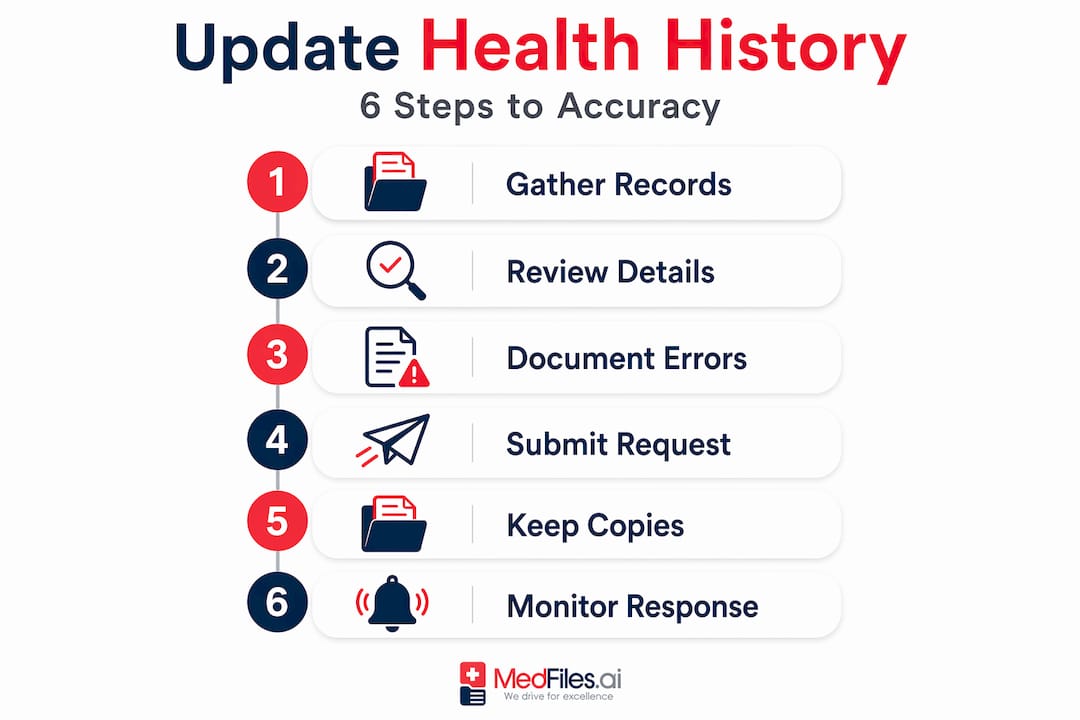
Step 5: Keep copies of everything. Before you send anything, make a complete copy. Keeping copies of all submitted documents gives you a clear record if you need to follow up or dispute a denial later.
Step 6: Monitor the timeline. Under HIPAA, providers must respond within 60 days of receiving your request. They may extend that deadline by 30 additional days if they notify you in writing. If you hear nothing after 60 days, follow up immediately.
Pro Tip: Send your amendment request by certified mail or through a secure patient portal message so you have a timestamped delivery confirmation.
| Method | Best for | Risk level |
|---|---|---|
| Provider amendment form | Simple corrections with supporting forms | Low |
| Written amendment letter | Complex changes, disputed entries, no form available | Low to medium |
| Patient portal message | Minor updates where portal supports edits | Low |
| Standard email | Any sensitive correction | High (avoid) |
Common mistakes when updating health information
Even patients who prepare well run into problems. Most of these problems are avoidable if you know what to watch for.
The most common mistakes include:
- Sending to the wrong provider. If your cardiologist documented an incorrect allergy, the amendment request goes to your cardiologist, not your primary care physician. Addressing requests correctly to the provider who created the record is the single biggest factor in whether your request succeeds.
- Being too vague. Saying “my records are wrong” tells the provider nothing. Specify the exact record, the exact page, the exact error, and exactly what it should say instead.
- Skipping copies. Every page you send should have a copy in your own files. Without copies, a dispute becomes your word against theirs.
- Missing the follow-up. Most people submit a request and assume it gets handled. Set a specific date to follow up if you have not received a written response.
“Under HIPAA, you have the right to inspect and request amendments to your medical and billing records. If your provider denies the amendment, you can submit a statement of disagreement that must be appended to your record.”
That right to submit a statement of disagreement is something most patients do not know they have. If your amendment is denied, write a clear, factual statement explaining why you believe the record is incorrect. The provider must attach it to your file, and it travels with that record wherever it is shared.
Privacy also matters throughout this entire process. Never send sensitive records by regular email. Use secure portals, certified mail, or encrypted file sharing. If you are managing records for a family member, confirm you have the proper authorization on file before submitting anything on their behalf.
How to maintain and verify your updated health history
Getting a correction into your record is step one. Keeping your health history accurate over time is an entirely different habit, and it matters just as much.
Reviewing your medical history at least annually, at every visit ideally, and after significant health changes gives you the best chance of catching errors while they are still easy to fix. A new diagnosis, a changed medication, a surgery, or even a new pharmacy can all create gaps between what happened and what was recorded.
Build these habits into your routine:
- Review your records once a year, even if nothing major happened
- After any hospitalization or procedure, request a copy of the discharge summary and check it against your own notes
- Tell every new provider about recent changes at the first visit, and then verify those changes appeared in the record at your next visit
- Use your patient portal features to track what has been updated and when
- For families managing multiple health profiles, keeping a shared log prevents information from falling through the cracks. See how others organize family records securely for practical models you can adapt.
Accurate, up-to-date patient information is the foundation of safe handoffs between providers and reduces errors that can affect clinical outcomes. When your records are complete and current, your care team spends less time asking background questions and more time treating you.
One practical distinction worth making: separate your stable health information from your variable information. Stable items like past surgeries, childhood illnesses, and confirmed allergies rarely change. Variable items like current medications, active symptoms, and recent test results need frequent review. Checking only the variable items at each visit cuts your review time significantly while still keeping the record accurate.
When corrections are complex, disputed over many records, or involve sensitive situations like mental health notes or billing disputes, consider consulting a patient advocate or a healthcare attorney. These professionals know the system and can move things forward when direct requests stall.
My take on health history updates
I have watched people treat medical record updates as a bureaucratic nuisance. Fill out a form, maybe. Hope the office handles it. Move on.
That mindset is a real risk. Structured, up-to-date patient information is what allows care teams to make safe decisions, especially when you are seeing someone new, traveling, or in an emergency. A provider who does not know about your penicillin allergy because the record was never updated is not a small administrative failure. It is a patient safety event.
What I have found is that most patients who do update their records do it reactively, after something goes wrong. The patients who get the most out of their healthcare relationships are the ones who treat their health history like a living document. They check it. They correct it. They share it deliberately.
There is also a misconception that this process is complicated or adversarial. It does not have to be. Most providers want accurate records. When you show up with a clear, specific, well-documented request, you are making their job easier. The importance of health history updates is not just about compliance. It is about being an active participant in your own care.
Start simple. Pick one provider. Log in to the portal. Read through your last three visits. You will almost certainly find something worth correcting. That is not a failure. That is just how records work when no one is actively managing them. Now you are the one managing yours.
— Team Medfiles
Keep your records current with Medfiles

Tracking corrections across multiple providers, portals, and paper records takes real effort. Medfiles makes it easier. The platform lets you store all your medical documents in one encrypted, HIPAA-ready space, share records securely with any provider, and access everything instantly whether you are at home or across the country. You can manage profiles for every member of your family and keep a clear, organized record of what has been updated and when. Explore the full platform features or check out how Medfiles supports clinical data exchange for a smoother experience between you and your care team. See which plan fits your needs and get started today.
FAQ
What is the process for updating health history?
The process involves gathering your existing records, identifying errors or gaps, and submitting a formal amendment request to the specific provider who created the record. For simple corrections, providers often have forms; for complex changes, a written letter is required.
How long does a health history update take?
Under HIPAA, providers must respond to an amendment request within 60 days of receipt, with a possible 30-day extension if they notify you in writing.
What should I include in an amendment request letter?
Include your name, date of birth, provider information, date of service, a clear description of the error, the correction needed, and a copy of the record page showing the mistake.
What if my amendment request is denied?
You have the right to submit a statement of disagreement, which the provider must attach to your record and include whenever that record is shared.
How often should I review and update my health history?
Review your records at least once a year, after any hospitalization or procedure, and whenever you start seeing a new provider or experience a significant health change.