How to master digital medical records workflow for families
Learn how to set up, access, and secure digital medical records for your family with step-by-step guidance on portals, proxy access, mobile apps, and emergency prep.

How to master digital medical records workflow for families
Imagine this: your child has a severe allergic reaction while you’re traveling. You rush to the nearest ER, and the first thing the doctor asks is, “Any known allergies? Current medications? Previous reactions?” Your mind goes blank. The paper records are at home, and your usual doctor’s office is closed. This scenario plays out for families every day, and it’s entirely preventable. Digital medical records workflows give you instant, secure access to your family’s complete health history, anywhere and anytime. This guide walks you through everything: what you need to start, how to set it up, how to keep it secure, and how to go beyond the basics.
Table of Contents
- What you need before you start
- Step-by-step: Accessing and managing your medical records
- Security, privacy, and emergency considerations
- Beyond basics: Importing data, mobile apps, and advanced features
- A fresh perspective: Dependence on digital records and what most guides miss
- Secure and simplify family medical recordkeeping today
- Frequently asked questions
Key Takeaways
| Point | Details |
|---|---|
| Get organized first | Having the right tools and setup makes digital medical records access much smoother for families. |
| Follow secure workflows | Registration, login, and proxy steps ensure both safety and convenience for care management. |
| Know emergency procedures | Digital records are excellent for routine care, but emergencies require direct provider access and backups. |
| Make full use of features | Apps, import tools, and patient-generated data options provide smarter ways to track and share health. |
What you need before you start
Now that you know why staying prepared matters, start with these essentials.
Before you log into any portal or upload a single document, make sure you have the right tools in place. Missing even one item can stall your setup and leave gaps in your family’s health coverage.
Here’s what you need:
- A reliable internet connection and a compatible device (smartphone, tablet, or computer)
- A valid email address and phone number for multi-factor authentication (MFA)
- Your health provider’s patient portal name (ask at your next visit or check their website)
- An activation code from your provider, or the option to self-enroll online
- Basic personal info: date of birth, legal name, and insurance details for identity verification
A patient portal overview can help you understand what to expect before you sign up. In simple terms, a patient portal is a secure website or app your healthcare provider offers so you can manage your health online. Patient portals like Epic MyChart give you secure online access to health history, test results, medications, visit summaries, and immunizations, all in one place.
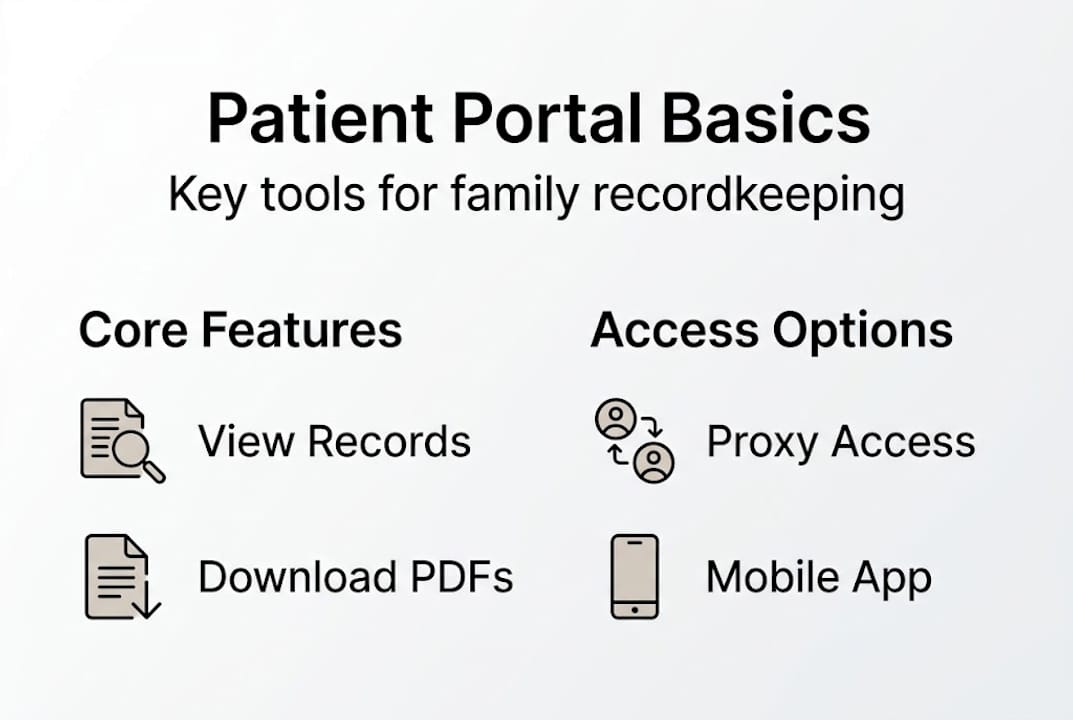
Most major health systems, including Emory Healthcare, offer portals with a consistent set of core features. Here’s a quick comparison:
| Feature | Basic portals | Advanced portals |
|---|---|---|
| View records | Yes | Yes |
| Download records | Sometimes | Yes |
| Secure messaging | Sometimes | Yes |
| Proxy/family access | Limited | Yes |
| FHIR app connection | Rare | Yes |
| Appointment management | Yes | Yes |
Knowing which features your provider supports helps you plan. If your portal lacks download or proxy access, you may want to supplement it with a secure document storage solution that fills those gaps.
Step-by-step: Accessing and managing your medical records
With your tools ready, follow these steps to take control of your family’s health information.
Step 1: Register for your portal. Use the activation code your provider gave you, or choose the self-enrollment option on their portal page. You’ll enter your name, date of birth, and contact details.
Step 2: Complete initial setup. Create a strong username and password. Enable MFA right away. This usually means verifying your identity via a text message or authentication app each time you log in.
Step 3: Verify your profile. Confirm your personal information matches your provider’s records. Errors here can block access to certain records.
Step 4: Navigate the dashboard. Explore the main sections: test results, visit summaries, medications, and messages. Most portals follow a similar layout, so it gets intuitive fast.
Step 5: Download and save key records. Download summaries of recent visits, immunization records, and medication lists. Store these in a secure location outside the portal too.
The standard portal workflow covers sign-up via activation code or self-enrollment, secure login with MFA, viewing records (note that abnormal results may appear after a short delay), managing appointments, and secure messaging.
For families, proxy access is a game changer. Proxy access lets patients authorize family members or guardians via a short form. Proxies log into their own account and view the linked records, which is essential for caregivers managing a child’s or elderly parent’s health. See the MyChart FAQ for provider-specific details.

| Access type | Who controls it | What they can see | What they can do |
|---|---|---|---|
| Self access | You | All your records | Full actions |
| Proxy access | You (granted) | Your records | View, message, schedule |
Pro Tip: Download and print a one-page health summary for each family member. Keep it in your wallet, car, or travel bag for offline emergencies. You can get started as a patient to build this habit from day one.
Security, privacy, and emergency considerations
After you’ve set up access, knowing how your data is protected and what to do in emergencies is essential.
Digital records are only as useful as they are trustworthy. Fortunately, the security behind patient portals is robust. Here’s what protects your data:
- HIPAA compliance: All portals handling U.S. health data must meet federal privacy standards
- End-to-end encryption: Your data is scrambled in transit and at rest
- Role-based access: Only authorized users see specific records
- Audit logs: Every access event is recorded and reviewable
- MFA: A second verification step blocks unauthorized logins
HIPAA-compliant portals use encryption, role-based access, MFA, and audit logs. In genuine crises, providers can use “break-glass” emergency access to view your records, and every such access is logged and audited.
Review your security and privacy guide to understand what protections you should expect and demand from any platform you use.
Important: Never use a patient portal to report a medical emergency. Call 911 immediately. Portals are not monitored in real time and delays can be dangerous.
Research on digital health engagement confirms that while portals streamline routine care, they are not designed for emergency triage. AI-assisted message screening is emerging, but it is not yet a replacement for emergency services.
For daily privacy, follow these habits:
- Always log out after each session, especially on shared devices
- Use unique, strong passwords for your portal account
- Set up activity notifications so you’re alerted to any login or record access
Pro Tip: Enable email or text alerts for every account activity event on each family member’s profile. You’ll spot unauthorized access immediately, not weeks later.
Beyond basics: Importing data, mobile apps, and advanced features
With the foundations covered, see how you can go further to fully empower your family’s digital health management.
Most families stop at viewing records. But the real power of digital workflows kicks in when you connect apps, import data from multiple providers, and contribute your own health information.
The numbers tell a compelling story. 99% of hospitals enable patients to view records, 96% allow downloads, 84% support transmitting records, and 81% offer app access. FHIR-based app connections are available at 70% of hospitals, and proxy access has doubled to 51% between 2020 and 2024.
Benefits of going mobile and connected:
- Access records from anywhere, including travel and urgent care visits
- Sync your portal with Apple Health or similar apps for a unified health view
- Import records from 500+ providers through FHIR-compatible connections
- Export records as PDFs or structured data for new providers or specialists
- Submit patient-generated health data (PGHD) like blood pressure logs or glucose readings
The Apple Health Records integration supports importing from hundreds of providers. And 62% of hospitals now accept patient-generated data submissions, meaning your home monitoring devices can feed directly into your care record.
For a deeper look at why this matters long term, read about the benefits of digital medical history and how it shapes better care decisions over time.
A few edge cases to know: abnormal test results may be delayed by about three days before appearing in your portal. Third-party app syncing depends on your provider’s FHIR support. And not every family member’s provider will be on the same system, so managing multiple portal logins is a real, practical challenge many families face. Check patient portal app statistics for the latest adoption data.
A fresh perspective: Dependence on digital records and what most guides miss
Most guides celebrate digital records as the finish line. We think that’s where the real work begins.
The rapid shift to digital health tools post-Cures Act has been impressive. Hospital adoption of advanced features like FHIR-based app connections and patient-generated data import is growing, but it still lags behind basic viewing and downloading. Families who assume their portal does everything are often surprised when it doesn’t.
Here’s what most articles skip: emergencies don’t wait for good Wi-Fi. A portal on your phone is useless if your battery is dead, the hospital’s system is down, or you’re in a rural area with no signal. A printed one-page health summary is not old-fashioned. It’s smart backup.
Proxy access is powerful, but it needs clear boundaries. Who in your family can see what? Have you talked about it? Many caregivers have access they don’t fully understand, and patients sometimes don’t realize what they’ve shared. Clarity on roles matters as much as the technical setup.
There’s also a subtler issue worth your attention. Expert guidance on patient-centered records recommends using non-stigmatizing language in clinical notes, especially for mental health and addiction history. You have the right to request corrections to your records. Knowing this gives you real control, not just access.
Pair your portal access with a reliable secure backup and storage solution. Digital tools work best when they’re layered, not relied on alone.
Secure and simplify family medical recordkeeping today
Ready to put your new workflow into action? Here’s the easiest way to begin.
Setting up portal access is a great first step. But portals only cover one provider at a time. Your family’s full health picture spans multiple doctors, specialists, labs, and years of history. That’s where MedFiles.ai for families comes in.

MedFiles.ai brings all your records together in one encrypted, HIPAA-ready hub. Upload test results, prescriptions, imaging reports, and visit summaries from every provider. Manage profiles for every family member, including kids and elderly parents. Share records instantly with any doctor or specialist. Explore MedFiles for healthcare providers if you want seamless clinical sharing built in. Check MedFiles.ai plans to find the right fit for your family. Your entire medical history. In your pocket. Forever.
Frequently asked questions
How can I give my family members access to my digital medical records?
Most portals let you authorize family as proxies so they can access and help manage your records. The process usually involves a short online or provider form.
Is it safe to use digital medical records and patient portals?
Yes. Portals use HIPAA-compliant security including encryption, audit logs, and two-factor authentication to protect your data at every step.
What should I do if I need my medical records in an emergency?
Call 911 or go to an emergency room. Don’t use patient portals in a crisis. Emergency providers can use break-glass access to view your records when necessary, and every access is logged.
Can I use my smartphone to access and share my medical records?
Yes. 81% of hospitals support mobile app access, and 70% support FHIR apps like Apple Health for viewing and sharing records across providers.
Are there delays or limits to what I can see in a portal?
Yes. Some abnormal results are delayed by about three days, and third-party app syncing depends on your provider’s system and FHIR support level.