Travelers: 15 Minute Travel Insurance Medical Records, CDC Backed
Pack a CDC backed three layer travel insurance medical records packet: one page emergency summary, encrypted copies, and a tested share link.
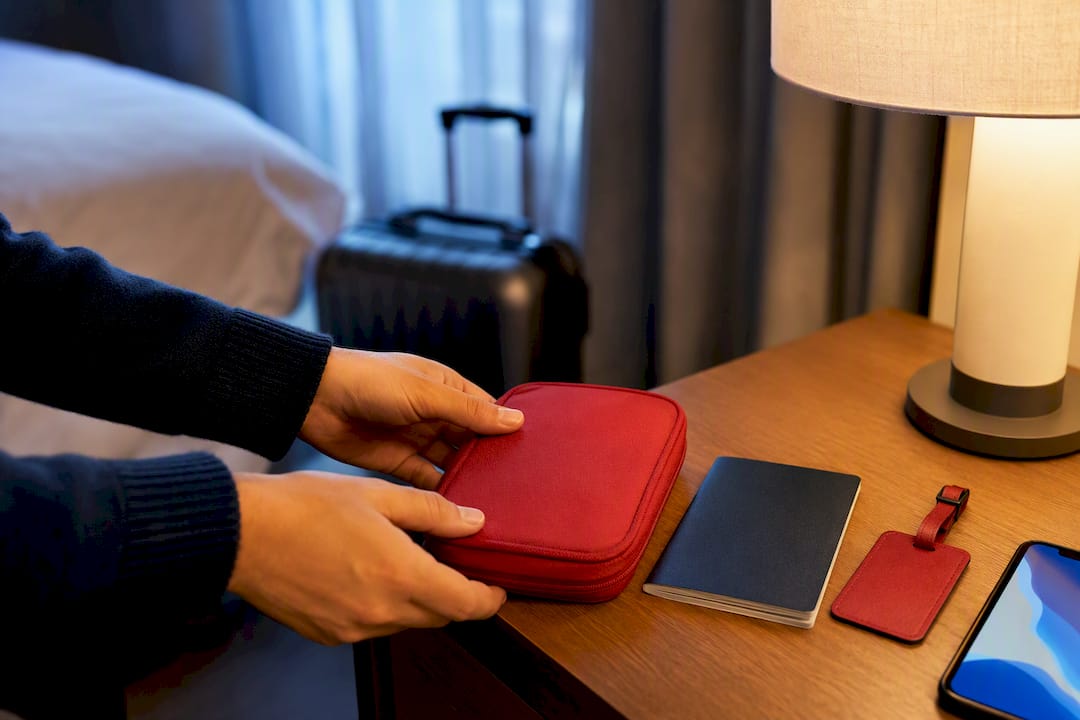
Travelers: 15 Minute Travel Insurance Medical Records, CDC Backed
Carry a tested emergency medical packet with three layers: an encrypted medical-record service, an offline copy on your phone, and a printed one-page summary. Your packet needs diagnoses, allergies, generic medication names and doses, vaccination proof, prescriptions, and insurance contacts. A secure platform that supports HIPAA compliance gives you a place to store and share travel insurance medical records without digging through folders when a foreign clinic asks for your history.
TL;DR:
- A concise, one-page emergency medical summary should include diagnoses, allergies, medications by generic name with doses, blood type, and emergency contacts, as recommended by CDC guidelines.
- Use a three-layer storage system: an encrypted online platform, an offline local copy, and a printed backup, and test all access methods before traveling.
- Share medical records securely via encrypted links rather than unencrypted emails or screenshots, and request clinicians to send key documents like prescriptions and discharge summaries directly.
- Prepare four to six weeks before departure to get necessary vaccines, refill prescriptions, and confirm record access by testing all digital and printed copies.
- Platforms like Medfiles automate organization, support multi-profile management, and enable secure sharing, making it easier to maintain an effective travel medical packet.
Table of Contents
- What Goes Into a Travel Medical Packet?
- How Do You Store Records Securely for Travel?
- What Should You Share With Doctors and Insurers Abroad?
- How Far Ahead Should You Prepare Before a Trip?
- How Medfiles Supports Travel-Ready Medical Records
- What Actually Matters Here
- Ready to Build a Packet That Actually Works?
- Sources
- FAQ
What Goes Into a Travel Medical Packet?
Your medical documentation for travel starts with one document: a one-page emergency summary. This isn’t your full chart. It’s the short version a clinician in a foreign hospital can scan in ten seconds and actually use.
The CDC’s travel health guidance recommends this summary include your diagnoses, allergies, blood type, emergency contacts, and your regular clinician’s phone number or email. List every medication by its generic name, not the brand name; dosing conventions and trade names vary by country, and a pharmacist abroad may not recognize what’s printed on your prescription bottle back home. Include the dose, how often you take it, and why you’re on it.
Here’s what belongs in the full packet, beyond the summary page:
- Vaccination certificates, including the ICVP (yellow card) if your destination requires proof of yellow fever vaccination
- Copies of active prescriptions, plus a physician letter for controlled substances or injectables like insulin or EpiPens
- Recent imaging and lab results if you have an ongoing condition that might need follow-up care
- Original labeled medication containers, kept alongside (not instead of) your digital copies
Format everything as PDF, not a photo dump. Use a readable font, put the emergency summary as the first page of any bundle, and add translations or local-language notes for common allergies and medications if you’re headed somewhere English isn’t widely spoken.
Pro Tip: Write your medication list with the reason for treatment next to each drug. “Metformin, 500mg twice daily, type 2 diabetes” tells a foreign doctor everything they need in one line, no follow-up questions required.
How Do You Store Records Securely for Travel?
A resilient storage plan for health records for travel insurance uses three layers, and skipping any one of them is how people end up stranded without proof of a prescription. The CDC’s medication safety toolkit backs this exact structure: an encrypted service, an offline device copy, and a paper backup.
- Set up an encrypted medical-record service. A HIPAA-ready platform organizes your documents automatically and lets you generate secure sharing links instead of emailing attachments. Protect the account with a strong password and multi-factor authentication.
- Make an offline copy on your phone. Download PDFs locally so you can open them without WiFi or cell service. Confirm your device itself is encrypted, and if you’re traveling somewhere with unreliable connectivity, put a duplicate on an encrypted USB drive or memory card as a fallback.
- Print a one-page emergency summary. Store the paper copy separately from your passport and original prescriptions. If your bag gets lost, you don’t want every document in the same place.
Testing matters as much as building the packet. The CDC recommends confirming access before departure, not after you’ve landed and lost signal. Open each file. Zoom into any scanned images to check they’re actually legible. Generate a share link and send it to yourself or a travel companion. Turn off WiFi and confirm your offline copies still open.
Pro Tip: Phones die, get stolen, or get locked out by two-factor codes sent to a number that doesn’t work abroad. Test your account recovery process before you leave, not while you’re standing in a pharmacy line in a country where you don’t speak the language.
What Should You Share With Doctors and Insurers Abroad?
When a foreign clinic or your travel insurer needs records, the delivery method matters as much as the content. Secure links from an encrypted portal are far safer than a screenshot texted to a nurse or a PDF emailed unencrypted, both of which can be intercepted or simply lost in someone’s inbox.
Under HIPAA, you have the right to access your own protected health information and to direct your provider to transmit it electronically to a person or service of your choosing, in a format that’s readily producible, according to HHS guidance. That right is what lets you request your records be sent straight to a secure app instead of printed and mailed. One caveat: once your provider sends records to an app that isn’t a covered HIPAA business associate, HIPAA’s protections may no longer apply to how that app stores your data, so check a service’s privacy terms before directing your records there.
If you’re treated abroad, ask the facility before you leave for:
- A clinician letter describing the diagnosis and treatment given
- An itemized invoice, not just a total balance
- Discharge paperwork and a list of any medications administered or prescribed
For an insurance claim, the State Department advises keeping your policy details, assistance-line contacts, receipts, proof of payment, and clinician letters together, and following best documentation for accident claims ensures your claim is well supported. Many overseas facilities require payment up front, so hang onto every receipt. Reimbursement claims move faster with a complete paper trail than with a vague memory of what happened.
How Far Ahead Should You Prepare Before a Trip?
Give yourself four to six weeks before departure. That’s roughly how long it takes to get a provider appointment, receive any destination-specific vaccines, and get prescriptions refilled with enough supply to last the whole trip.
- Book a pretravel visit. Ask your provider for the one-page emergency summary, refills, physician letters for controlled medications, and any vaccines your destination requires.
- Confirm your coverage. Call your travel insurer or check the policy details for assistance-line numbers and evacuation provisions before you need them under pressure.
- Run the access tests. Open every PDF, view scanned images at full size, export a share link, and have a trusted contact confirm they can open what you sent them.
- Pack medication in original labeled containers, with extra doses in case of delays, and update your records the moment anything changes, whether that’s a new prescription or a diagnosis added right before you fly.
Testing takes fifteen minutes. The CDC frames this step as non-negotiable precisely because phones lose battery, connectivity drops, and account recovery codes get sent to numbers that don’t work overseas. Fifteen minutes at your kitchen table beats an hour of frustration in a hospital lobby with no signal.
How Medfiles Supports Travel-Ready Medical Records
An encrypted platform earns its place in your travel prep when it does the boring parts for you. Medfiles organizes uploaded documents automatically, so a lab result from March and a prescription from June end up sorted without you doing the filing yourself. AI-powered summaries can help you build that one-page emergency sheet faster, pulling diagnoses and medications into an easily scannable format for clinicians.
If you’re traveling with family, multi-profile management means you’re not juggling separate apps for your kids, your parents, or a pet that needs its own vaccination proof at a border crossing. Before you leave, use secure sharing to send a trusted travel companion a link to your packet, and test that they can actually open it.
The platform runs on HIPAA-ready infrastructure with end-to-end encryption, which matters most the moment you’re asking a stranger in scrubs to trust the document on your phone screen.
What Actually Matters Here
Most advice on this topic treats “bring your medical records” as a checkbox instead of a system, and that’s the gap. A PDF buried in your email drafts folder isn’t preparedness. It’s clutter you haven’t tested.
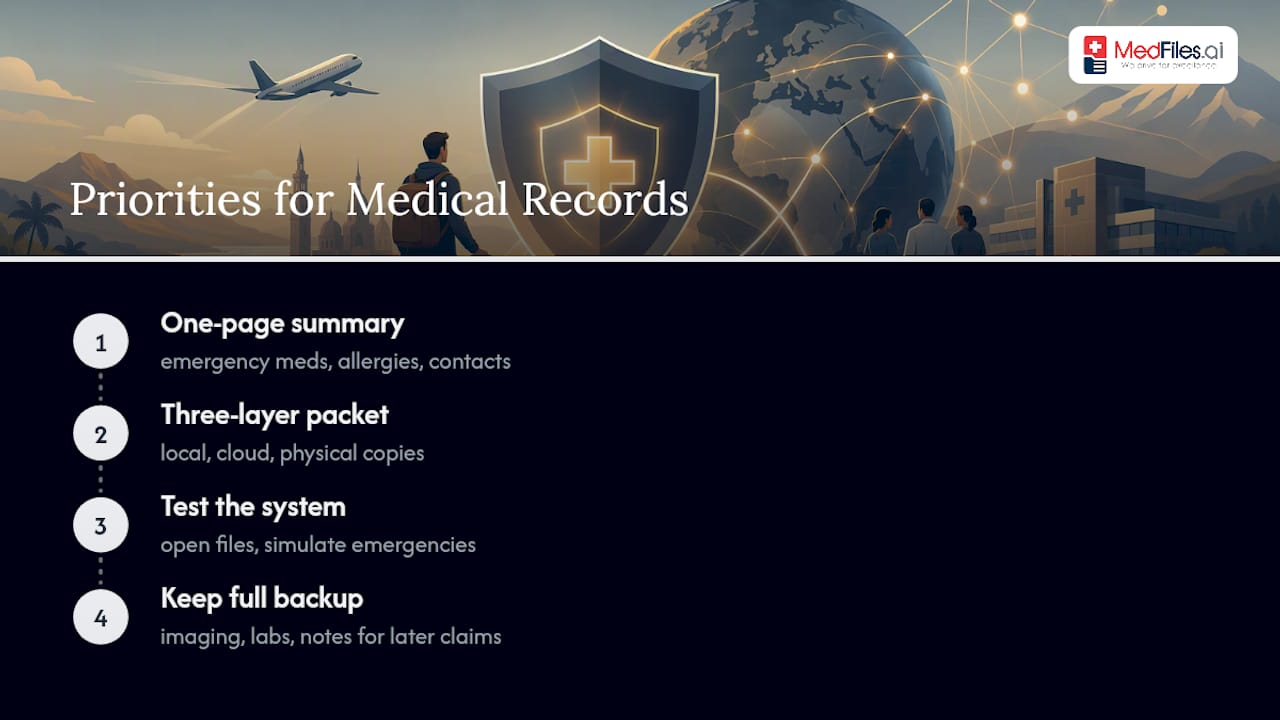
The CDC and HHS guidance this article draws from points to something more specific: redundancy and testing beat volume. A traveler with a tested three-layer packet and a two-page summary is better prepared than someone who exported their entire ten-year medical history and never opened the file again before boarding a plane.
If you take one thing from this, prioritize the one-page emergency summary first. It’s the document that gets used in the ten minutes that matter, whether that’s a pharmacist confirming a dose or an ER doctor asking about allergies. Everything else, the imaging, the lab history, the years of notes, exists to back up a claim later. The summary exists to keep you safe right now. Build that first, then layer the storage and the paperwork around it.
— Team
Ready to Build a Packet That Actually Works?
Families managing a chronic condition, caregivers tracking records for aging parents, and anyone who’s ever fumbled through email searching for a prescription PDF at a foreign pharmacy counter all run into the same problem: paperwork scattered across devices with no system for an emergency. Some platforms centralize that entire packet — diagnoses, medications, vaccination records, insurance contacts — in one encrypted place, then let you generate a secure share link instead of forwarding attachments.
The Start Free plan gets you into the platform with no credit card required, so you can build your one-page summary and test your sharing links before your next trip. If your family needs more, Understand Your Health costs a few dollars per month, and Protect Everyone adds multi-profile and family management for a somewhat higher monthly fee, both detailed on the pricing page.
| Who | What to upload first | First step |
|---|---|---|
| Solo traveler | Diagnoses, allergies, current meds | Build the one-page summary |
| Family with kids | Vaccination records for each child | Create individual profiles |
| Chronic-condition traveler | Prescriptions, labs, physician letters | Set up secure sharing link |
| Caregiver | Dependent’s full medical history | Enable multi-profile access |
Start with a free account, upload your first document, and test a share link with a travel companion before you pack a single bag.
This article is general information, not a substitute for advice from a qualified doctor. Consult a qualified healthcare professional about your own circumstances before acting on anything here.
Sources
- Travel Health Kits | Yellow Book | CDC
- Insurance guidance for international travel | U.S. Department of State
FAQ
Do I Need Medical Records for Travel Insurance?
Yes, especially if you have a preexisting condition or need to file a claim for care received abroad. Insurers typically want clinician letters, itemized invoices, and proof of payment, all of which the State Department recommends keeping together from the start of your trip.
What Should Be on My One-Page Emergency Summary?
Include your diagnoses, allergies, blood type, emergency contacts, and current medications listed by generic name with dose and frequency. The CDC recommends this concise format because trade names and dosing conventions differ across countries.
Can I Request My Medical Records Be Sent Directly to an App?
Yes. HIPAA gives you the right to direct your provider to transmit your electronic health information to a person or service you choose, in a format that’s readily producible, per HHS guidance. Once records reach an app that isn’t a HIPAA business associate, though, that app’s own privacy terms govern how your data is handled.
How Do I Back Up Medical Records Safely While Traveling?
Use three layers: an encrypted service like Medfiles, an offline copy saved locally on your phone, and a printed emergency summary stored separately from your other documents. Test every layer before departure, since the CDC notes that lost devices and dead batteries are common failure points.
What Does Medfiles Cost for Travel Record Storage?
Medfiles offers a free plan to get started with no credit card required. Paid tiers run $2.99 per month for Understand Your Health and $4.99 per month for Protect Everyone, with full details on the pricing page.