Digital medical records: 52% fewer errors, smarter health
Learn what digital medical records are, how EMRs, EHRs, and PHRs differ, and how your family can securely access, manage, and share health records for better emergency preparedness and care.
Digital medical records: 52% fewer errors, smarter health
Most families think their medical records are stored, organized, and ready when needed. They are not. Digital records reduce adverse drug events by 52% and save up to 75 minutes per clinic visit, yet most people have no idea how to access, check, or manage their own files. Even fewer understand the difference between the types of digital records that exist. This guide breaks down what digital medical records are, how they actually work, and what your family needs to do right now to stay prepared, protected, and in control.
Table of Contents
- What are digital medical records? Key definitions and features
- How do digital medical records work? Mechanics, standards, and data flow
- Benefits and challenges for patients and families
- How to securely access, manage, and share your family’s digital medical records
- Why understanding digital medical records puts families in control
- Next steps: smarter record management with MedFiles.ai
- Frequently asked questions
Key Takeaways
| Point | Details |
|---|---|
| EMR vs. EHR | EMRs are provider-specific while EHRs enable record sharing across different healthcare providers. |
| Patient access and control | Families can securely access, check, and share digital medical records for emergencies and everyday tracking. |
| Major benefits and risks | Digital records reduce medical errors and save time but require careful privacy management and accuracy checks. |
| Best practices | Regularly review and update your family’s records and use secure platforms with strong access protections. |
What are digital medical records? Key definitions and features
Let’s start with the basics, because these terms get mixed up constantly.
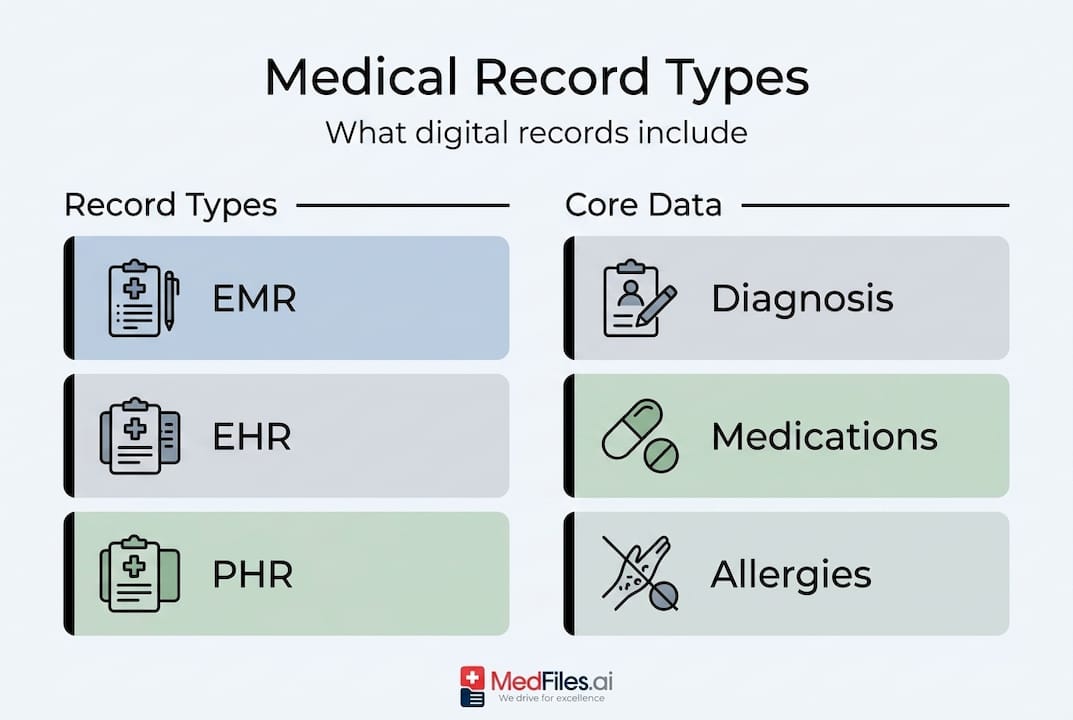
Electronic Medical Records (EMRs) are digital versions of a patient’s chart kept by a single provider or practice. Your primary care doctor’s office uses one. It stays there.
Electronic Health Records (EHRs) are broader. EMRs are provider-specific, EHRs are built for sharing between facilities. If your specialist, hospital, and primary care doctor all need to see the same data, an EHR makes that possible.
Personal Health Records (PHRs) are records you control. You collect and maintain them yourself, separate from your provider’s system.
All three types can contain the same core data. Medical records include diagnoses, medications, allergies, immunizations, lab results, and vital signs. The difference is who owns and shares them.
| Feature | EMR | EHR | PHR |
|---|---|---|---|
| Owner | Provider | Provider network | Patient |
| Sharing | Single practice | Across facilities | Patient-controlled |
| Scope | One provider’s notes | Full care history | Self-curated |
| Main use | Clinical care | Coordinated care | Personal tracking |
Here is what a modern digital record system typically offers:
- Accurate, up-to-date clinical information after every visit
- Secure login through patient portals with identity verification
- Access to lab results, imaging reports, and visit summaries
- Prescription and allergy tracking
- Shareable files for specialists, schools, or travel
The adoption numbers are striking. Understanding a family digital record workflow becomes much easier once you know which type of record you are actually dealing with.
96% of U.S. hospitals now use certified EHRs, yet most patients never log into their portal or verify what is actually in their file.
How do digital medical records work? Mechanics, standards, and data flow
With definitions set, understanding how digital medical records function can help you use them more effectively.
Here is the basic workflow, from your appointment to your phone:
- Data entry: Your provider records notes, orders, and diagnoses in real time during or after your visit.
- Storage: Information is saved to a secure, encrypted server. Most systems use cloud infrastructure with backup protocols.
- Standardization: Records update in real time using standards like HL7, FHIR, and ICD-10 to ensure different systems can communicate.
- Access: You log into a patient portal or app to view your records, download files, or send them to another provider.
- Sharing: With your authorization, providers send or receive records electronically, replacing fax and paper.
These standards matter more than most people realize. HL7 (Health Level Seven) and FHIR (Fast Healthcare Interoperability Resources) are frameworks that let two completely different hospital systems exchange your data without losing critical details. Without them, a specialist in another city may never receive your full history.
| Component | Description | Real-world example |
|---|---|---|
| Patient portal | Secure online access point | MyChart, Athenahealth |
| HL7/FHIR | Data exchange standards | Sending records between hospitals |
| ICD-10 codes | Diagnosis classification | Billing and insurance claims |
| Audit log | Record of who accessed your file | Tracking unauthorized access |
| Encryption | Data protection in transit and storage | HIPAA-required security layer |
Good digital record security is built into every layer of this system. But you still have a role to play.
Pro Tip: After every major visit, log into your patient portal and confirm the visit summary looks correct. Errors are far easier to fix within a few days than months later.
A practical example: Your child needs vaccination records for school registration. You log into your provider’s portal, download the immunization summary as a PDF, and email it to the school in under five minutes. No phone calls. No waiting rooms. That is patient-managed records working exactly as intended.
Benefits and challenges for patients and families
Now that you understand how the system operates, let’s look at the benefits and the real challenges families must navigate.
Top five benefits of digital medical records:
- Error reduction: Digital records reduce medication errors by 48% and adverse drug events by 52%
- Time savings: Up to 75 minutes saved per clinic visit through faster check-ins and pre-loaded data
- Improved access: View your records anytime, anywhere, without calling the office
- Coordinated care: Specialists receive your full history before they even meet you
- Emergency readiness: First responders and ER teams can access critical data instantly, which can be life-saving during travel or when you are unconscious
The family health benefits are significant when families stay engaged with their records. Combined with telemedicine benefits, digital records make remote care smoother and more reliable.
Top three challenges you will face:
- Confusing portals: Many patient portals have poor design and are frustrating to navigate
- Missing data on transfers: 33% of patient ID errors occur during transfers, and 50% of diagnostics go missing when records move between facilities
- Privacy concerns: Families worry about who has access and whether data is truly secure
Interestingly, 56% of physicians say EMRs do not improve safety on their own. The system only works when families stay active in reviewing and managing their records. Digitization is not a passive fix.
Pro Tip: Use the “Get It, Check It, Use It” approach. Get your record after every visit, check it for errors, and use it when seeing a new provider. This three-step habit catches problems before they compound. Exploring digital health solution advantages can help your family build a stronger routine around this.
How to securely access, manage, and share your family’s digital medical records
With benefits and risks in mind, here is your action plan for safe, effective digital medical record management.
Step-by-step: accessing and managing your records
- Find your portal: Ask your provider which patient portal they use. Common ones include MyChart and Athenahealth.
- Create an account: Use a strong, unique password. Enable two-factor authentication immediately.
- Download your records: Export visit summaries, lab results, and imaging reports as PDFs. Store them somewhere secure.
- Check for errors: Review diagnoses, medications, and allergy lists. Flag anything inaccurate in writing to your provider.
- Share securely: Use the portal’s built-in sharing tool or a HIPAA-compliant platform to send files to specialists or caregivers.
- Prepare for emergencies: Keep a digital copy in a secure cloud folder and a printed summary in your wallet or go bag.
Patients have HIPAA rights to access and download their records, and PHRs allow personal updates your provider can review. You are legally entitled to your data. Do not wait to be offered it.
When organizing secure family records, always look for these security features in any platform you use:
- End-to-end encryption for stored and shared files
- Audit logs that track who viewed or downloaded your records
- Two-factor authentication for account access
- Role-based access controls for family members
- HIPAA-compliant data handling policies
Security depends on encryption, audit logs, and access controls. Note that minors’ records have specific rules. Parents generally have access until a child reaches adulthood, but certain sensitive services like mental health or reproductive care may be excluded depending on your state. Ask your provider to clarify these boundaries.
If something is wrong or missing, submit a written request for correction directly to your provider. They are required to respond within 60 days under HIPAA. For broader guidance on security practices for digital records, review your platform’s documentation or contact their support team.
Why understanding digital medical records puts families in control
Stepping back, let’s consider what all these facts really mean for your family.
Conventional wisdom says going digital fixes the problem. It does not. What it does is shift power to you, along with the responsibility that comes with it. Families that benefit the most are not passive users. They request records, review them, correct errors, and bring updated files to every appointment.
The frustration is real. Portals crash. Data disappears between transfers. Forms ask for information that already exists in the system. These are not reasons to give up. They are reasons to stay involved.
The hard-won lesson from real-world adoption: digital records work best as a collaboration tool, not just storage. When you show up to a specialist with your own organized records, you become a more informed, more efficient patient. Providers notice. Outcomes improve.
Mastering family workflows around record management is not complicated. It just requires consistency.
Pro Tip: Set a calendar reminder to review your family’s records after every significant health event, whether that is a new diagnosis, a hospitalization, or a change in medication. Catching errors early protects everyone.
Next steps: smarter record management with MedFiles.ai
For families wanting a faster, more organized digital records experience, here is an easy starting point.
Managing records across multiple family members, providers, and years of history is genuinely hard. MedFiles.ai was built to solve exactly that.

With MedFiles.ai, you can store, organize, and share your family’s complete medical history in one secure, HIPAA-ready platform. Automatic document organization, end-to-end encryption, and multi-profile management for every family member including pets mean your records are always ready when it matters. Explore digital record management for families to see how it works, or see pricing and plans to find the right fit. Your records deserve a permanent, reliable home.
Frequently asked questions
What is the difference between an EMR and an EHR?
EMRs are provider-specific, used only within one practice, while EHRs are designed to be shared across different providers and facilities for coordinated care.
How can I access my family’s digital medical records?
Patients and families access records through secure patient portals provided by their healthcare providers, with the right to download, share, and manage files under HIPAA.
Are digital medical records secure?
Security relies on encryption, access controls, and audit logs, all required under HIPAA, making properly managed digital records significantly more secure than paper files.
What should I do if information is missing or incorrect in my record?
Contact your healthcare provider in writing to request a correction. Patients can add corrections through PHRs and providers are required to respond within 60 days.
How quickly is my medical record updated after a visit?
Most digital records update in real time, but data stabilizes 4-7 days post-encounter as all lab results, notes, and billing codes are finalized and synced.