Best MedTrack.ai Alternatives for Families: 2026 Guide
Discover the best MedTrack.ai alternatives for families in 2026. Medfiles offers HIPAA-ready PHR management, secure sharing, and multi-profile support.

Best MedTrack.ai Alternatives for Families: 2026 Guide
For U.S. patients, families, and caregivers searching for the best MedTrack.ai alternatives, Medfiles is the recommended choice — a HIPAA-ready personal health record (PHR) platform that consolidates records across providers, supports multi-profile family management, and offers secure clinician sharing with end-to-end encryption.
As Mayo Clinic explains, PHRs are patient-managed and especially useful when your family sees multiple providers running different EHR systems. A dedicated PHR fills the gap that provider portals leave open.
Here is what to look for when comparing options:
- HIPAA-ready infrastructure with a signed Business Associate Agreement (BAA)
- Encryption at rest and in transit
- Multi-profile support for families, dependents, and pets
- Secure sharing with clinicians and emergency contacts
- Easy migration from provider portals and paper records
Table of Contents
- What are the best MedTrack.ai alternatives for families?
- How do you choose a HIPAA-ready PHR for your family?
- How do you migrate scattered records into one family PHR?
- What does “HIPAA-ready” actually mean for a patient-facing PHR?
- Why Medfiles stands out for families and caregivers
- Key Takeaways
- The case for a single, family-owned health record
- Start your Medfiles free trial today
- Useful sources
What are the best MedTrack.ai alternatives for families?
The table below compares the platforms most relevant to U.S. families and caregivers across the dimensions that matter most for HIPAA-ready personal health record management.
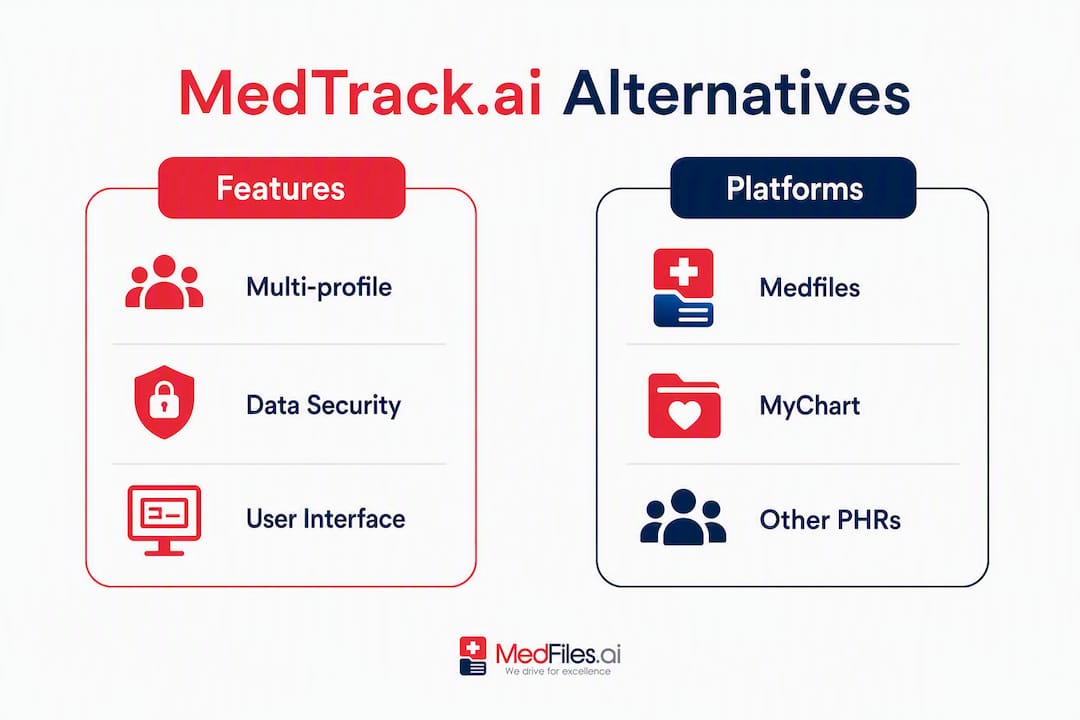
| Dimension | Medfiles | PicnicHealth | CareZone | Seqster | Provider Portals (e.g., MyChart) |
|---|---|---|---|---|---|
| HIPAA & security | HIPAA-ready, BAA available, end-to-end encryption | HIPAA-compliant | HIPAA-compliant | HIPAA-compliant | Covered by provider’s HIPAA obligations |
| Auto-organization & AI | Automatic organization, AI-powered analysis | Automated record retrieval | Basic organization | Data aggregation | None |
| Family profiles | Multi-profile for family and pets | Single-user focus | Medication/caregiver tracking | Limited | Single patient per portal |
| Secure sharing & clinical access | Clinician sharing, WhatsApp alerts, one-time share links | Shares with care team | Caregiver sharing | Provider integration | Provider-to-provider only |
| Emergency access | Instant access, travel-ready | Limited | Limited | Limited | Requires portal login per provider |
| Pricing & free trial | Tiered subscriptions, free trial (no credit card) | Subscription | Free with optional paid tier | Contact for pricing | Free via provider |
| Import / migration | Upload any format, AI tagging | Requests records on your behalf | Manual entry | Aggregates from portals | Blue Button / portal export |
| Best for | Families, caregivers, multi-profile management | Individuals with complex histories | Medication management | Data aggregation | Single-provider records |
| Device compatibility | iOS, Android, web | Web, iOS, Android | iOS, Android | Web, iOS, Android | Web, iOS, Android |
Recommended picks at a glance:
- Best for multi-profile family management: Medfiles
- Best for automated record retrieval (single user): PicnicHealth
- Best for medication and caregiver tracking: CareZone
- Best for aggregating portal data: Seqster
- Best for a single provider’s records: MyChart or your provider’s portal
Provider portals like MyChart work well within a single system but may lead to fragmented records across multiple providers. A dedicated PHR like Medfiles solves that fragmentation directly.
How do you choose a HIPAA-ready PHR for your family?

Not every health app is HIPAA-covered. As the HealthIT fact sheet makes clear, many consumer apps are not required to follow HIPAA, and patients should verify encryption and export capabilities before trusting any platform with their family’s records.
Security checks to run before you commit:
- Confirm the vendor will sign a BAA and review what it covers
- Verify AES-256 encryption at rest and TLS 1.2+ in transit
- Check for per-record audit logs and role-based access control
- Test multi-factor authentication (MFA) and short-lived session tokens
Usability and family features to verify:
- Multi-profile support for dependents, spouses, and pets
- Automatic document organization and AI-assisted tagging
- Clinician sharing flows and emergency access settings
- Export capability (can you get your data out in a standard format?)
Red flags that should stop you cold:
- No BAA offered or vendor refuses to sign one
- Unclear data ownership language in the privacy policy
- No audit logs or access history
- Export limitations that lock your records in
Pro Tip: During any free trial, request a copy of the BAA text, test the export function, and send a test share to a clinician or family member. If any of those three steps fails, move on.
How do you migrate scattered records into one family PHR?
Consolidating records from multiple portals, paper files, and devices takes a few focused hours. Here is a practical sequence that minimizes the risk of missing critical documents.
- Inventory your sources. List every provider portal your family uses (MyChart, athenahealth, etc.), any paper files at home, and any wearable or app data you want to include.
- Request electronic copies from each portal. Use the Blue Button export or your provider’s records request tool. Under HIPAA’s access rule, providers must give you a copy of your records, and they cannot refuse to send ePHI to an app you designate.
- Scan paper documents. A phone camera and a PDF scanner app work fine. Prioritize the documents listed in the next step.
- Upload and tag in priority order. Start with: current medication list, allergy list, immunization records, recent lab results, and any imaging reports. These are the records that matter most in an emergency.
- Set up family profiles. Create separate profiles for each family member, including dependents and pets. Assign the correct documents to each profile.
- Configure sharing and emergency access. Add your primary care physician and any specialists to the clinician sharing list. Verify that emergency access is enabled so records are reachable without a login if needed.
- Run a verification check. Send a test share to one clinician, confirm the audit log recorded the event, and sync across your devices.
Pro Tip: Don’t wait for every record before you start. Upload the five priority document types first and test the platform’s sharing and emergency access features. You can fill in the rest over the following weeks. Trying to be complete before you start is what causes most migrations to stall.
For a detailed digital records workflow for families, Medfiles has published step-by-step guidance tailored to caregivers managing multiple profiles.
What does “HIPAA-ready” actually mean for a patient-facing PHR?
“HIPAA-ready” is not a certification. It is a vendor’s claim that their infrastructure meets the technical and administrative safeguards required under the HIPAA Security Rule for electronic protected health information (ePHI). Here is what that means in practice.
The BAA is the legal foundation. A Business Associate Agreement is a contract between you (or the platform) and any vendor that handles your ePHI. Without one, the vendor has no legal obligation to protect your data under HIPAA. Always ask for it in writing.
Technical controls to verify:
- Encryption at rest: AES-256 is the current standard for stored data
- Encryption in transit: TLS 1.2 or TLS 1.3 for all data moving between your device and the server
- Audit logs: Per-record access trails so you can see who viewed or shared a document
- MFA and short-lived tokens: Reduces the risk of unauthorized access if a password is compromised
The HHS guidance on health apps and APIs is worth reading: once your ePHI leaves a covered entity and arrives in an app you chose, HIPAA no longer governs that app unless it has its own BAA. That is exactly why demanding a BAA from your PHR vendor matters.
Privacy beyond HIPAA: Read the vendor’s privacy policy for data ownership language and any clauses about sharing data with third parties for advertising or research. You own your medical information, as the Merck Manual confirms, and a trustworthy PHR should state that clearly.
For a deeper look at what to verify, Medfiles’s security and privacy page walks through the platform’s specific controls.
Why Medfiles stands out for families and caregivers
Medfiles is built around the problems families actually face: records scattered across providers, caregivers managing health information for multiple people, and the need for instant access in an emergency.
Core features that matter for family use:
- Multi-profile management for every family member, including pets
- Automatic document organization so uploaded files are tagged and sorted without manual work
- AI-powered analysis that surfaces insights from your records and flags preventive care gaps
- Secure clinician sharing with one-time share links and WhatsApp alerts
- Instant emergency access so records are available while traveling or in urgent situations
Security: HIPAA-ready infrastructure, end-to-end encryption, and BAA availability. Medfiles’s family medical records page details how multi-profile management works for caregivers.
Pricing and trial: Multiple subscription tiers cover individual users through full family plans. A free trial is available without a credit card, which gives you enough time to test the import workflow, configure family profiles, and verify clinician sharing before committing.
Who each tier fits:
- Individual: Single-user storage, organization, and sharing
- Family: Multi-profile management for households with dependents
- Caregiver: Managing records for others, with shared access controls
Key Takeaways
Medfiles is the recommended MedTrack.ai alternative for U.S. families and caregivers who need HIPAA-ready multi-profile record management, secure clinician sharing, and instant emergency access.
| Point | Details |
|---|---|
| Demand a BAA first | No BAA means no HIPAA obligation; verify it before uploading any records. |
| Prioritize five document types | Medication list, allergies, immunizations, recent labs, and imaging cover most emergencies. |
| Test before you migrate fully | Use the free trial to verify import, sharing, and export before canceling other tools. |
| Provider portals fragment records | A dedicated PHR consolidates cross-provider data that single portals cannot. |
| Medfiles fits families and caregivers | Multi-profile management, AI organization, and emergency access make it the top pick for households. |
The case for a single, family-owned health record
Most families do not realize how fragmented their medical records are until they need them. A parent managing care for aging relatives, a child with multiple specialists, and a spouse with chronic conditions can easily have records spread across a dozen portals, none of which talk to each other.
The conventional wisdom is that provider portals are “good enough.” They are not, for families. They are designed for a single patient at a single health system. The moment your family’s care crosses systems, portals fail you. A dedicated PHR owned by the family, not the provider, is the only structure that keeps everything in one place across a lifetime of care.
What we find compelling about Medfiles is that it treats the family as the unit of care, not the individual patient. Multi-profile management, caregiver access controls, and emergency sharing are not add-ons. They are the core design. For caregivers especially, that distinction changes the daily experience of managing health information.
Start your Medfiles free trial today
Your family’s records are scattered. Medfiles brings them together in one secure, HIPAA-ready place, with multi-profile management for every family member and instant access when it matters most.
The free trial requires no credit card. During your trial, focus on three things: import your five priority documents, set up one family profile, and send a test share to a clinician or family member. Then check the audit log to confirm the share was recorded. That sequence tells you everything you need to know about whether the platform works for your family.
When you are ready to go further, Medfiles’s secure document sharing and medical document storage pages show exactly how the platform handles clinician access and AI-powered organization. Start your free trial at medfiles.ai.
This article provides general information about personal health record management and is not a substitute for professional medical, legal, or privacy advice. Verify current HIPAA requirements and vendor terms directly with the relevant authorities or a qualified professional.
Useful sources
These resources back the claims in this article and give you direct access to the official guidance on HIPAA rights, PHR best practices, and security standards.
- Your Rights Under HIPAA (HHS.gov) — Plain-language overview of your rights to access, copy, and direct your health information.
- Health Apps and APIs Guidance (HHS.gov) — Explains when HIPAA applies to consumer apps and what happens after ePHI leaves a covered entity.
- Personal Health Records and Patient Portals (Mayo Clinic) — Practical guidance on what PHRs are, how they differ from portals, and how to use Blue Button exports.
- How to Keep Your Health Information Private and Secure (HealthIT.gov) — Fact sheet on consumer app privacy, BAA requirements, and what to verify before sharing health data.
- Mobile Health App Interactive Tool (FTC) — Helps consumers and developers understand which federal laws apply to health apps.
- What Is a Healthcare Platform (Chameleon) — Clear third-party explanation of the differences between patient portals, PHRs, and integrated health platforms.