Emergency Health Information Guide for Families
Discover our emergency health information guide to ensure you have crucial medical details at your fingertips when every second counts.
Emergency Health Information Guide for Families
An emergency health information guide is a curated collection of essential medical details designed to be immediately accessible when a crisis strikes, giving clinicians and caregivers the data they need to act fast. Most people assume their doctor already has everything on file. The reality is that accurate, updated health info is rarely available at the moment it matters most. This guide walks you through exactly what to collect, how to store it, and which tools keep it accessible whether you’re at home, in a hospital, or traveling abroad.
What essential medical information should you collect?
A complete emergency health information checklist covers far more than a list of medications. Emergency responders prioritize concise, structured clinical data that matches what EMS and hospital systems already use. That means your guide should be focused and scannable, not a full medical history.
Here is what to include for every family member:
- Personal details: Full legal name, date of birth, and current address
- Medications: Every drug, dose, and schedule, including over-the-counter supplements
- Allergies: Drug, food, and environmental allergies with the type of reaction
- Chronic conditions: Diabetes, asthma, heart disease, epilepsy, and any diagnosed conditions
- Medical devices: Pacemakers, insulin pumps, hearing aids, or implanted devices
- Healthcare providers: Primary care doctor, specialists, and their direct phone numbers
- Emergency contacts: At least two people, with cell and home numbers
- Advance directives: Living wills, do-not-resuscitate orders, and healthcare proxy forms
- Vaccinations: Dates of recent immunizations, especially tetanus and COVID-19
- Critical numbers: Poison Control at 1-800-222-1222 and your local emergency services
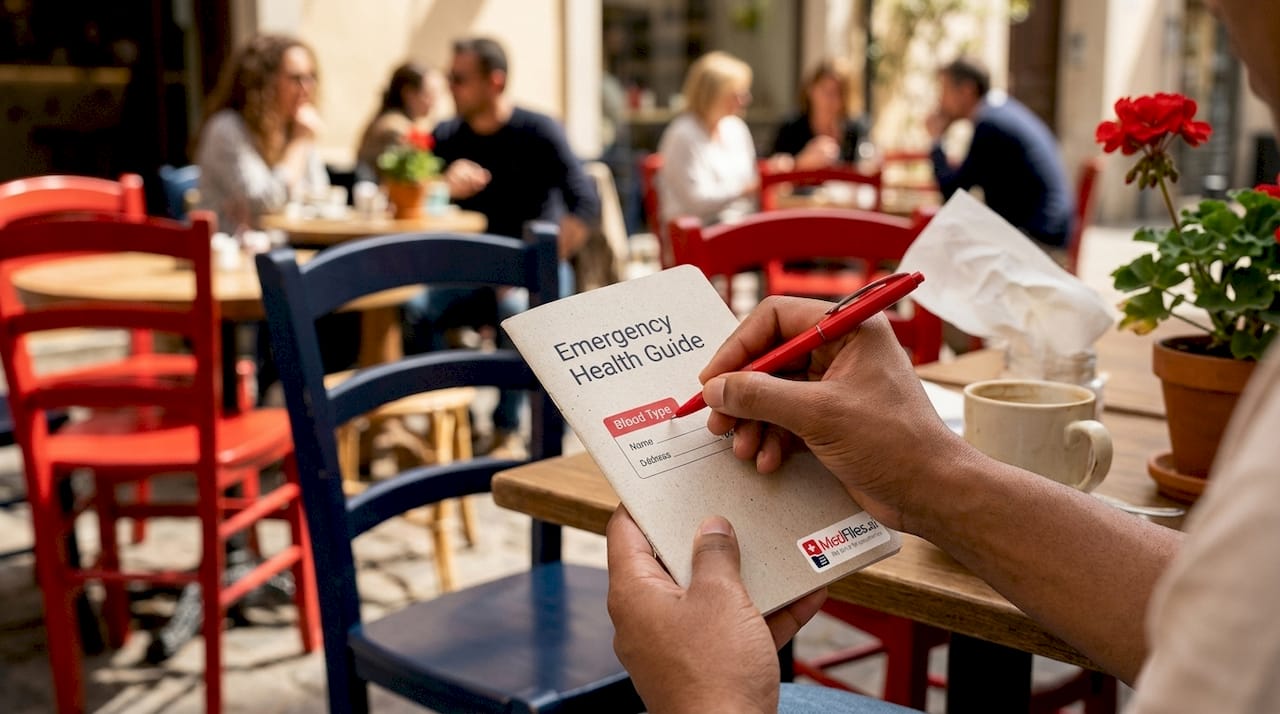
Pro Tip: Write your blood type on the front of your guide. It takes two seconds to add and can save critical minutes in a trauma situation.
Consent forms and advance directives deserve special attention. First responders and ER staff are legally bound by these documents. Leaving them out of your guide creates confusion at the worst possible time.
How to organize and store your emergency health data
Redundancy is the single most important principle in any emergency health information workflow. Relying on one method, such as a smartphone alone, risks total data loss if the device is dead, broken, or locked. Mayo Clinic and Johns Hopkins both recommend layering digital and printed copies across multiple locations.
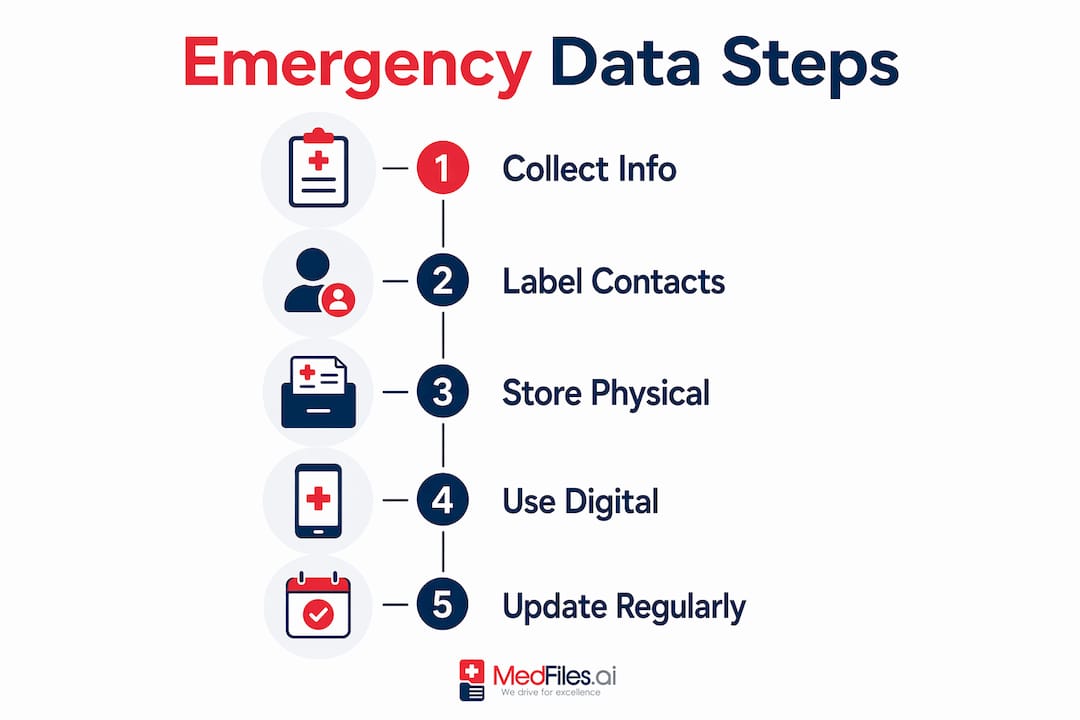
Follow these steps to build a storage system that actually works under pressure:
- Create a master document. Use a word processor or a dedicated health records platform to compile all information in one place. Keep it under two pages for the printed version.
- Print and laminate a wallet card. Include your name, blood type, key medications, allergies, and one emergency contact. Lamination protects it from water damage.
- Post a full copy at home. Johns Hopkins recommends posting a visible copy on the refrigerator or inside a kitchen cabinet door. First responders are trained to look there.
- Keep a copy in your car. Store it in the glove compartment in a sealed plastic sleeve.
- Upload to a secure digital platform. Use a HIPAA-compliant service to store the full version with supporting documents like lab results and imaging reports.
- Share with caregivers and teachers. If a child has a chronic condition, their school nurse and any regular caregiver should have a current copy.
- Set a calendar reminder to update. Review your guide every six months or after any significant health change, new prescription, or hospitalization.
Pro Tip: Label ICE (In Case of Emergency) contacts in your phone using the prefix “ICE” before the name, such as “ICE Mom.” Many first responders check for these contacts when a patient cannot communicate.
One detail most families overlook: the guide needs to be accessible to someone other than the patient. If you are the one in the ambulance, you cannot hand anyone your phone password. A printed copy solves that problem immediately.
What tools and platforms support emergency health data access?
The right tools make your emergency health data access guide portable and shareable without sacrificing security. Several categories of platforms exist, each with different strengths.
| Platform Type | Best For | Key Limitation |
|---|---|---|
| Hospital patient portals | Accessing records from a specific provider | Siloed to one health system |
| Personal health record apps | Aggregating records from multiple sources | Requires manual uploads or integrations |
| HIPAA-compliant storage platforms | Secure, multi-user family access | Subscription cost for full features |
| Government health portals | Viewing Medicare or Medicaid claims data | Limited to covered populations |
Under HIPAA, you have the right to electronic copies of your health records. Providers typically have 30 days to comply and may charge a reasonable fee. That timeline makes waiting until an emergency completely impractical. Request your records now, not after a diagnosis.
The Interoperability and Patient Access rule allows Medicaid members to access clinical records through approved apps downloaded directly from app stores. This applies to claims data, provider directories, and clinical notes. The practical implication is that your phone can legally hold a comprehensive view of your covered care.
For travelers, pre-downloading records before departure is non-negotiable. International roaming issues, spotty Wi-Fi, and foreign hospital systems make cloud-only access unreliable. A platform that supports offline access solves this directly. Medfiles offers exactly this kind of digital records workflow, with multi-profile management so one account covers your entire family.
Key features to look for in any platform:
- End-to-end encryption and HIPAA-ready infrastructure
- Offline access or downloadable record exports
- Multi-user sharing with permission controls
- Support for images, PDFs, and lab result formats
- AI-powered document organization to reduce manual sorting
When should you call 911 vs. poison control?
Poisoning is one of the most common household emergencies, and the decision of who to call is clearer than most people realize. Unconsciousness, difficulty breathing, or seizures from any suspected poisoning require an immediate 911 call. Every other poison exposure should start with a call to Poison Control at 1-800-222-1222.
Critical rule: Call 911 first if the person is unresponsive, not breathing normally, or having a seizure. In all other poisoning situations, Poison Control at 1-800-222-1222 provides expert guidance and can prevent unnecessary emergency room visits.
Poison Control specialists can advise you on managing many exposures safely at home. This matters because unnecessary ER visits create delays for people with true emergencies. The Iowa Poison Control Center reports that trained specialists handle thousands of calls that never require hospital treatment.
Your emergency health preparedness checklist should include this decision tree in plain language. Write it out as two clear options: symptoms that mean call 911, and symptoms that mean call Poison Control. Post it alongside your emergency health information form at home.
Common scenarios where Poison Control is the right first call:
- A child swallows a small amount of a household cleaner
- An adult takes the wrong dose of a prescription medication
- Someone ingests a plant or berry of unknown toxicity
- A pet is exposed to a toxic substance (Poison Control covers animals too)
Scenarios that require 911 immediately:
- Any loss of consciousness after suspected ingestion
- Difficulty breathing or chest tightness
- Seizure activity following exposure
- Suspected intentional overdose
Key takeaways
A complete emergency health information guide combines concise medical data, multiple storage formats, and clear decision rules to give responders what they need before you can speak for yourself.
| Point | Details |
|---|---|
| Collect structured essentials | Include medications, allergies, conditions, devices, and emergency contacts for every family member. |
| Build in redundancy | Store copies in wallets, cars, home, and a HIPAA-compliant digital platform to prevent single-point failure. |
| Request records proactively | HIPAA gives you the right to electronic records, but providers have up to 30 days to respond. |
| Know the 911 vs. Poison Control rule | Call 911 for unconsciousness, seizures, or breathing trouble. Call 1-800-222-1222 for all other poison exposures. |
| Update on a schedule | Review your guide every six months or after any health change, new medication, or hospitalization. |
What i’ve learned from watching families scramble in emergencies
The most common failure I see is not missing information. It is inaccessible information. A family has everything documented, but it lives in a folder on a laptop that no one else knows the password to. Or it is on a phone that died in the ambulance. Or it was last updated three years ago before a major surgery.
The second most common failure is over-engineering the guide. People create 12-page documents with full surgical histories and every childhood illness. Emergency responders do not have time to read that. They need concise, essential clinical data that matches what their systems already use. Two pages maximum. Medications, allergies, conditions, devices, contacts. That is the guide.
Travelers face a specific version of this problem. Your records exist in a portal tied to your home health system. That portal may not load in another country. Downloading a PDF export before you leave costs you five minutes and could save your life. Under HIPAA, requesting electronic records is your right, but the 30-day turnaround means you cannot wait until the week before your trip.
One habit I recommend to every family: treat your emergency health guide like your passport. You would never travel without it. You would never let it expire. Renew it on the same schedule you renew your annual physical.
— Team
How Medfiles helps you build and access your guide
Medfiles takes the manual work out of building and maintaining your emergency health information guide. Upload test results, prescriptions, imaging reports, and consent forms once. Medfiles organizes them automatically and keeps everything accessible from your smartphone, tablet, or desktop.

When an emergency happens, you or a family member can share your complete record with a doctor or ER team in seconds. No digging through paper files. No waiting on a portal to load. Medfiles uses HIPAA-ready infrastructure with end-to-end encryption, so your data stays private while staying accessible. For families managing multiple profiles, including children and elderly parents, one account covers everyone. Doctors can also access shared records directly through Medfiles for providers, closing the gap between what you know and what your care team sees. Start building your secure health records today.
FAQ
What is an emergency health information guide?
An emergency health information guide is a concise, organized document containing your essential medical details, including medications, allergies, conditions, and emergency contacts, designed for fast access by first responders or caregivers when you cannot speak for yourself.
How often should i update my emergency health information checklist?
Review and update your checklist every six months or immediately after any significant health event, new prescription, surgery, or change in emergency contacts.
Can i store my emergency health data on my phone?
Yes, but never rely on your phone alone. Johns Hopkins recommends keeping printed copies in your wallet, car, and home because a dead or locked phone is inaccessible to first responders.
What are my rights to access my own health records?
Under HIPAA, you have the right to request electronic copies of your health records. Providers have up to 30 days to comply and may charge a reasonable fee, so request records well before you need them.
Who should i share my emergency health guide with?
Share copies with household members, regular caregivers, school nurses for children with chronic conditions, and any home caregiver involved in daily care. Post a copy at home in a visible location where first responders can find it quickly.