How to Manage Multi-Profile Health Records for Families
Learn how to manage multi-profile health records for families. Streamline care coordination and improve emergency response with organized health data.

How to Manage Multi-Profile Health Records for Families
Multi-profile health record management is the practice of organizing, storing, and accessing separate digital health profiles for multiple individuals, such as yourself, your children, and aging parents, within a single system. Knowing how to manage multi-profile health records is one of the most practical skills a family caregiver can build. Patient health records are often scattered across systems, creating fragmentation that prevents any provider from seeing the full picture. Platforms like Medfiles, MyChart, and OneRecord exist precisely to solve that problem. When your family’s records are organized and accessible, care coordination becomes faster, emergencies become less chaotic, and nothing falls through the cracks.
How to manage multi-profile health records: what you need first
Before you create a single profile, get the right tools and permissions in place. Skipping this step is the most common reason families end up with duplicate records, locked accounts, and missing data.
Digital tools and platforms
The right platform does most of the organizational work for you. Look for these capabilities:
- Centralized storage: The platform should hold test results, prescriptions, imaging reports, and visit summaries in one place. Medfiles offers medical document storage with automatic organization and AI-powered analysis.
- Multi-profile support: Confirm the platform explicitly supports separate profiles per person, not just one shared account. Medfiles supports family medical records including profiles for children and pets.
- Secure sharing: You need the ability to share specific records with specific providers without exposing an entire profile.
- Patient portal access: Portals like MyChart allow linked accounts so one login reaches multiple provider records.
Permissions and authorized representative access
Managing records for a minor or an elderly relative requires formal authorization. Most patient portals require you to register as a proxy or authorized representative before you can view or act on another person’s account. Authorized representatives can schedule appointments, view vaccine history, and request prescription renewals after switching profiles. That level of access is not automatic. Contact each provider’s office or portal support to set it up correctly.

Security basics
Weak account security puts every profile at risk. Follow these non-negotiable practices:
- Use a unique, strong password for each platform.
- Enable two-factor authentication on every account.
- Review the platform’s encryption and compliance standards. Medfiles uses HIPAA-ready infrastructure with end-to-end encryption, detailed on its security and privacy page.
- Never share login credentials between family members. Use the platform’s built-in proxy or delegate access instead.
Pro Tip: Set a calendar reminder every six months to audit who has access to each profile and remove anyone who no longer needs it.
Step-by-step guide to setting up multiple health profiles
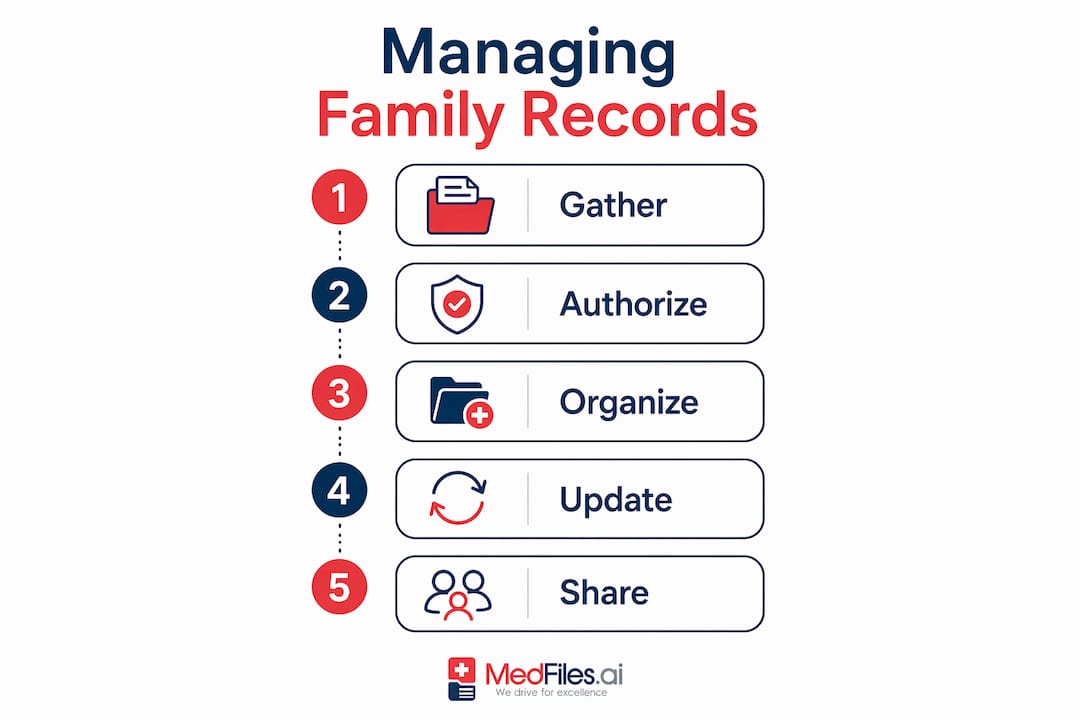
Once your tools and permissions are ready, follow this sequence to build a well-organized system.
-
Create a separate profile for each person. Use the individual’s full legal name, date of birth, and primary care provider. Never combine two people under one profile, even temporarily. Separating profiles with clear labels and routine updates prevents confusion and data errors.
-
Gather existing records before uploading. Collect paper documents, portal exports, and any records stored on old devices. Scan paper documents at a minimum of 300 DPI so text remains legible. Check types of medical records you should include: lab results, imaging, surgical reports, vaccination records, and current medication lists.
-
Link portal accounts where possible. Linked MyChart accounts allow one login to access records from different providers. This reduces the friction of managing separate logins for each specialist or hospital system your family uses.
-
Switch between profiles efficiently. Patient portals like MyChart and Sessions Health offer features to switch between multiple connected profiles for authorized representatives. Learn the exact steps in your chosen platform so switching takes seconds, not minutes.
-
Organize documents within each profile by category and date. Use folders or tags such as “Lab Results 2025,” “Cardiology,” or “Immunizations.” Consistent naming conventions across all profiles make searching faster.
-
Set a monthly update schedule. After every appointment, upload the visit summary, any new prescriptions, and updated test results within 48 hours. Stale records are nearly as problematic as missing ones.
Pro Tip: Assign one family member as the “records lead” who owns the update schedule. Shared responsibility often means no one takes responsibility.
The table below shows how to organize core document types across a typical family setup.
| Document type | Where it lives | Update frequency |
|---|---|---|
| Lab results | Per-person folder, by year | After every test |
| Prescriptions | Active medications section | When changed or renewed |
| Imaging reports | Radiology subfolder | After each scan |
| Vaccination records | Immunization section | After each vaccine |
| Insurance cards | Administrative folder | Annually or when changed |
What are the most common challenges in managing multiple health profiles?
Even well-organized families run into problems. Knowing what to expect makes troubleshooting faster.
Duplicate records are the most frequent issue. They appear when the same document gets uploaded twice or when two profiles accidentally share data. Audit each profile quarterly. Delete exact duplicates and flag near-duplicates for review by the relevant provider.
Access and permission errors happen when proxy authorization expires or was never fully set up. If you suddenly cannot view a family member’s records, contact the portal’s support team first. Most portals have a proxy management section in account settings where you can check the status of your authorization.
Managing profiles for minors requires extra attention as children age. Many portals automatically revoke parental proxy access when a child turns 18. Plan for this transition in advance. Talk to your teenager about taking ownership of their own profile before the cutoff date.
Managing profiles for elderly relatives carries its own complexity, especially when cognitive decline affects their ability to consent. Work with their primary care provider and, if necessary, a legal guardian or healthcare power of attorney to establish formal access rights. A resource like transitioning elderly loved ones to home healthcare can help you coordinate that process alongside record management.
Key rule: Never merge two people’s records into one profile to save time. The short-term convenience creates long-term errors that can affect clinical decisions.
Profile confusion occurs when documents are uploaded to the wrong person’s account. Always confirm the active profile before uploading. Most platforms display the current profile name prominently. If yours does not, switch platforms.
How should you share multi-profile health records securely with providers?
Secure sharing is where organized records pay off most directly. A provider who can access accurate, complete records before an appointment makes better decisions and asks fewer redundant questions.
Blockchain and encryption technologies safeguard medical record exchanges and provide audit trails that show exactly who accessed which record and when. That audit trail is not just a security feature. It is proof of compliance and a tool for catching unauthorized access early.
The table below compares sharing methods by security level and practical use.
| Sharing method | Security level | Best use case |
|---|---|---|
| Platform secure link (e.g., Medfiles) | High, encrypted, audited | Sharing with any provider |
| Patient portal direct share | High, provider-verified | Sharing within a portal network |
| Email with attachment | Low, unencrypted | Avoid for medical records |
| Fax | Moderate | Legacy providers only |
| Physical copy | Variable | Emergency backup only |
Control what you share at the profile level. Share only the records relevant to the appointment, not an entire profile. For a cardiology visit, share cardiac test results and current medications. For a pediatric checkup, share the child’s immunization history and growth records. Patient data organized this way improves healthcare outcomes by giving providers exactly what they need without information overload.
Data standardization using models such as FHIR and OMOP helps different systems read and use shared data correctly. When you share records from a platform that supports these standards, providers can import the data directly into their own systems rather than re-entering it manually.
Key Takeaways
Effective multi-profile health record management requires separate profiles, formal permissions, encrypted storage, and a consistent update schedule to keep every family member’s data accurate and accessible.
| Point | Details |
|---|---|
| Separate profiles for each person | Never combine two individuals in one profile; use full legal names and dates of birth. |
| Set up proxy access formally | Contact each portal to register as an authorized representative before managing others’ records. |
| Use encrypted platforms | Choose HIPAA-ready tools like Medfiles that offer end-to-end encryption and audit trails. |
| Link portal accounts | Linked accounts reduce login friction and centralize access across multiple providers. |
| Share selectively per appointment | Send only the records relevant to each visit, not an entire profile. |
The shift I see families missing in health record management
Most families treat health records as an archive. They upload documents after appointments and never look at them again until a crisis forces them to. That passive approach misses the real value of organized multi-profile data.
Health records management is evolving toward real-time personalized care using AI and comprehensive data integration, not just storage. The families who benefit most from digital health tools are the ones who review records proactively, spot patterns across profiles, and bring organized data to every appointment as a conversation tool.
Effective health management requires a holistic approach that goes beyond file storage, integrating social context and cross-sector coordination. That means your records system should connect to the broader picture of each person’s care, including home health services, specialist referrals, and social support. A guide on digital medical records workflow for families can help you build that broader system.
The families I see managing this well share one habit: they treat their health records the way they treat their finances. Regular check-ins, clear ownership, and a system that works even when no one is paying close attention.
— Team
Medfiles makes multi-profile record management straightforward
Medfiles is built for exactly this situation. You can store, organize, and access every family member’s medical documents in one secure place, from lab results and imaging to prescriptions and visit summaries.

Medfiles supports separate profiles for each family member, including children and pets, with HIPAA-ready encryption protecting every file. Its secure document sharing feature lets you send specific records to any provider with full control over what they see. AI-powered organization means uploaded documents are sorted automatically, so you spend less time filing and more time focused on care. Visit Medfiles to create your free account and get your family’s health records organized today.
FAQ
What is multi-profile health record management?
Multi-profile health record management is the practice of maintaining separate digital health profiles for multiple individuals, such as family members, within one platform. It allows one authorized person to store, organize, and share records for everyone they care for.
How do I get authorized to manage a family member’s records?
Contact the patient portal or platform directly to register as a proxy or authorized representative. Most portals require a formal request, and some require written consent from the individual whose records you will manage.
Can I link accounts from different healthcare providers?
Yes. Platforms like MyChart support linked accounts that allow one login to access records from multiple provider systems. This reduces the need to manage separate credentials for each hospital or specialist.
How do I prevent mixing up records between profiles?
Always confirm the active profile before uploading any document. Use clear, consistent naming conventions and audit each profile quarterly to catch and correct any misplaced files.
Is it safe to share health records digitally with doctors?
Digital sharing through encrypted platforms is safer than email or fax. Platforms that use end-to-end encryption and provide audit trails give you full visibility into who accessed which records and when.