How to Store Prescriptions Digitally: Family Guide
Learn how to store prescriptions digitally to ensure secure, easy access to your medication records anytime. Protect your health data today!
How to Store Prescriptions Digitally: Family Guide
Storing prescriptions digitally means keeping your medication records in encrypted, secure platforms that sync with your pharmacy and give you access anytime. This practice, formally called electronic prescription management, protects your health data while making it available when you need it most. Organized digital records cut adverse drug events by 55%, which shows the real stakes of getting this right. Whether you manage medications for yourself, your children, or aging parents, knowing how to store prescriptions digitally is one of the most practical health decisions you can make.
How to store prescriptions digitally: the best tools and platforms
The right platform is the foundation of secure digital prescription storage. Not all tools are equal, and the gap between a secure solution and a risky one is significant.
Pharmacy apps from major chains use AES-256 encryption for prescription storage. AES-256 is the same standard used by financial institutions and government agencies, so your medication records get hospital-grade protection. The VA Health app extends this to veterans managing complex medication regimens across multiple providers.
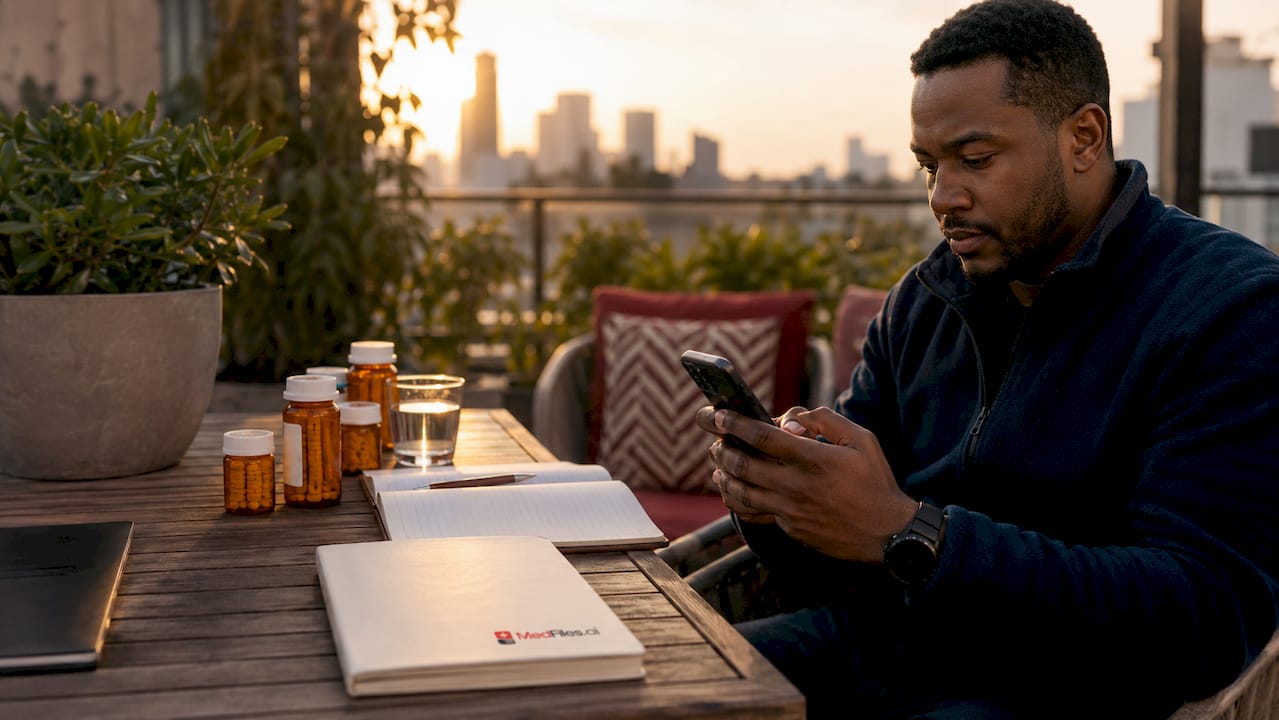
HIPAA-compliant health apps go further by combining medication tracking with document uploads. Apps like MyMedSchedule and Medisafe let you log doses, set reminders, and attach prescription images in one place. The critical distinction is HIPAA compliance. A HIPAA-compliant app must meet federal standards for how your data is stored, accessed, and shared.
General cloud storage services like Google Drive or Dropbox are not built for health data. They lack the end-to-end encryption and access controls that prescription records require. Only 3% of third-party medication apps encrypt prescription images properly. That statistic means the vast majority of casual storage options leave your data exposed.
Dedicated medical document platforms like Medfiles offer a purpose-built alternative. Medfiles uses HIPAA-ready infrastructure with end-to-end encryption, multi-profile management for families and pets, and AI-powered document organization. You get one secure place for prescriptions, test results, and doctor notes, all accessible from your phone.
| Feature category | Basic pharmacy apps | General cloud storage | Dedicated medical platforms |
|---|---|---|---|
| Encryption standard | AES-256 | Varies (often none) | AES-256 or equivalent |
| HIPAA compliance | Partial | No | Yes |
| Document uploads | Limited | Yes | Yes |
| Family profiles | No | No | Yes |
| AI organization | No | No | Yes |
Pro Tip: Always choose a platform that offers two-factor authentication (2FA) and biometric login. These two features stop unauthorized access even if your password is compromised.
How to organize and maintain your digital prescription files
Good organization turns a folder of files into a system you can actually use under pressure. The goal is to find any prescription in under 30 seconds, even during an emergency.
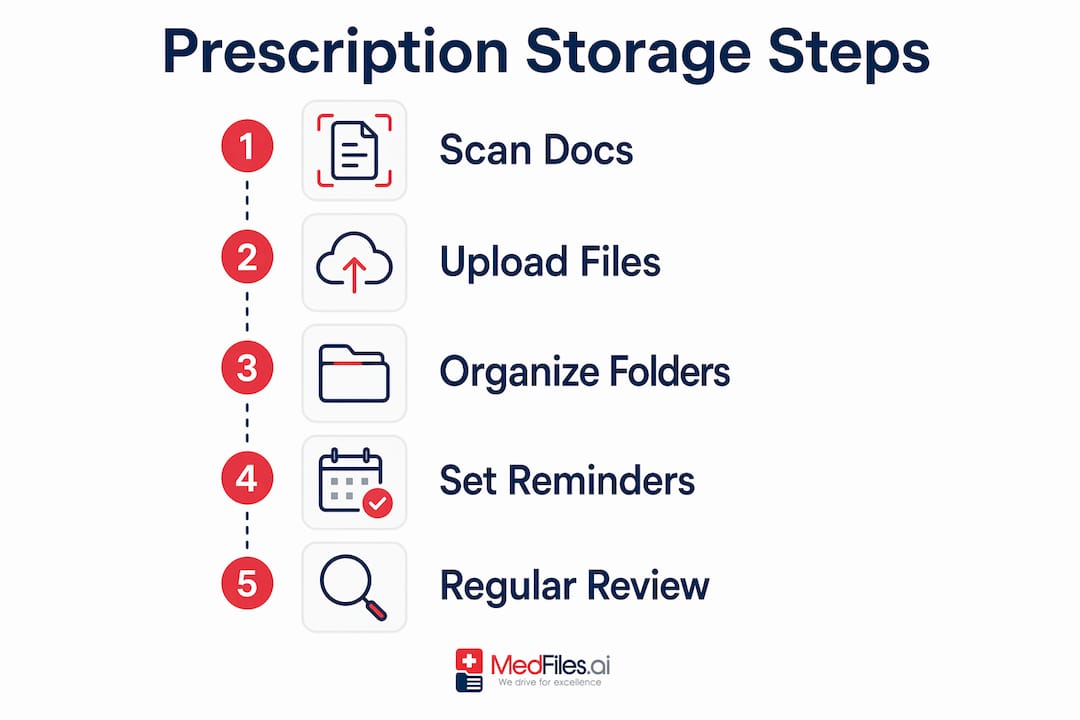
Consistent file-naming conventions improve retrieval speed during medical emergencies. The recommended format is “YYYY-MM-DD Type Description,” for example “2026-03-15 Prescription Metformin 500mg.” This format sorts files chronologically by default and makes the content clear without opening the file.
Build your folder structure around these four categories:
- Active prescriptions: Current medications with valid refills. Review this folder monthly.
- Historical records: Expired or discontinued prescriptions. Keep these for at least three years for reference during new patient intake.
- Medication guides: Leaflets, drug interaction sheets, and dosage instructions from your pharmacist.
- Provider notes: Any written instructions from doctors that accompany a prescription.
Merging and splitting PDFs helps separate active treatment plans from archives. When a prescription changes, split the old version into your historical folder and keep only the current document in your active folder. Clinicians reviewing your records will thank you for the clarity.
Keeping refill and renewal dates current prevents gaps in your medication supply. Mark expiration dates in your calendar app and link them to the relevant file. A missed renewal is not just an inconvenience. For medications like insulin or blood pressure drugs, a gap can be dangerous.
Pro Tip: Set aside 10 minutes every Sunday to review your active prescriptions folder. Weekly maintenance prevents months of backlog and keeps your records accurate for your next doctor visit.
What security risks exist when storing prescriptions digitally?
Prescription data is 40 times more valuable to hackers than credit card information. That makes your medication records a high-value target, and most people store them with far less care than their financial data.
The most common mistake is saving prescription photos to an unencrypted phone gallery. Your camera roll is not protected by any health-specific security standard. If your phone is lost, stolen, or accessed by a third party, every prescription image in that gallery is exposed.
Storing sensitive medical documents in unencrypted galleries or standard cloud folders violates the basic security principle that health data requires its own protected environment. The industry standard is an AES-256 encrypted vault app, not a general-purpose photo album or file folder.
Follow this security checklist to protect your digital prescription records:
- Use only HIPAA-compliant apps with AES-256 encryption and verified secure servers.
- Enable two-factor authentication on every health app and email account linked to your prescriptions.
- Rename sensitive files to obscure their content. “Doc2026-03” is safer than “Oxycodone-Prescription-March.”
- Never text or email prescription images. Standard SMS and email are not encrypted for health data.
- Never share passwords to health apps, even with family members. Use shared-access features instead.
- Review app permissions quarterly and revoke access for any app you no longer use.
Renaming files and enabling 2FA adds a layer of protection even if your login credentials are compromised. This approach, sometimes called “security by obscurity,” is not a replacement for strong encryption but it does reduce risk meaningfully. You can learn more about how Medfiles handles this in its encryption protocols.
How to integrate digital prescriptions into your daily routine
Digital prescription storage only works if you actually maintain it. A well-organized system that goes six months without an update is nearly as useless as no system at all.
The most reliable approach ties your digital records to actions you already take. When you pick up a refill, spend two minutes uploading the new label to your active prescriptions folder. When your doctor changes a dosage, update the file that same day.
Use these habits to stay current:
- Request refills when 5–7 days of medication remain. This timing prevents gaps and gives your pharmacy time to process the order.
- Initiate renewals 7–10 days before a prescription expires. Waiting until the last day risks a lapse, especially for controlled substances that require a new written prescription.
- Link app notifications to your digital records. Set a reminder in your health app that fires when a refill is due, and attach the relevant prescription file to that reminder.
- Check your pharmacy portal weekly. Many portals update automatically when a prescription is filled or modified. Sync those updates to your personal records.
- Share updated records with caregivers. If a family member manages medications for an elderly parent, give them access to the shared folder through a platform that supports multi-user access.
Printed backups still have a place in this system. Carry a printed copy of your current prescriptions when traveling internationally, since digital access depends on connectivity and battery life. For families managing diabetic supply refills, tracking renewal windows digitally reduces the risk of unused benefits and supply gaps. A printed backup and a digital record together give you redundancy without extra effort.
Only 42% of U.S. pharmacies offered patient-accessible digital prescription records as of late 2023. That means your pharmacy may not provide a digital copy automatically. You may need to request one, scan it yourself, or use a platform that accepts uploads directly.
Key takeaways
Secure digital prescription storage requires HIPAA-compliant tools, consistent file organization, and weekly maintenance to protect your health data and prevent medication gaps.
| Point | Details |
|---|---|
| Choose HIPAA-compliant tools | Use platforms with AES-256 encryption and two-factor authentication, not general cloud storage. |
| Name files consistently | Use the “YYYY-MM-DD Type Description” format so any file is findable in seconds. |
| Secure your data actively | Never store prescriptions in unencrypted galleries; rename sensitive files and enable 2FA. |
| Maintain a refill schedule | Request refills 5–7 days early and renew prescriptions 7–10 days before expiration. |
| Keep physical backups | Carry printed copies when traveling and share digital access with caregivers through secure platforms. |
What I’ve learned from years of watching families manage prescriptions
Most families treat prescription storage as a one-time task. They scan a document, drop it in a folder, and forget about it. Six months later, that folder contains three versions of the same prescription, two expired refills, and a medication guide for a drug the patient stopped taking in 2024.
The families who manage this well treat their prescription records as living documents. They update files the same day a prescription changes. They archive old records instead of deleting them, because a discontinued medication is still relevant history for a new doctor. And they use platforms built for this purpose, not workarounds.
The security gap surprises most people. Prescription data being 40 times more valuable than credit card data is not a theoretical risk. It is the reason medical identity theft is one of the fastest-growing categories of fraud. Storing a prescription photo in your camera roll is the equivalent of leaving your credit card on a park bench.
For families with elderly parents or children on long-term medications, shared digital access changes the caregiving dynamic entirely. A parent in another city can see that their child’s asthma prescription was refilled. A sibling can confirm that an aging parent’s blood pressure medication is current before a hospital visit. That kind of visibility reduces errors and reduces anxiety.
My honest recommendation is to use a dedicated medical records platform rather than patching together a system from general-purpose apps. The time you save and the security you gain are worth it.
— Team
Medfiles makes secure prescription storage simple
Managing prescriptions across a family should not require a filing cabinet, three different apps, and a reminder system held together with sticky notes.

Medfiles gives you one encrypted, HIPAA-ready place to store every prescription, test result, and doctor note for your entire family, including pets. Documents are organized automatically, and you can share records securely with your care team in seconds. The platform uses end-to-end encryption and supports multi-profile management, so every family member’s records stay separate and protected. For families ready to move beyond paper and scattered files, medical document storage with Medfiles is the most direct path to organized, secure, and always-accessible health records.
FAQ
What is the safest way to store prescriptions digitally?
The safest method is a HIPAA-compliant platform with AES-256 encryption, two-factor authentication, and biometric login. Avoid storing prescription images in unencrypted phone galleries or general cloud folders.
How do I digitize prescriptions I already have on paper?
Scan or photograph each prescription and upload it to a HIPAA-compliant health app or medical document platform. Use a consistent file-naming format like “YYYY-MM-DD Prescription DrugName” for easy retrieval.
Can I store pet prescriptions digitally too?
Yes. Platforms like Medfiles support multi-profile management that includes pets. Storing pet prescriptions digitally gives you the same benefits as human records: quick access at the vet, accurate medication history, and timely refill reminders.
Why should families use a shared digital prescription system?
Shared access lets caregivers and family members view current medications, confirm refills, and update records without phone calls or paper handoffs. This reduces medication errors and improves coordination during emergencies or doctor visits.
How often should I update my digital prescription records?
Update your records every time a prescription changes, a refill is filled, or a medication is discontinued. A weekly 10-minute review of your active prescriptions folder keeps everything current and prevents outdated information from reaching your care team.