Why Automate Health Record Management in 2026
Discover why automate health record management is crucial in 2026. Explore its benefits in improving patient care and reducing errors!

Why Automate Health Record Management in 2026
Health record automation is the process of using technology to digitize, classify, and manage patient data without manual intervention, replacing paper-based and fragmented workflows with accurate, accessible digital systems. For healthcare administrators and clinicians, this shift is no longer optional. Approximately 90% of US clinicians already use at least one form of Electronic Health Record (EHR) to manage patient data. The industry term for this practice is healthcare information management automation, and it sits at the center of every serious effort to reduce clinical burnout, cut documentation errors, and improve patient outcomes. Understanding why automate health record management decisions matter starts with knowing exactly what you gain and what you risk by waiting.
What are the primary benefits of automating health record management?
The most direct benefit of health record automation is time. Automating medical record systems can reduce documentation time by up to 30% and cut after-hours work by 30%. That is not a marginal gain. For a physician seeing 20 patients a day, reclaiming that time means more face-to-face care and less charting at midnight.
Beyond time, the financial case is strong. Downstream costs from manual record errors, such as delayed billing or missed patient follow-up, routinely exceed simple labor cost savings. A single misfiled referral can delay treatment, trigger a billing dispute, and require three staff members to resolve. Automation removes that chain of events before it starts.
Here is what the research shows about specific efficiency gains:
- Documentation speed: AI-powered transcription tools reduce clinician documentation time by 20% while improving clinical note quality and satisfaction scores.
- Burnout reduction: Automation reduces clinician burnout by alleviating manual EHR tasks and “computer fatigue,” freeing clinicians for patient-facing work.
- Error prevention: Automated classification and data extraction catch inconsistencies that manual entry misses, reducing the risk of duplicate records or missing diagnoses.
- Cost control: Fewer manual processing steps mean lower administrative overhead and faster revenue cycle completion.
Mitigating clinician burnout is now a primary motivation for automation adoption across health systems. The administrative overload associated with EHRs has driven physician dissatisfaction for over a decade. Automation directly addresses that root cause.
Pro Tip: Before selecting an automation platform, audit your current documentation workflow for the three tasks that consume the most staff time. Target those first. Focused automation delivers faster ROI than broad system overhauls.
How does automation improve data accessibility and patient care coordination?
Automated health records give authorized users access to complete, current patient data from any location. A hospitalist covering a weekend shift can pull a patient’s full medication history in seconds. A specialist receiving a referral gets structured clinical notes, not a fax. That speed directly affects care quality.

Interoperability is the technical backbone of this benefit. Modern EHR platforms built on HL7 FHIR standards allow real-time data sharing across care teams, labs, pharmacies, and specialists. When a primary care physician updates a patient’s allergy list, every connected provider sees that update immediately. Manual systems cannot replicate this. You can explore practical examples of digital records to see how fragmented manual records create dangerous gaps in care.
Automated records also power clinical decision support. Biomedical AI in EHRs provides real-time alerts that improve adherence to best practices, flagging drug interactions, overdue screenings, or contraindicated orders before a clinician submits them. This is not a passive benefit. It is an active safety layer built into every patient encounter.
Patient engagement improves as well. Automated systems feed patient portals with up-to-date records, lab results, and care plans. Patients who can see their own data ask better questions, adhere to treatment plans more consistently, and report higher satisfaction. The benefits of storing records digitally extend well beyond the clinic walls.
Pro Tip: When evaluating EHR automation tools, confirm that the platform supports FHIR R4 or later. Older interoperability standards create integration bottlenecks that undermine the accessibility gains you are trying to achieve.
Manual vs. automated health record workflows: what actually changes?
The inefficiency of manual records processing is structural, not incidental. Manual processing involves 3 to 5 staff members touching the same document, creating delays, version conflicts, and error cascades at every handoff. A single patient intake form might be scanned by a front desk clerk, reviewed by a medical assistant, re-entered by a coder, and checked by a billing specialist before it reaches the correct system field. Each step adds time and introduces risk.
Automated workflows replace that chain with classification agents, data extraction pipelines, and confidence scoring. The system reads an incoming document, identifies its type, extracts relevant fields, and routes it to the correct record. Machine learning pipelines assign confidence scores to each extraction, routing uncertain cases to human review and reducing total human processing to under 45 minutes daily. That is the entire manual review burden for a mid-sized practice, compressed into less than an hour.
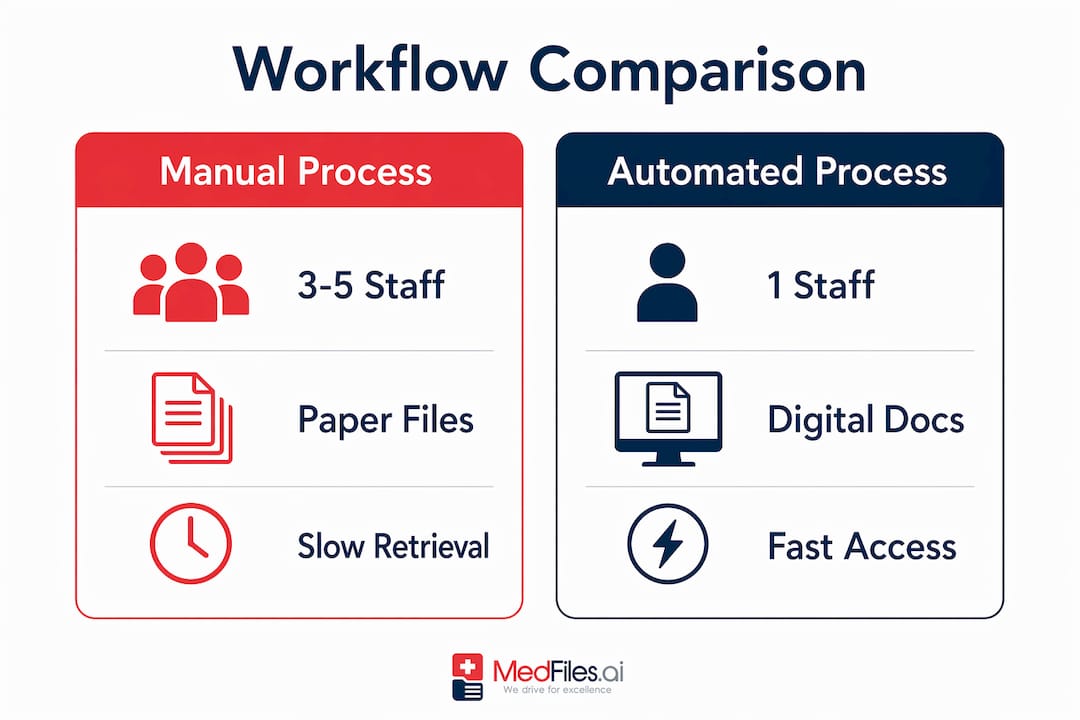
The table below shows the core differences between the two approaches:
| Workflow element | Manual process | Automated process |
|---|---|---|
| Staff per document | 3 to 5 people | 1 reviewer for flagged exceptions |
| Processing time | Hours to days | Minutes per document |
| Error detection | Post-entry audit | Real-time confidence scoring |
| Compliance logging | Manual timestamps | Immutable automated audit trails |
| Scalability | Requires additional staff | Scales with volume, no added headcount |
The scalability row is where the operational argument becomes undeniable. A practice that doubles its patient volume under a manual system must hire proportionally more administrative staff. An automated system absorbs that volume increase with minimal additional cost. That is a structural advantage that compounds over time.
What are the key steps for implementing health record automation?
Implementation is where most automation projects succeed or fail. The technology is rarely the problem. Compliance gaps, poor change management, and incompatible systems are the real obstacles.
Follow these steps to build a solid foundation:
-
Confirm HIPAA compliance and BAA coverage. Generic automation platforms often fail healthcare due to missing HIPAA compliance and insufficient audit trails. Any vendor you select must sign a Business Associate Agreement and provide immutable logging of every access and action. Compliance audits require these logs. Without them, you carry the liability.
-
Require confidence scoring in your data extraction tools. Confidence scoring in automated systems prevents unnoticed errors by flagging low-confidence extractions for human review. This is your quality control layer. Do not accept a platform that processes records without it.
-
Integrate with your existing EHR before adding new systems. Incremental automation that integrates with existing systems leads to greater staff acceptance and reduced workflow disruption. Replacing your entire stack at once creates resistance and downtime. Start with one workflow, prove the value, then expand.
-
Train staff on exception handling, not just system operation. Most staff time in an automated environment shifts from data entry to reviewing flagged cases. Train your team on how to handle exceptions accurately and efficiently. This is a different skill set than manual entry.
-
Audit your workflow at 30, 60, and 90 days post-implementation. Automation surfaces inefficiencies you did not know existed. Regular audits let you recalibrate routing rules, retrain classification models, and catch compliance gaps before they become audit findings.
Many healthcare workers reject automation when it demands full system overhauls. Incremental, staff-friendly adoption consistently produces better outcomes than big-bang implementations. The advantages of automated documentation in admissions workflows confirm this pattern across multiple care settings.
Pro Tip: Assign a clinical champion for your automation rollout. A physician or senior nurse who advocates for the system internally reduces resistance faster than any training program. Peer credibility matters more than vendor presentations.
Key takeaways
Automating health record management delivers measurable gains in efficiency, accuracy, and patient safety, but only when implemented with HIPAA-compliant tools, confidence scoring, and incremental staff adoption.
| Point | Details |
|---|---|
| Time savings are significant | Automation cuts documentation time by up to 30% and reduces after-hours work by the same margin. |
| Manual workflows are structurally inefficient | Three to five staff members touching one document creates delays and error cascades that automation eliminates. |
| Compliance is non-negotiable | Any automation platform must include immutable audit logs and a signed Business Associate Agreement. |
| Incremental rollout works best | Integrating automation with existing EHR systems before expanding reduces staff resistance and workflow disruption. |
| Clinical decision support adds safety | AI-powered EHRs provide real-time alerts that improve protocol adherence and catch errors before they reach patients. |
What I have learned from watching automation adoption in healthcare
Working closely with healthcare professionals and administrators on digital record management has taught me one thing above all else: the technology is rarely the barrier. The real friction is trust. Clinicians who have spent years fighting clunky EHR interfaces are skeptical of any new system that promises to fix what previous systems broke.
The practices that succeed with automation share a common trait. They do not lead with the technology. They lead with the problem. They show staff exactly how many hours per week are lost to manual documentation, then demonstrate how automation addresses that specific pain point. That framing changes the conversation from “another system to learn” to “a solution to something that is already hurting us.”
I have also seen the consequences of skipping the compliance foundation. A mid-sized clinic that deployed a generic workflow tool without verifying HIPAA coverage faced an audit within eight months. The immutable logging requirement alone cost them significant remediation time. The lesson is straightforward: build the compliance layer first, then optimize for efficiency.
The future of health record automation points toward AI-powered clinical decision support that goes beyond data entry, offering optimized resource allocation and improved diagnostic accuracy. That is genuinely exciting. But the practices positioned to benefit from those advances are the ones that got the fundamentals right first. Accurate records, clean data pipelines, and trained staff are the prerequisites for everything that comes next. Automation without those foundations is just faster chaos.
— Team
Manage your medical records securely with Medfiles
Your patients trust you with their most sensitive information. Medfiles gives you the tools to honor that trust.

Medfiles for doctors provides a HIPAA-ready platform with end-to-end encryption, AI-powered document organization, and instant sharing capabilities built for clinical workflows. Upload test results, prescriptions, imaging reports, and clinical notes. Access them instantly from any device. Share securely with specialists, care teams, or patients in seconds. Medfiles handles the organization automatically, so your team focuses on care, not filing. Explore Medfiles plans and pricing to find the right fit for your practice size and workflow needs.
FAQ
Why automate health record management instead of using paper?
Automated health records eliminate the manual errors, access delays, and compliance risks that paper systems create. Digital records are searchable, shareable, and backed by audit trails that paper cannot provide.
What is the difference between EHR automation and basic digitization?
Basic digitization converts paper to digital files. EHR automation adds classification, data extraction, clinical decision support, and real-time interoperability. Digitization stores records. Automation makes them work for you.
How does health record automation reduce clinician burnout?
Automation removes repetitive data entry and after-hours charting from clinician workloads, directly addressing the administrative burden that drives EHR-related fatigue and dissatisfaction.
Is HIPAA compliance required for automated health record systems?
Yes. Any platform handling protected health information must comply with HIPAA, maintain immutable audit logs, and operate under a signed Business Associate Agreement with your organization.
How long does it take to implement health record automation?
Implementation timelines vary, but incremental rollouts that integrate with existing EHR systems typically show measurable efficiency gains within 60 to 90 days while minimizing staff disruption.