Your Medical Document Checklist for Better Health Care
Streamline your health care with our essential medical document checklist. Stay organized for smoother doctor visits and better care!

Your Medical Document Checklist for Better Health Care
Managing your health care gets complicated when your records are scattered. A solid medical document checklist — what health professionals call a personal health record (PHR) system — can be the difference between a smooth doctor’s visit and a stressful scramble through old paperwork. Families face this challenge constantly: a new specialist needs your history, an ER asks about allergies, or an insurer requests documentation for a claim. Getting organized before those moments is not just convenient. It’s one of the smartest things you can do for your health.
Table of Contents
- Key takeaways
- 1. Your core medical document checklist
- 2. How to organize your medical documents safely
- 3. Comparing tools for managing your health records
- 4. Using your checklist in real-life situations
- 5. What most people overlook in their healthcare document list
- 6. How often to review and update your records
- My take: why most people wait too long
- Organize your health records with Medfiles
- FAQ
Key takeaways
| Point | Details |
|---|---|
| Build a core document set | Gather ID, insurance cards, medical history, prescriptions, and legal health directives into one organized system. |
| Store records in multiple formats | Keep physical copies, digital backups, and copies with a trusted contact to protect against loss or emergencies. |
| Update your records regularly | Review and refresh medication logs, test results, and provider details at least twice a year. |
| Match your tools to your needs | Physical binders work for simple needs; digital platforms offer security, sharing, and instant access for families. |
| Know your rights | Under HIPAA, you can request your records and have them sent directly to new providers. |
1. Your core medical document checklist
Start here. Before you organize, you need to know exactly what belongs in your records. This is the foundation of any solid healthcare document list.
Personal identification and insurance:
- Government-issued photo ID
- Social Security card or number
- Current health insurance cards (front and back)
- Medicare or Medicaid cards if applicable
- Secondary insurance information
- Insurance explanation of benefits (EOB) statements
Medical and family history: A family health history and personal medical history are among the most critical items to maintain. This includes past conditions, surgeries, hospitalizations, and known family illnesses. Doctors use this information to catch patterns and make better decisions about your care.
Medications and allergies:
- Current prescription medications with dosages
- Over-the-counter medications taken regularly
- Supplement and vitamin list
- Known drug, food, and environmental allergies with reaction descriptions
Test results and clinical records: Detailed test results, imaging reports, medication lists, and treatment plans form the backbone of your clinical records. Keep copies of blood panels, X-rays, MRI reports, pathology results, and specialist notes.
Legal and directive documents:
- Living will or advance health care directive
- Durable power of attorney for health care
- HIPAA authorization forms naming trusted contacts
- Organ donor registration
Pro Tip: If you are managing immigration paperwork, note that specific medical forms like Form I-693 must be submitted sealed with I-485 or they will be rejected outright. Process details matter as much as the clinical content.
2. How to organize your medical documents safely
Having the documents is step one. Organizing them so you can actually find them under pressure is step two.
- Create a physical binder or accordion file. Use labeled tabs for each category: identification, insurance, medical history, medications, test results, legal documents. Keep this somewhere accessible at home, not buried in a filing cabinet.
- Make copies and store them in multiple places. Keeping multiple copies in different formats and locations protects you from disasters, fires, floods, or simple misplacement. One copy at home, one with a trusted family member, one digital copy.
- Go digital with at least one copy. Scan or photograph every key document. Store them in a password-protected, encrypted folder or a dedicated medical records platform. Avoid general cloud storage for sensitive health data.
- Build a medication log. Doctors need more than a medication name. Log medications, side effects, symptoms, and treatment responses on an ongoing basis. This helps providers evaluate whether current treatments are working.
- Set a review schedule. Medical records go stale fast. A prescription changes, a new allergy appears, a provider retires. Set a calendar reminder every six months to maintain your records long-term and keep everything current.
- Use a consistent naming convention for digital files. Name files clearly: “2025-BloodPanel-LabName.pdf” beats “scan001.pdf” every time. Consistent naming saves real time when you need a specific record quickly.
Pro Tip: Create a one-page emergency summary sheet with your blood type, allergies, current medications, primary care physician contact, and emergency contacts. Keep it at the front of your binder and photographed on your phone.
3. Comparing tools for managing your health records
Not every tool suits every person. Here’s how your main options compare.
| Method | Best for | Security | Portability | Cost |
|---|---|---|---|---|
| Physical binder | Low-tech users, basic needs | Moderate (physical theft risk) | Low | Free |
| Encrypted USB drive | Backup storage | High if encrypted | High | Low |
| General cloud storage | Convenience | Low to moderate | High | Free to low |
| Patient portal (provider-issued) | Single provider records | High | Moderate | Free |
| Dedicated medical records app | Families, multi-provider care | High (HIPAA-ready) | Very high | Low to moderate |
Digital tools and patient portals are recommended for managing and sharing records securely. But not all digital tools are equal.
When evaluating any digital platform for your records, look for these features:
- HIPAA-ready infrastructure with end-to-end encryption
- Secure sharing with specific providers or family members
- Multi-profile support for managing records across a family
- Emergency access that works without internet dependence
- Automatic document organization rather than manual filing
General cloud services like personal Google Drive accounts are not built for health data. A dedicated platform built around health record security is a meaningfully different product. The right digital solution for your records should support secure family access without sacrificing privacy.
4. Using your checklist in real-life situations
A complete checklist for medical records does not help much sitting in a drawer. Here’s how to put it to work.
At doctor appointments: Bring your one-page summary sheet, your current medication list, and any recent test results relevant to the visit. New providers especially benefit from seeing your full medical history upfront. It reduces duplicate testing and helps them treat you faster.
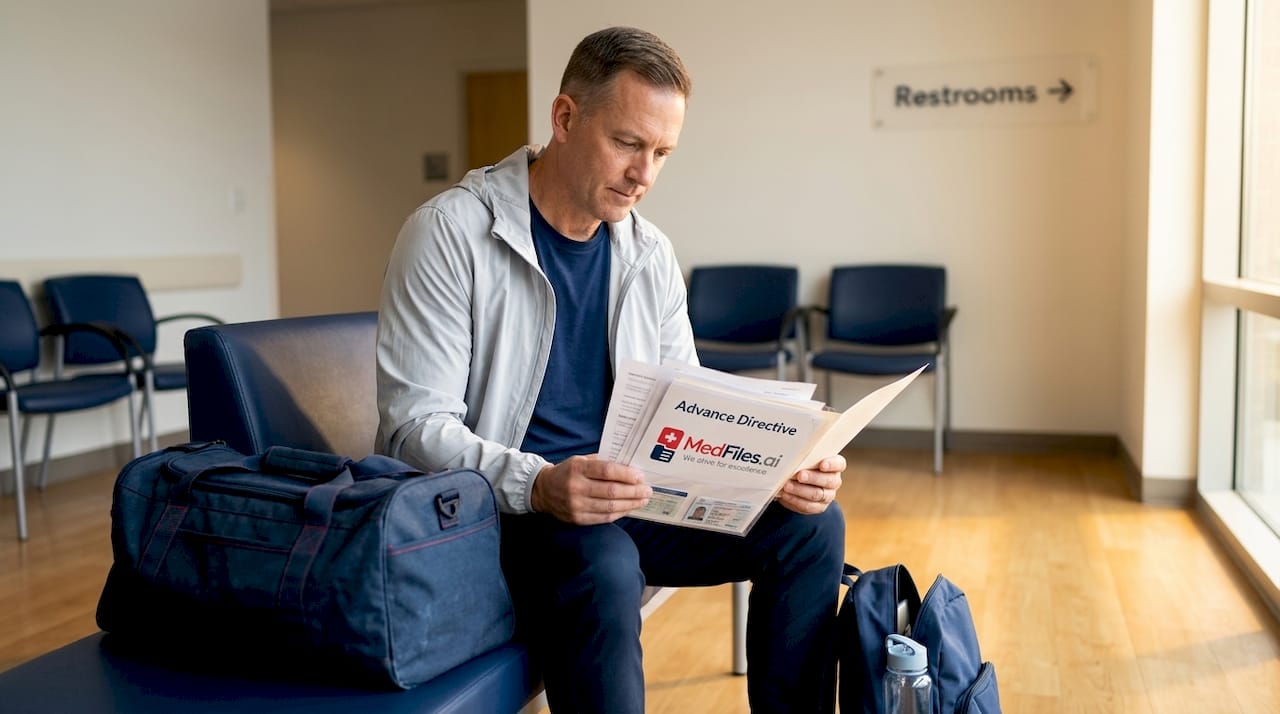
For hospital admissions: Have your insurance card, a government ID, your living will or health directive, and your designated health care proxy contact information ready. Hospitals move quickly. Not having these documents can cause delays in care decisions.
For insurance claims and pre-authorizations: Documentation requirements vary by service type when insurers review claims. Following a detailed records checklist reduces back-and-forth with your insurer and speeds up approval. Keep all EOB statements organized by date so you can reference them if a claim is disputed.
During emergencies: This is where having everything ready pays off most. A family member who is unconscious cannot explain their medication list. You can, if you have kept records current and accessible. Make sure at least one trusted person outside your household knows where your records are stored and how to access them.
For care transitions: Under HIPAA, you have the right to direct record transfers to new providers, which makes switching doctors or moving to a new city far less complicated. Use this right. Don’t wait for old providers to remember to forward your file.
5. What most people overlook in their healthcare document list
Most guides stop at the obvious. These are the items families consistently miss.
Immunization records for every family member. Schools, employers, and travel destinations frequently require proof of vaccination. Keep originals and digital copies of every immunization record, including childhood ones.
Mental health treatment history. Prescriptions, therapy provider names, and diagnoses related to mental health belong in your records like any other specialty. Continuity in mental health care depends on this history being available. If you have requested records from a mental health provider, resources like HIPAA-compliant records requests explain how the process works.
Pediatric and elder care records. If you manage health records for children or aging parents, keep separate, clearly labeled sections for each person. Mixing records creates dangerous confusion in emergencies.
Pet health records. Vaccine history, medications, and vet contact information are genuinely useful in certain emergency situations, especially for elderly individuals or those with service animals.
Explanation of benefits statements. Most people toss these. Hold on to them. EOBs are your record of what was billed, what was paid, and what you owe. They are your only reference point if a billing error appears later.
6. How often to review and update your records
A medical documentation guide is only as good as how recently it was reviewed. Set up a simple update system.
Every 6 months: Review current medication list, update your provider directory with any new specialists, check that insurance cards reflect current coverage.
After every significant health event: Add new test results, update your medical history with any new diagnoses, save discharge summaries from any hospitalization.
Annually: Review your advance directive and health care power of attorney to confirm they still reflect your wishes. Confirm your emergency contacts are still reachable and aware of their role.
Understanding all types of medical records helps you recognize what to collect after each healthcare interaction. Lab reports, imaging CDs, pathology slides, and specialist letters all count as records worth keeping.
My take: why most people wait too long
I’ve watched the same pattern play out repeatedly. People decide to get organized right after a health scare or a frustrating insurance dispute. Not before. By then, records are missing, providers have retired, and reconstructing a complete history feels overwhelming.
What I’ve learned is that the hardest part isn’t the organizing itself. It’s accepting that you need to do it before you need it. The families who handle health crises with the least panic are almost always the ones who took an hour to build a basic system in a calm moment.
I’d push back on one common assumption too: that digital tools are only for tech-savvy users. In practice, a well-designed medical records app is easier to maintain than a paper binder. Uploading a document takes seconds. Finding it later takes even less. The friction that kept people from going digital five years ago largely doesn’t exist anymore.
The other thing I’d say: don’t aim for perfect. A basic folder with your insurance cards, a medication list, and one emergency contact sheet is infinitely more useful than a perfect system you haven’t built yet. Start small. Update as you go.
— Team
Organize your health records with Medfiles
You now have a clear picture of what a personal health record system should include. Medfiles makes building and maintaining that system genuinely easy.

Medfiles is built specifically for individuals and families who want secure, organized access to their health records anytime. Upload documents once and the platform organizes them automatically. Share specific records securely with providers, family members, or specialists. Access everything during travel, emergencies, or routine appointments. With HIPAA-ready encryption and multi-profile family management, you stay in control of your health information. Explore the patient-specific features and see how straightforward personal health management can be.
FAQ
What documents should be on a medical document checklist?
Your checklist should include photo ID, insurance cards, medical history, current medications and allergies, immunization records, test results, imaging reports, legal health directives, and emergency contacts. These cover the patient paperwork requirements for most healthcare situations.
How do I store medical records securely at home and digitally?
Keep a physical binder at home with labeled sections, and maintain encrypted digital copies using a HIPAA-ready medical records platform. Avoid storing sensitive health data in general cloud services that lack health-specific security standards.
Can I legally request all my medical records from providers?
Yes. HIPAA requires providers to respond to records requests within 30 days, with one possible 30-day extension. You can also request that records be sent directly to a new provider.
How often should I update my personal health records?
Review your records every six months for routine updates, after every significant health event, and annually for legal documents like advance directives. Regular updates keep your checklist accurate and useful when it counts most.
Do medical record requirements differ for insurance claims?
Yes. Documentation requirements vary by service type and coverage level. Keeping organized, detailed records reduces insurer requests for additional information and speeds up claim approvals.