Organize medical records efficiently: A guide for families
Discover the secrets of effective medical records organization explained! Ensure your family's health info is streamlined, accessible, and secure.
Organize medical records efficiently: A guide for families
Scattered across three different hospital portals, stuffed in a kitchen drawer, or buried in an email inbox from two years ago — that’s where most families’ medical records actually live. Documentation quality audits show that even clinical records average only 85% completeness, meaning gaps exist even before records reach your hands. When an emergency strikes or a new specialist asks for your full history, disorganized records don’t just cause frustration. They slow down care, create dangerous gaps, and put you in the position of guessing what medications you were prescribed two years ago. This guide walks you through exactly how to organize, store, and access your family’s medical records — efficiently and securely.
Table of Contents
- Understanding medical records: What to organize and why
- Physical vs digital: Methods, benefits, and challenges
- Digital tools and portals: Centralizing, accessing, and sharing records
- Emergency readiness: What health information to keep handy
- Smart automation: AI and OCR solutions for fast, accurate filing
- Beyond basic organization: What most guides miss
- Next steps: Streamline your medical records with MedFiles.ai
- Frequently asked questions
Key Takeaways
| Point | Details |
|---|---|
| Organize by category | Sort records into key groups like appointments, tests, treatments, billing, and summaries. |
| Choose the right method | Physical records are reliable but harder to share; digital records are searchable but need security backups. |
| Use technology wisely | Patient portals and apps can centralize and share records efficiently across providers. |
| Prepare for emergencies | Keep a portable summary of essential info for quick access and sharing during emergencies. |
| Leverage automation | AI/OCR tools can reduce filing time and errors, but always verify accuracy and consistency. |
Understanding medical records: What to organize and why
Having addressed the risks, let’s clarify what medical records really are and why organizing them is crucial.
Medical records are not just doctor’s notes. They span a wide range of documents, each serving a different purpose for your health and safety. Understanding what you have — and what you might be missing — is the first step to getting organized.
According to core organization guidelines, the five main categories of medical records are:
- Appointments and consultations: Visit summaries, referral letters, specialist notes
- Tests and results: Lab work, imaging reports, pathology findings, EKGs
- Treatments and medications: Prescriptions, dosage histories, surgical records, vaccination logs
- Billing and insurance: Explanation of benefits, invoices, prior authorization letters
- Personal health summaries: Problem lists, care plans, advance directives
Here’s a quick look at why each category matters in practice:
| Category | Why it matters | Risk if missing |
|---|---|---|
| Appointments | Tracks care continuity | Duplicate tests, missed follow-ups |
| Tests and results | Baseline for diagnosis | Misdiagnosis, delayed treatment |
| Medications | Prevents dangerous interactions | Overdose, contraindications |
| Billing and insurance | Dispute resolution | Unexpected costs, denied claims |
| Health summaries | Emergency reference | Incomplete care in a crisis |
The practical impact of disorganization goes beyond inconvenience. Imagine arriving at an emergency room unable to name your current medications. Or starting care with a new specialist who has no access to your imaging from a previous provider. These are not edge cases. They happen regularly to families managing care across multiple providers, especially when caring for elderly parents or children with chronic conditions.
Knowing your essential medical documents gives you a clear checklist to work from. Start by gathering what you have, then identify the gaps.
Physical vs digital: Methods, benefits, and challenges
Now that you know what to organize, let’s compare how — paper or digital — and what works best for families.
Both approaches have real advantages. Neither is perfect on its own. The right choice depends on your comfort with technology, the complexity of your family’s health history, and how often you need to share records with providers.
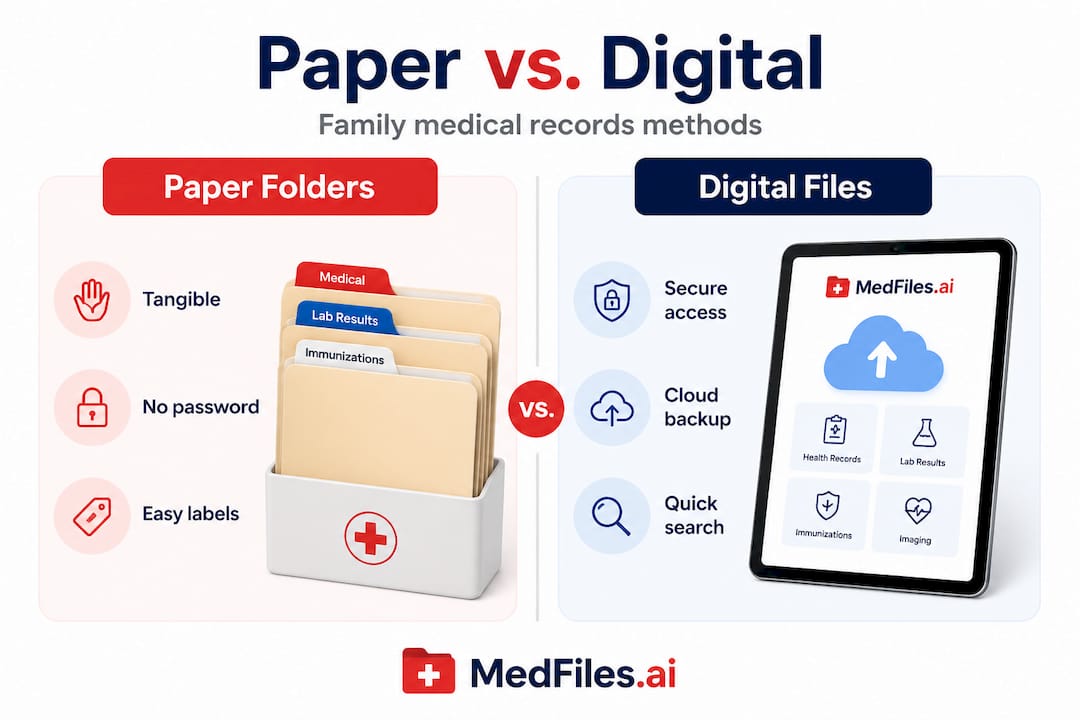
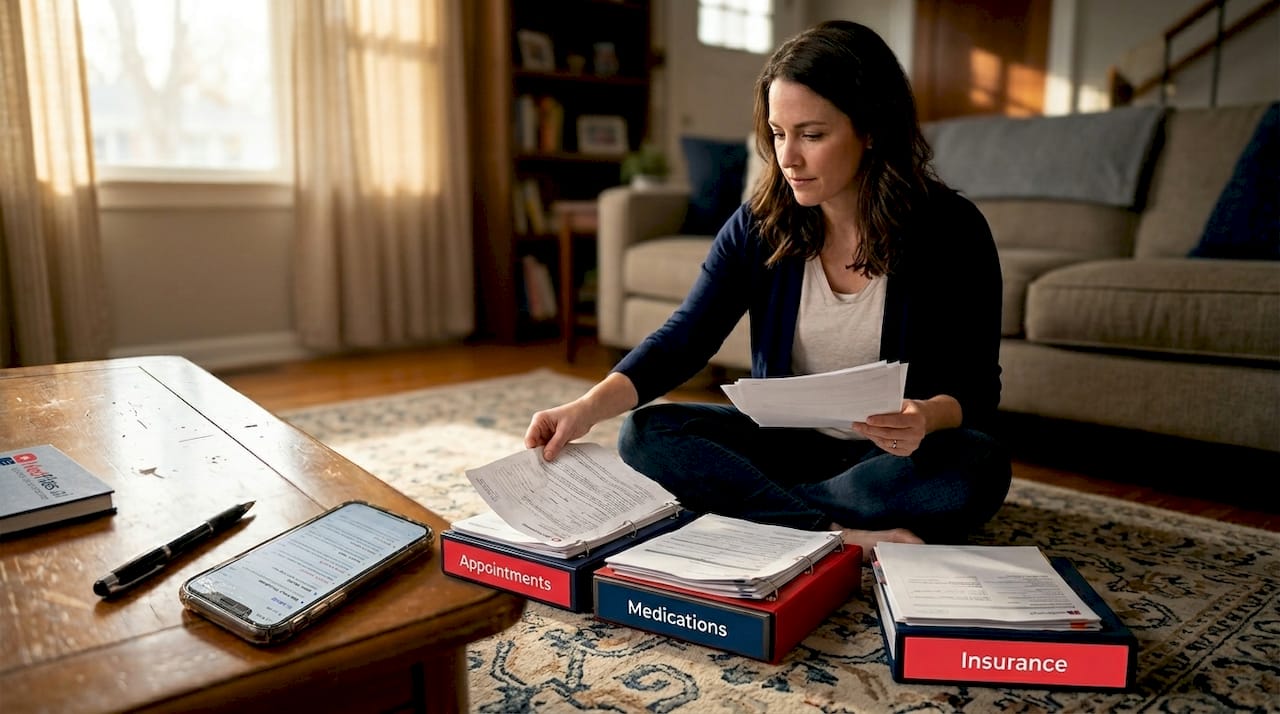
Physical organization means printed documents sorted into labeled folders or binders. It’s tangible, doesn’t require internet access, and works even when technology fails. Many families keep a fireproof box with their most critical documents. The downside is obvious: paper is hard to search, easy to lose, and nearly impossible to share quickly with a specialist across the country.
Digital organization means storing records as scanned files or PDFs on a computer, cloud service, or dedicated health app. Paper records are reliable offline but difficult to search or share, while digital files are instantly searchable and shareable but require consistent backups and strong security practices.
| Feature | Physical | Digital |
|---|---|---|
| Searchability | Manual only | Instant keyword search |
| Sharing with providers | Fax or in-person | Secure link or portal |
| Emergency access | Requires physical presence | Accessible anywhere |
| Security | Fireproof box needed | Encryption required |
| Backup options | Photocopies | Cloud + local backup |
| Storage for imaging | Requires CDs or prints | Digital imaging storage is compact |
Pro Tip: If you go digital, use a consistent file naming format for every document. A format like YYYY-MM-DD_Type_Provider.pdf (for example, 2026-03-15_LabResults_DrSmith.pdf) makes sorting and searching far easier, especially when you have hundreds of files over many years.
“Verify your record collections with your physicians to catch errors before they cause problems. And when sharing records with anyone, use HIPAA-compliant platforms only — not personal email or unsecured file sharing services.”
For most families, a hybrid approach works well. Keep a small physical emergency folder with your most critical one-page summary. Store everything else digitally in a secure digital storage solution that offers encryption and easy sharing.
Digital tools and portals: Centralizing, accessing, and sharing records
Whether you choose digital or paper, let’s dive deeper into the technology powering modern record organization.
Patient portals have changed how families interact with their health data. MyChart by Epic is one of the most widely used, offering a centralized view of test results, medications, upcoming appointments, and secure messaging with your care team. It also supports proxy access, meaning a parent can manage a child’s records, or an adult child can help an aging parent navigate their health information.
Here’s what a good patient portal typically offers:
- View lab results and imaging reports as soon as they’re released
- Request prescription refills and track medication histories
- Schedule appointments and access visit summaries
- Message your care team securely
- Share access with family members or caregivers through proxy settings
- Download records in standard formats for transfer to other providers
The limitation is significant, though. Most portals are tied to a single health system. If your family sees providers at three different hospitals or clinic networks, you’re managing three separate logins, three separate interfaces, and three separate data silos. That fragmentation is exactly where important information gets lost.
Cross-provider apps are filling this gap. Tools like KinKeeper and Citizen Health let families pull records from multiple systems into one place, which is especially valuable when managing care for multiple family members or navigating complex chronic conditions. You can also access imaging records directly from radiology providers and upload them to a central location.
Pro Tip: Set up proxy access in every portal your family uses. This one step can save hours of phone calls and paperwork if a family member needs emergency care and can’t speak for themselves.
The digital records workflow for families works best when you designate one person as the primary health records manager. That person keeps the master file, maintains portal access, and ensures everything stays current. Explore patient portal integration options to see how a centralized platform can bridge the gaps between different provider systems.
Emergency readiness: What health information to keep handy
Managing records is vital day-to-day — but especially in emergencies. Here’s what to keep handy.
When an ambulance arrives or you walk into an urgent care clinic in an unfamiliar city, you have seconds to communicate critical health information. A well-prepared emergency summary can make the difference between fast, accurate care and dangerous guesswork.
According to Mayo Clinic’s emergency health guidance, a grab-and-go emergency summary should include:
- Full legal name and date of birth
- Current medications with dosages and frequency
- Known allergies, especially to medications and contrast dyes
- Active diagnoses and chronic conditions
- Primary care provider and specialist contact information
- Emergency contacts with phone numbers
- Insurance information including member ID and group number
- Advance directives or healthcare proxy documents if applicable
Stat to know: Studies on emergency care outcomes consistently show that patients who arrive with accessible, complete health summaries receive faster, more accurate initial treatment. Delays caused by incomplete information are a documented and preventable problem.
Store this summary in multiple places. Print a copy for your wallet. Save a photo of it on your phone’s lock screen or in a health app. Share it with a trusted family member. For children, include it in their school emergency contact file.
For families managing care for elderly relatives, emergency access planning is especially important. Caregivers need to know where records are stored and how to access them quickly. Consider resources like emergency care guidance for families when planning for more complex care situations.
Smart automation: AI and OCR solutions for fast, accurate filing
To wrap up practical organization, let’s look at recent automation advances that save time and boost accuracy.
Manual filing is slow. Scanning a document, naming it correctly, placing it in the right folder, and tagging it for search takes real effort — especially when you’re dealing with dozens of records from a hospital stay or a year’s worth of lab results. Automation is changing this significantly.
OCR (optical character recognition) technology reads the text in scanned documents and converts it to searchable data. AI layers on top of that to classify documents, extract key details like dates and provider names, and route files to the correct category automatically.
Recent research shows just how capable these tools have become. AI/OCR tools now achieve F1 accuracy scores of 0.95 for document segmentation and 0.96 for classification when processing medical PDFs, while reducing manual review time by 40%. That’s not a marginal improvement. It’s a fundamental shift in how quickly and accurately records can be processed.
The quality of AI-generated documentation is also impressive. GPT-4o produces documentation that matches resident physician quality at 89 out of 100 points, but completes the task 22 times faster — 40 seconds versus 15 minutes. However, the research is clear that patient-provided context enhances the meaning of automated records. Human oversight remains essential.
Here’s what to look for in automation-enabled record tools:
- Automatic document classification by type, date, and provider
- OCR-powered search so you can find any document by keyword
- AI-assisted tagging that categorizes records without manual input
- Error flagging that prompts you to verify unusual or incomplete entries
- Secure upload from phone cameras, email attachments, or portal exports
Understanding the benefits of digital records goes beyond convenience. Automation reduces the cognitive load of record keeping so you can focus on health decisions, not filing. Check automated solutions pricing to find a plan that fits your family’s needs.
Beyond basic organization: What most guides miss
Most organization guides give you a checklist and stop there. They tell you to scan your documents, create folders, and back everything up. That’s useful. But it misses the harder, more important lessons that come from actually managing records for a family over time.
The first overlooked issue is verification. Automation tools are powerful, but they can misclassify or misread documents, especially older scans or handwritten notes. Verifying records with your physician and using consistent naming conventions like YYYY-MM-DD_Type.pdf, along with HIPAA-compliant sharing only, are steps that most people skip until a problem surfaces. Don’t wait for a discrepancy to catch your attention. Build verification into your regular routine.
The second gap is naming consistency. Most people start organized and drift. After six months, files have three different naming formats, folders are duplicated, and the system breaks down. Commit to one format from day one and enforce it every time you add a document. This single habit saves hours of cleanup later.
The third thing guides miss is the emotional dimension. Managing medical records for a family, especially through serious illness or aging, is stressful. The goal of organization is not just efficiency. It’s reducing the mental burden so you can focus on care and connection, not paperwork. When your records are in order, you walk into appointments with confidence. You answer the ER nurse’s questions without panic. You share records with a new specialist in seconds instead of days.
Family organization tips work best when the whole family understands the system, not just the person who built it. And when sharing records, always verify that the platform meets HIPAA compliance standards. Personal email is not a safe channel for health data, no matter how convenient it feels in the moment.
Next steps: Streamline your medical records with MedFiles.ai
Ready to apply these lessons? Here’s how MedFiles.ai can help streamline your family’s records.
You’ve covered the categories, the tools, the emergency prep, and the automation. Now it’s time to put it all together in one place that works for your entire family.

MedFiles.ai brings everything into a single, secure platform built specifically for patients and families. Upload documents from any source, and the AI organizes them automatically. Share records securely with any provider using encrypted links. Manage profiles for every family member, including pets. Access everything instantly from your phone, whether you’re at a routine checkup or in an emergency room across the country. MedFiles.ai for patients is designed around your real-life needs, and MedFiles.ai for doctors makes clinical data exchange seamless. Explore MedFiles.ai pricing to find the right plan and take control of your family’s health records today.
Frequently asked questions
What are the most important categories for medical record organization?
The main categories are appointments and consultations, test results, treatments and medications, billing and insurance, and personal health summaries. Starting with these five gives you a complete and functional filing structure.
How can families access medical records across different providers?
Patient portals like MyChart centralize records within one health system, but apps like KinKeeper and Citizen Health help manage data across multiple providers and facilities, which is essential for families with complex care needs.
What information should be included for emergency medical readiness?
Always keep a summary with your name, date of birth, current medications and allergies, active diagnoses, provider contacts, insurance details, and any advance directives. Store it in your wallet, phone, and a secure app.
How accurate are AI tools for medical record organization?
AI/OCR tools achieve F1 accuracy scores of 0.95 for segmentation and 0.96 for classification, reducing manual review time by up to 40%. They are highly reliable but still benefit from periodic human verification.
What is the best way to prevent errors in digital medical records?
Verify records with your physicians regularly, use a consistent file naming convention like YYYY-MM-DD_Type.pdf, and only share records through HIPAA-compliant platforms. These three habits catch most errors before they affect your care.
Recommended
- How to organize medical records for secure family access | MedFiles.ai
- MedFiles.ai - Your Digital Medical History
- Complete guide to secure medical document storage | MedFiles.ai
- How to master digital medical records workflow for families | MedFiles.ai
- Essential end-of-life documentation steps for California families | Graceland Hospice Care Blog
- Precision medicine step by step: A practical guide for families