Organize, secure, and share your digital health records
Discover a step by step guide to digital health records. Learn how to organize, secure, and share your health information effortlessly!

Organize, secure, and share your digital health records
Keeping track of medical records across multiple providers, hospital systems, and patient portals is harder than it should be. A missing allergy history at an urgent care visit, a lost immunization record before school enrollment, or a gap in medication history during an ER trip can all have real consequences. You have a right to access your digital health information, and proven workflows exist to gather, verify, and share it securely. This guide walks you through exactly how to do that for yourself and your entire family.
Table of Contents
- What you need to start digital health record organization
- Step-by-step: Gathering and digitizing your health records
- Safely storing and backing up your digital health records
- Sharing and managing access: family, proxies, and privacy controls
- Choosing platforms and apps: Interoperability and device tools
- Our perspective: What most guides miss about digital health record management
- Take your family’s digital health record management further with MedFiles.ai
- Frequently asked questions
Key Takeaways
| Point | Details |
|---|---|
| Rights-first workflow | Start by inventorying providers, gathering portal data, and requesting full copies as legally allowed. |
| Secure storage and backups | Always save your digital health records in encrypted locations with redundant backups for emergencies. |
| Consented sharing | Use consent-driven methods to share records with caregivers while safeguarding privacy and legal exceptions. |
| Interoperability matters | Select apps and platforms supporting structured export formats like FHIR for seamless access across devices. |
| Periodic verification | Regularly audit and update your digital health record inventory for accuracy, safety, and completeness. |
What you need to start digital health record organization
Before you open a single app or portal, get clear on what you’re working with. Most people have more medical data scattered across more systems than they realize.
Types of health records you need to collect:
- Clinical visit notes and discharge summaries
- Prescription history and medication lists
- Lab results and pathology reports
- Imaging studies (X-rays, MRIs, CT scans) and radiology reports
- Allergy and adverse reaction records
- Vaccination and immunization history
- Mental health records and therapy notes
- Specialist referral letters and consultations
You can start with electronic access via patient portals and request full records from providers where needed. Most large hospital systems and clinics now offer portals. But smaller practices, urgent care centers, and specialists may not. Make a list of every provider you’ve seen in the past five to ten years.
Devices and tools you’ll need:
- A smartphone, tablet, or computer for downloading and viewing records
- A secure email address for provider communication
- Cloud storage or a dedicated health records app
- A USB drive or external hard drive for offline backup
Common record formats you’ll encounter:
| Format | What it contains | Best for |
|---|---|---|
| Documents, letters, reports | Long-term storage, sharing | |
| FHIR | Structured clinical data | App integration, portability |
| DICOM | Medical imaging files | Radiology, imaging centers |
| CCD/CDA | Clinical summary data | Provider-to-provider transfers |
Understanding these formats matters. A PDF of your discharge summary is useful, but a FHIR-structured export of your full medical history is far more powerful for interoperability. Learn more about building a digital records workflow for families and understand the medical record benefits and security considerations before you start.
Step-by-step: Gathering and digitizing your health records
With your tools and account inventory ready, here’s the exact process for digitizing health records.
-
List all your providers and portals. Write down every doctor, dentist, specialist, hospital, clinic, and pharmacy you use. Include both current and past providers. For families, do this for every member including children.
-
Log in to every patient portal you have access to. Download everything available: visit summaries, lab results, medication lists, and imaging reports. Most portals have a “Download My Data” or “Export Records” option.
-
Request full records for anything not available online. You must request full records rather than rely only on portal views, and HIPAA gives you the right to receive them within 30 days. Use the provider’s official medical records release form. Ask for records in electronic format when possible.
-
Follow a rights-first workflow: gather, verify, correct, share. Once you have your records, check for errors. Incorrect allergy listings, outdated medication records, or wrong dosages do happen. You have the right to request corrections under HIPAA.
-
Organize records by person, category, and date. Create a logical folder structure. For example: Family > Child Name > Vaccinations > 2024. Or: Self > Lab Results > 2025. Consistency makes retrieval fast when it matters most.
-
Create a master checklist. Track what you have, what’s missing, and what’s been requested. Update it each time you visit a new provider.
Pro Tip: Keep a dedicated checklist for each family member that includes the provider name, portal URL, login status, and last download date. Review it every six months or after any major medical event.
This systematic approach is detailed further in our guide on organizing family medical records and supported by real healthcare data examples showing how families manage multi-provider complexity.
| Task | Done? | Notes |
|---|---|---|
| Listed all providers | ☐ | Include past providers |
| Downloaded portal records | ☐ | Export full data, not just summaries |
| Submitted release requests | ☐ | Track 30-day HIPAA deadline |
| Verified records for errors | ☐ | Check allergies, medications |
| Organized into folders | ☐ | Person, category, date |
Safely storing and backing up your digital health records
Having gathered your records, let’s ensure they remain safe, accessible, and reliable in all circumstances.
Health records are some of the most sensitive data you own. A breach can lead to identity theft, fraudulent insurance claims, or worse. At the same time, records that are too locked down become useless in an emergency. Balance is everything.
“Treat digital health records as safety-critical data.” Store them with the same care you’d give financial documents or legal papers.
Core storage principles:
- Encrypt everything. Store records in encrypted folders on your device and use cloud services that offer end-to-end encryption. Standard cloud drives without encryption are not sufficient for health data.
- Use multiple locations. The goal is redundancy. If one copy is lost, corrupted, or inaccessible, others remain available.
- Keep at least one offline copy. A USB drive or external hard drive stored securely at home protects you when internet access fails or accounts get locked.
- Name files clearly. Use a format like “LastName_FirstName_LabResults_2025-03” so files are searchable without opening them.
You should export the most complete format available, save to multiple encrypted locations, and ensure offsite access so records are reachable even during emergencies or travel.
| Storage layer | Example | Encryption required |
|---|---|---|
| On-device | Encrypted folder, health app | Yes |
| Cloud | HIPAA-compliant cloud service | Yes |
| Offline backup | USB drive, external HDD | Yes |
| Emergency access | Printed summary, trusted contact | Partial |
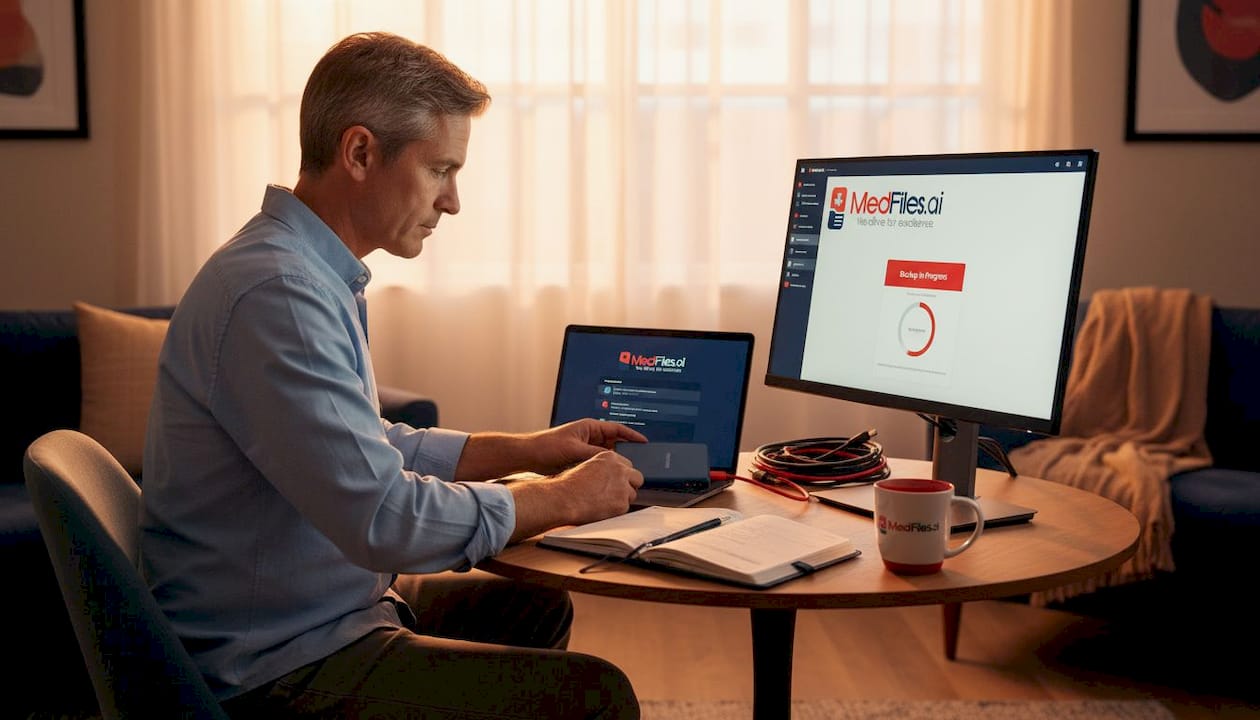
Pro Tip: Schedule a monthly 15-minute backup review. Check that new records have been added, that cloud sync is current, and that your offline USB copy is up to date. Set a recurring calendar reminder so it actually happens.
This is especially important if you travel frequently or manage health care for aging parents. For deeper guidance, read our article on secure medical document storage and how to approach long-term record safety over years and decades.
Sharing and managing access: family, proxies, and privacy controls
Storing your data securely is only half the challenge. Efficient and safe sharing is key to true usability.
You will eventually need to share records. With a new specialist. With an urgent care provider during travel. With a family member managing a parent’s care. Each scenario carries different risks and requires different controls.
How to share records safely:
-
Define who gets access and to what. A cardiologist doesn’t need your mental health records. A school nurse may only need vaccinations. Limit scope intentionally.
-
Use secure sharing tools. Encrypted links with expiration dates are far safer than email attachments. Avoid sending records through regular email or text messages.
-
Set access expiration. Grant access for the duration of a treatment episode, then revoke it. Don’t leave records open-ended with providers you no longer see.
-
Document every sharing action. Keep a log of who you shared records with, what they received, and when access was granted or revoked.
-
Review permissions regularly. Shared access can accumulate silently. Audit your sharing settings every few months.
You should design consent-driven sharing with access revocation, minimize exposure, and exclude sensitive underlying data when sharing health information through any platform or tool.
Special considerations for families:
- Children’s records: Parental access rights are not absolute. As minors approach adulthood or receive confidential treatments, legal exceptions may apply. HIPAA privacy rules for parental access include specific exceptions related to consent laws, court orders, and safety-related restrictions.
- Elderly parents: If you manage health care for an aging parent, ensure you have a formal healthcare proxy or power of attorney in place. Without it, providers may not share records with you even in urgent situations.
- Shared custody situations: Divorced or separated parents may have different legal rights to a child’s records depending on their custody agreement and state law.
Pro Tip: Use secure links and metadata-based sharing tools, not public email attachments, when sending health records to providers. Many platforms generate time-limited, encrypted access links that eliminate the need to transmit files directly.
Review our full breakdown of the family records workflow to see how these sharing strategies work across multi-member households.
Choosing platforms and apps: Interoperability and device tools
Finally, maximizing usability means picking the right apps and platforms for seamless, secure access and interoperability.
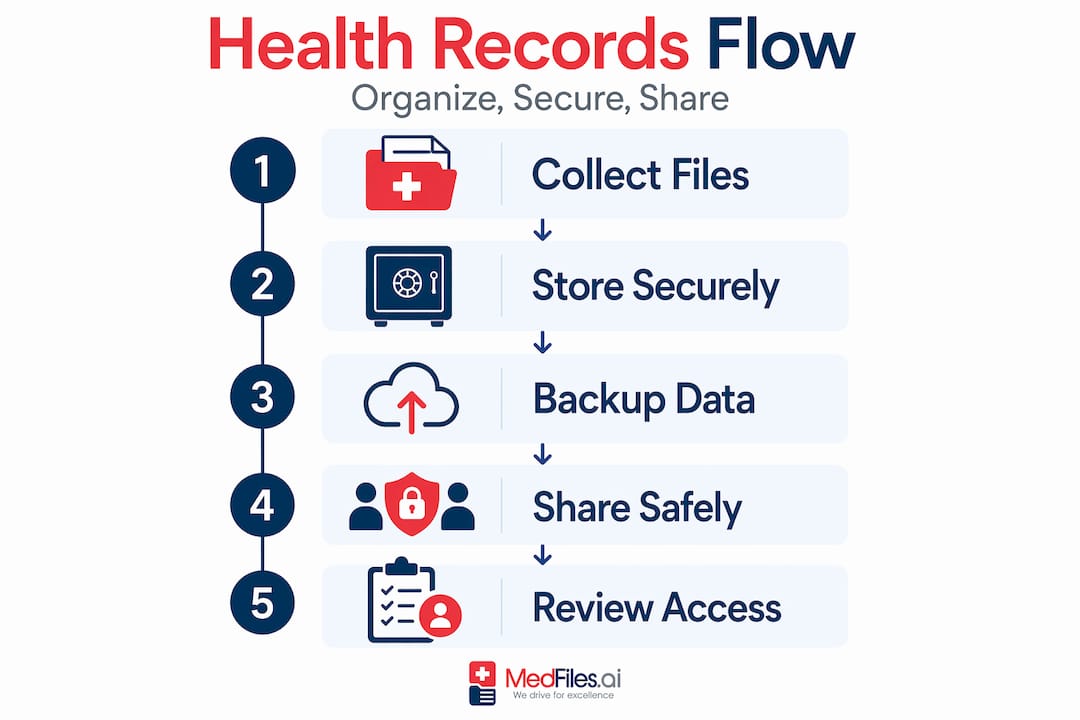
Not all health record apps are equal. Some offer simple PDF storage. Others connect directly to provider systems, pull FHIR-structured data, and sync across devices. The right choice depends on your family’s complexity and how often you need to access or share records.
What to look for in a health records platform:
- FHIR support. Fast Healthcare Interoperability Resources (FHIR) is the modern standard for health data exchange. Platforms supporting FHIR can pull structured data directly from providers, not just PDFs.
- Multi-profile management. Families need to manage records for multiple people in one place. Make sure the platform supports this without requiring separate accounts.
- Granular permissions. You should be able to share one record or one category with one person, not your entire health history.
- Export options. Before committing to a platform, confirm what export formats are available. Getting locked into a system that won’t let you take your data elsewhere is a real risk.
- HIPAA-ready infrastructure. Look for platforms that explicitly state they use end-to-end encryption and are built on HIPAA-compliant infrastructure.
You should prefer standards like FHIR for interoperability and manage on-device permissions for secure app access when choosing platforms for Android devices. Similarly, on-device approaches enable secure downloads and fine-grained app permissions on Apple devices through tools like the iPhone Health app, which connects to hospital systems and stores records locally with encryption.
Platform checklist before you commit:
- Does it support FHIR-based provider connections?
- Can you create separate profiles for each family member?
- Does it offer encrypted sharing links with expiration controls?
- Can you export your data in standard formats at any time?
- Is it HIPAA-ready with end-to-end encryption?
Pro Tip: Before uploading a single document to any new platform, test the export function. Download a sample file and confirm it opens correctly in another tool. This one step can save you from being locked in.
For more detail on managing smartphone health records and real digital health record examples, explore those guides. When you’re ready to find a complete digital medical history solution, the right platform makes all the difference.
Our perspective: What most guides miss about digital health record management
Most how-to guides cover the basics well. Download your records. Store them securely. Share them carefully. That’s sound advice. But there are deeper issues that only surface after you’ve actually tried to manage health records for a whole family over many years.
The threat model most people ignore. When people think about health record security, they picture hackers. But the more common risks are mundane. A family member accidentally sharing a folder with the wrong person. An app granted broad health permissions during setup and never reviewed again. An account with no recovery option after a phone is lost. These quiet, ordinary failures are far more likely than a sophisticated breach.
Consent management is ongoing, not a one-time setup. We see families set up a sharing system once and then never revisit it. Two years later, an ex-partner still has access. A provider who treated a child for a short-term condition still has a link. Access accumulates silently. Periodic audits aren’t optional. They’re essential. Build them into your calendar the same way you schedule annual physicals.
Legal complexity is underestimated. HIPAA gives you rights, but state laws, custody agreements, and specific treatment categories (mental health, reproductive health, substance use) can restrict or complicate access in ways that surprise people. Understanding these nuances before you need records in a crisis is far better than discovering limitations mid-emergency.
Initial setup is the easy part. The harder challenge is maintaining accuracy over time. Medical records become outdated fast. A medication list from 18 months ago may be dangerously wrong today. Build a habit of updating records after every significant appointment or prescription change.
For those managing complex family health situations, our guides on secure storage best practices and long-term record management address these ongoing challenges in more depth.
Take your family’s digital health record management further with MedFiles.ai
Managing health records across multiple providers, family members, and devices is genuinely complex. You shouldn’t have to build your own system from scratch.

MedFiles.ai is built specifically for individuals and families who need a secure, organized, and always-accessible health record system. Upload documents, connect to providers, and manage separate profiles for every family member, including pets, all in one place. Records are automatically organized, stored with end-to-end encryption on HIPAA-ready infrastructure, and ready to share securely in seconds. Whether you’re preparing for an emergency, switching doctors, or traveling abroad, your entire medical history is in your pocket. Explore subscription options for individuals and families, or learn how MedFiles.ai supports clinical workflows for doctors who want to receive records directly from patients.
Frequently asked questions
How do I get my digital health records if a provider doesn’t use a portal?
You can request full copies under HIPAA directly from any provider using a medical records release form, even if no online portal exists. Providers are legally required to respond within 30 days.
Can I access and manage records for my child or dependent?
In many cases, yes, but HIPAA exceptions for parental access may limit rights based on the child’s age, consent laws, or confidential treatment agreements. Always confirm your legal standing before requesting records for a minor.
What’s the safest way to back up my digital health records?
Save records in encrypted formats to at least two separate locations, one cloud and one offline. Following emergency backup best practices means reviewing your backup completeness monthly and ensuring records are reachable without internet access.
Which app or platform should I use for best interoperability?
Choose platforms and apps built on FHIR-compliant standards that support structured data exports and direct provider connections. This ensures your records stay portable and readable across devices, providers, and future platforms.