Practical examples of healthcare data and digital records
Discover practical examples of healthcare data and learn how digital records can simplify your health management. Get organized today!
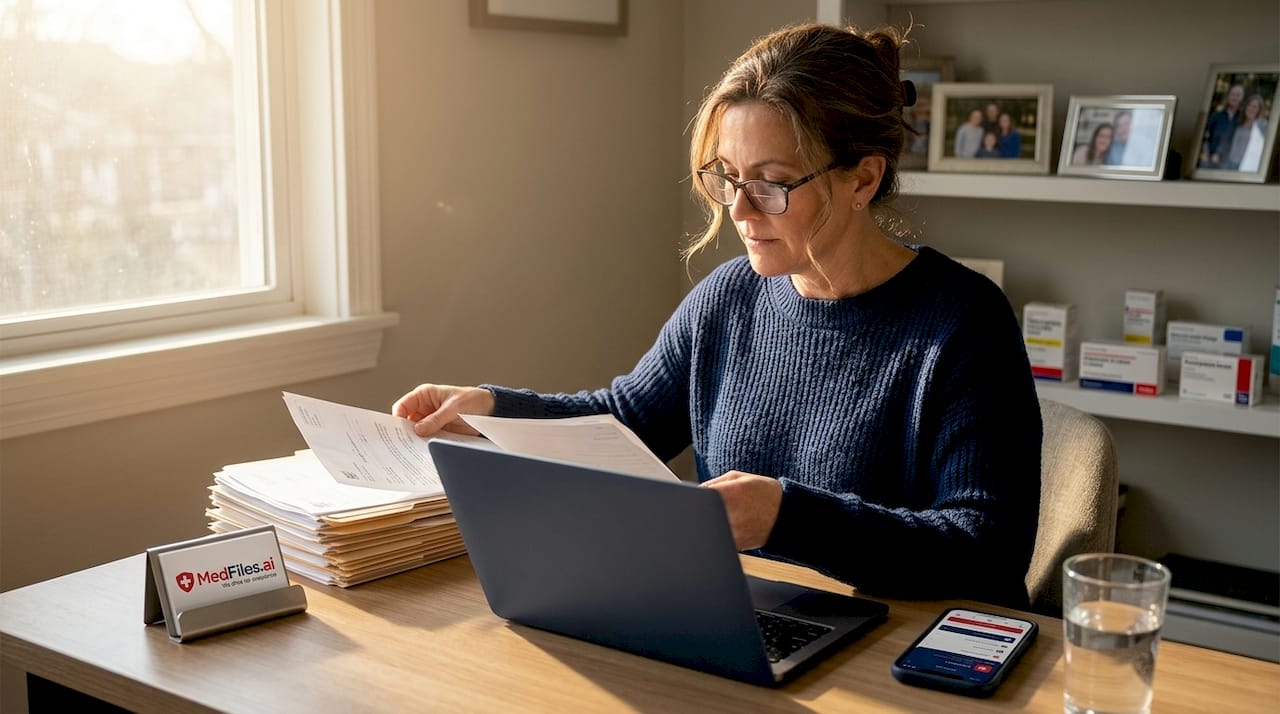
Practical examples of healthcare data and digital records
Managing your health records shouldn’t feel like solving a puzzle with missing pieces. Yet for most patients and families, that’s exactly what it is. Records scattered across five different provider portals. Paper copies buried in a drawer. Lab results you can’t find when your new doctor asks. The good news: digital healthcare data management has matured enough to solve most of these problems, and this guide walks you through exactly how, with real examples and side-by-side comparisons.
Table of Contents
- What counts as healthcare data?
- Personal health record (PHR) apps: how they work
- Healthcare portals: Benefits and limitations
- Comparing digital record solutions: Which fits your needs?
- Our take: Why digital healthcare data management is harder than it looks
- Get started with seamless healthcare data management
- Frequently asked questions
Key Takeaways
| Point | Details |
|---|---|
| Healthcare data basics | Most records fall into standardized classes, making organization easier. |
| PHR app advantages | Organizing apps centralize multi-provider info and make sharing safer for families. |
| Portal growth and gaps | Portal use is rising but many patients face access barriers, especially with disabilities. |
| Comparison matters | Using both portals and apps gives flexibility and best results for digital health records. |
What counts as healthcare data?
Before you can organize your records, you need to know what you’re organizing. Many people think “medical records” just means test results. In reality, your healthcare data covers a much wider range of information.
The federal government defines this clearly. According to USCDI v5 standards, healthcare data includes standardized classes like Patient Demographics (name, date of birth, address), Allergies and Intolerances, Clinical Notes (discharge summaries, progress notes), Problems, Procedures, and Care Team Members. These categories form the official backbone of what providers must be able to share electronically.
Here’s what that looks like in real life:
- Demographics: Your name, date of birth, address, insurance ID, emergency contacts
- Allergies and intolerances: Drug reactions, food sensitivities, noted severity levels
- Clinical notes: Discharge summaries after a hospital stay, progress notes from office visits, specialist referrals
- Problems list: Diagnosed conditions like asthma, diabetes, hypertension, or a past knee injury
- Procedures: Surgeries, vaccinations, imaging studies like MRIs or X-rays, blood draws
- Care team members: Your primary care physician, specialists, pharmacists, physical therapists
Understanding all types of medical records you hold helps you spot gaps. If your digital file has lab results but no allergy list, that’s a dangerous gap for any provider treating you in an emergency.
| Data class | Real-life example | Why it matters |
|---|---|---|
| Demographics | Name, DOB, insurance ID | Required for every provider visit |
| Allergies | Penicillin reaction, latex sensitivity | Prevents dangerous medication errors |
| Clinical notes | Hospital discharge summary | Continuity of care after a stay |
| Problems | Type 2 diabetes, hypertension | Informs every prescribing decision |
| Procedures | Appendectomy 2019, MMR vaccine | Avoids duplicate tests, tracks history |
| Care team | Dr. Smith, cardiologist, phone | Fast contact in an emergency |
Worth knowing: Many patients don’t realize their care team list is a formal part of their health record. Keeping this updated in a digital system means faster, safer care when you’re seen by someone new.
Once you know what data you’re managing, organizing it becomes far less overwhelming.
Personal health record (PHR) apps: how they work
With a clear picture of what healthcare data includes, the next step is finding tools that help you store and manage it all in one place. That’s where personal health record apps come in.
PHR apps are patient-controlled platforms. You own the data. You decide who sees it. PHR apps such as KeepMD, Guava, and Eka Care allow patients and families to organize digital records by scanning documents, tracking vitals and medications, creating family profiles, and sharing information with consent. These aren’t just document folders. They’re active management tools.
Key features to look for in a PHR app include:
- Document scanning: Upload paper records, discharge summaries, or printed lab results by taking a photo
- Vitals tracking: Log blood pressure, blood glucose, weight, and heart rate over time
- Medication management: Track current prescriptions, dosages, and refill schedules
- Family profiles: Manage records for your spouse, children, aging parents, or even pets under one account
- Consent-based sharing: Generate a secure link or permission for a specific provider to view relevant records
- Offline access: View critical records without needing an internet connection, important when traveling
The adoption gap here is striking. Only 7% of people use organizing apps despite 59% having multiple provider portals to juggle. That means most families are managing fragmented data without a centralized tool, even though solutions are available and often free or low-cost.
Learning how to build a secure family medical records system using a PHR app takes less than an afternoon. The payoff is years of easier doctor visits, faster emergency responses, and less stress.
Pro Tip: When setting up a family PHR, start with the family member who has the most complex medical history. Getting that profile right first teaches you the workflow, then you can duplicate the process for everyone else quickly.
For families managing chronic conditions, school-aged children with vaccination requirements, or elderly parents with multiple specialists, a PHR app becomes essential, not optional. A good digital records workflow guide can help you set up the process systematically so nothing falls through the cracks.

| PHR app feature | Practical benefit |
|---|---|
| Document scan | No more lost paper records |
| Vitals log | Trends visible to your doctor instantly |
| Family profiles | All household members in one login |
| Secure sharing | Provider sees exactly what’s needed |
| Offline access | Available during travel or emergencies |
Healthcare portals: Benefits and limitations
PHR apps are useful, but most people still rely on provider portals as their primary point of digital access. Let’s examine what these portals offer and where they fall short.
Patient portals are web-based systems run by your hospital or doctor’s office. They let you view test results, request prescription refills, message your care team, and download visit notes. Usage is growing fast. In 2024, 65% of individuals accessed patient portals. App-based portal access rose to 57%. Proxy access, where a family member manages records for another person, doubled since 2020. These are meaningful gains.
The clinical benefits are real too. Increased portal usage correlates with better control of chronic conditions like Type 2 diabetes (HbA1c at or below 8%) and hypertension (blood pressure below 140/90 mmHg). Patients who engage with their portals keep their numbers in check more consistently than those who don’t.
But portals have serious limitations that patients often discover too late:
- Multiple logins: If you see four providers, you likely have four portals. Each requires a separate account, username, and password.
- Delayed updates: Lab results sometimes take days to appear. Discharge summaries can lag even longer.
- No cross-provider view: Your cardiologist’s portal doesn’t show what your orthopedic surgeon documented. Each silo is separate.
- Accessibility failures: Patients with disabilities often encounter portals that don’t meet basic accessibility standards.
- Age and language gaps: Older adults and non-English speakers face higher barriers to portal access and use.
Important: Portals are designed around individual provider relationships. They’re great for staying connected with one practice but were never built to give you a single view of your whole health story.
Understanding the digital health record benefits and limitations of portals helps you use them strategically rather than depending on them for everything.
Comparing digital record solutions: Which fits your needs?
With both apps and portals available, how do you decide what’s right for your situation? Here’s a clear side-by-side comparison to help you choose.
| Feature | PHR app | Provider portal |
|---|---|---|
| Data source | Patient-entered or scanned | Direct from provider EHR |
| Multi-provider view | Yes | No (per provider only) |
| Family profiles | Yes | Limited (proxy access only) |
| Offline access | Usually yes | Rarely |
| Real-time updates | Manual entry | Automated (with delays) |
| Cost | Free to low-cost tiers | Free (part of care) |
| Accessibility | Varies by app | Varies, often poor |
| Data ownership | Patient | Provider-controlled |
PHR apps work best when:
- You see multiple providers and need everything in one place
- You manage records for other family members
- You need offline access during travel or in areas with poor connectivity
- You want to track trends in vitals or medications over time
- You’re building a long-term personal health history independent of any single provider
Provider portals work best when:
- You need the most current, provider-verified clinical data
- You’re managing a single chronic condition with one primary care team
- You want to message your doctor directly or request referrals
- You’re reviewing specific test results or imaging reports from a recent visit
The challenge becomes acute in edge cases. Hospitalized patients show low portal use, with only 31% having an account and 54% accessing it during a stay. Data often stabilizes 4 to 7 days post-discharge. Disparities by age, race, and insurance type are significant. For patients with disabilities, accessibility failures in portal design can make the tools functionally unusable.
That’s why combining both approaches gives you the strongest coverage. Use your provider portals to access fresh clinical notes and communicate with your care team. Use a PHR app or a platform like MedFiles.ai to centralize everything into a single, organized, shareable record.
Pro Tip: After every significant appointment or hospital stay, download your visit summary or discharge notes from the portal within 48 hours and upload it to your PHR. Providers sometimes amend records or remove details over time. Having your own copy protects your complete health history.
A well-maintained secure medical document storage system gives you control that no single portal can offer. Your records. Your timeline. Your access.
Our take: Why digital healthcare data management is harder than it looks
You’ve seen how each solution stacks up. Now here’s what most articles and even providers tend to overlook.
The digital health record landscape looks great on paper. Portals are available. Apps exist. Adoption is climbing. But the experience for millions of patients is still frustrating, fragmented, and often exclusionary. And the reasons go deeper than most guides acknowledge.
First, accessibility failures are not edge cases. They’re systemic. An estimated 25% of adults in the United States live with some form of disability. Many of the portals they’re supposed to use don’t meet basic Web Content Accessibility Guidelines (WCAG). Screen readers fail on poorly coded portal pages. Timed login sessions lock out users with cognitive challenges. This isn’t a fringe problem. It’s a core failure in how digital health tools are designed and deployed.
Second, family record management is far more complicated than apps make it sound. Proxy access, which allows a caregiver or family member to view another person’s portal, doubled since 2020. But it still requires provider permission, separate account setup, and navigation of each portal’s unique consent workflow. For families managing an aging parent with multiple specialists across two hospital systems, that’s potentially six or seven separate consent processes, each with different rules.
Third, real-time data isn’t always reliable data. Provider encouragement boosts access, but real-time data is prone to changes. Sensitive notes may delay release. A lab result visible today might be annotated or revised by tomorrow. Patients who download and store records at the right moment preserve a more accurate picture than those who check in periodically.
The smartest approach we’ve seen patients take is a layered one. Use your provider portal for live communication with your care team. Download and store key records immediately after appointments. Then centralize everything in a PHR app or digital platform that you control.
If you’re evaluating your current tools, it’s worth looking at MedFiles alternatives to understand what features matter most for your specific situation, whether that’s family profile management, AI-assisted organization, or secure emergency access.
The bottom line: digital healthcare data management is genuinely powerful when it works. But it takes intention, a good system, and an honest understanding of where the gaps are.
Get started with seamless healthcare data management
You now have a clear map of what healthcare data is, how PHR apps and portals work, and where each one fits in your life. The next step is putting it all together in a single, secure, organized system.

MedFiles.ai is built for exactly this. Whether you’re managing records for yourself or your whole family, MedFiles helps you upload documents, organize them automatically, and share them securely with any provider. HIPAA-ready infrastructure, end-to-end encryption, and multi-profile management mean your records stay safe and accessible whenever you need them. Explore options for patients managing individual or family health histories. Review MedFiles pricing to find a plan that fits your needs. Your entire medical history. Organized, secured, and ready when it matters most.
Frequently asked questions
What are common examples of healthcare data families need to organize?
Families typically manage demographics, allergies, lab reports, immunizations, procedure notes, and care team contacts. These categories are formally defined in USCDI v5 standards and represent the core of what every patient record should contain.
How do PHR apps help with multi-provider records?
PHR apps pull together records from different doctors, track medications, and let families share information securely with consent. Apps like KeepMD, Guava, and Eka Care specifically support document scanning, family profiles, and consent-based provider sharing.
Why do some patients struggle to use digital portals?
Many portals have accessibility failures, require multiple separate logins, and delay record updates, especially for hospitalized patients where portal account ownership is just 31% and accessibility gaps remain widespread.
Are digital records safe and compliant with privacy laws?
Yes, compliant apps and portals must follow HIPAA encryption and audit requirements, meaning your data is protected both in storage and during transmission to authorized parties.