Step by Step Health Data Management for Families
Transform chaos into clarity with our step by step health data management guide. Secure and organize your family's health records effectively!

Step by Step Health Data Management for Families
Your family’s health records are probably scattered across a dozen different places right now. A portal here. A paper document there. Lab results from a specialist you saw two years ago. Step by step health data management is how you go from that chaos to a clear, complete, and secure record you can actually use. This guide covers everything: your legal rights, the exact collection sequence, how to verify accuracy, and how to keep your data current over time. By the end, you will know exactly what to do and in what order.
Table of Contents
- Key takeaways
- Step by step health data management: what to do before you start
- Collecting and consolidating your records
- Verifying accuracy and keeping data current
- Troubleshooting common problems
- What you gain from doing this right
- My honest take on why most people get this wrong
- Manage your records the simple way with Medfiles
- FAQ
Key takeaways
| Point | Details |
|---|---|
| Know your rights first | Under HIPAA, you can request access to your records and corrections from any covered provider. |
| Use a specific collection sequence | Start with patient portals, then file formal requests for gaps, then pull in app and device data. |
| Request imaging files separately | Radiology and DICOM files sit outside normal record workflows and need their own dedicated request. |
| Verification is not optional | Check every record for errors after collection and schedule periodic re-exports to stay current. |
| One platform beats scattered storage | A single secure hub reduces confusion and makes sharing with doctors and family far simpler. |
Step by step health data management: what to do before you start
You cannot manage what you have not inventoried. Before you request a single record, you need to understand your rights, map your data sources, and pick the right tools.
Your legal rights under HIPAA
Under HIPAA, you have the right to access your protected health information from any covered provider. You can also request corrections if you find errors. That applies to hospitals, primary care doctors, specialists, labs, and mental health providers. Knowing this removes the hesitation many people feel when asking for records. You are not asking a favor. You are exercising a legal right.
Mapping your data sources
Most people underestimate how many places hold their health data. A solid map includes:
- Patient portals from each hospital system or clinic you have used
- Specialty providers such as cardiologists, dermatologists, or orthopedists
- Mental health records, which require separate authorization in most states (you can request records directly from many providers)
- Wearables and health apps such as Apple Health, Google Fit, or Fitbit
- Insurance Explanation of Benefits (EOBs), which reveal providers you may have forgotten
- Out-of-pocket visits to urgent care, telehealth, or cash-pay clinics
EOBs are especially underused. Pull the last two to three years of EOBs from your insurer’s portal. Every claim listed represents a provider who holds records on you.
Choosing your primary storage hub
Pick one place to centralize everything before you start collecting. Trying to organize records across multiple apps or folders creates new confusion. Your hub should offer encryption, access control, and ideally HIPAA-ready infrastructure. Think about who else needs access: a spouse managing chronic conditions, an aging parent, or a child with complex medical needs. The right hub handles multi-profile family records without mixing files across individuals.
Pro Tip: Create a simple spreadsheet with three columns before you begin: Provider Name, Portal Login, and Request Status. Update it as you go. This single habit prevents the most common mistake in health record collection, which is losing track of what you already retrieved.
Collecting and consolidating your records
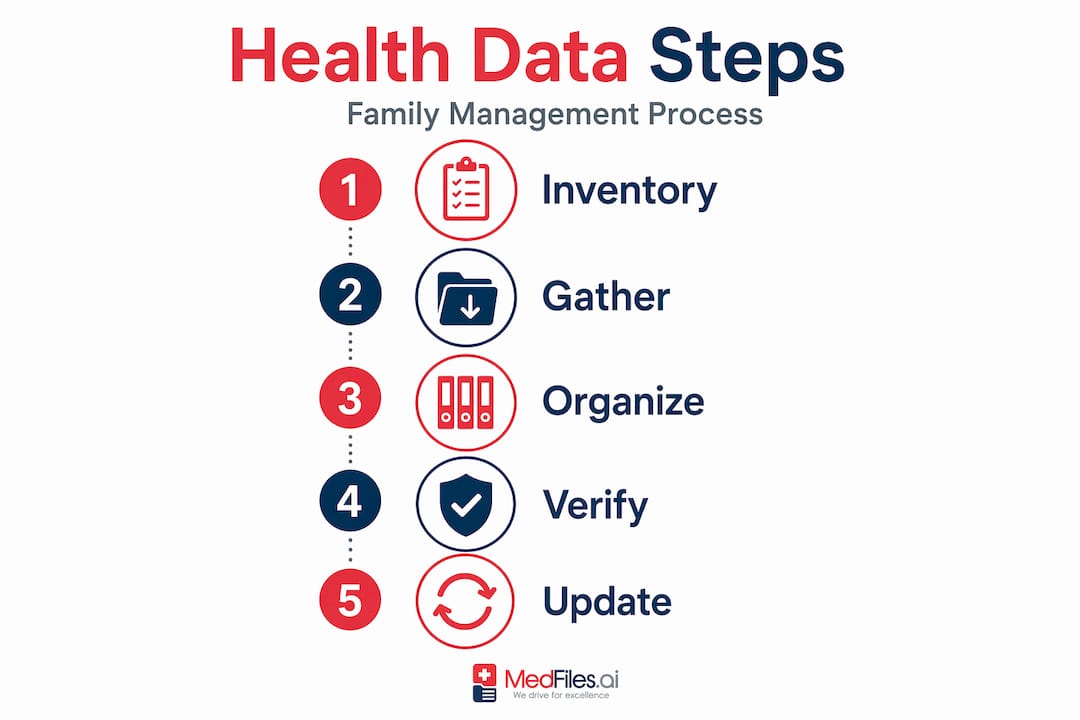
This is the core of any health information management steps process. The sequence matters. Follow it in order to avoid gaps.
The five-step collection sequence
A recommended retrieval sequence starts with portals, moves to formal HIPAA requests, then integrates app data, and finally captures imaging files separately. Here is how that plays out in practice:
-
Log into every patient portal and download what is available. Most portals let you export a Continuity of Care Document (CCD) or PDF summary. Download both if possible. This step is fast and free.
-
Submit formal HIPAA requests for any gaps. Provider requests take up to 30 days and vary by office. A complete HIPAA request letter must include your full legal ID, the specific record types you want, the date range, your preferred format, and delivery instructions. Attach a photo ID. Be specific: “all visit notes, lab results, and imaging reports from January 2020 to present” beats a vague general request.
-
Pull in health app and device data. Organizing wellness data from multiple sources requires picking a canonical hub and setting consistent data categories. Export from each app in a standard format where possible (CSV or JSON). Label each file with the source and date range before uploading to your hub.
-
Request imaging files separately. Radiology DICOM files are almost never included in standard record exports. You must request them explicitly, by study date and imaging center. Always preserve the metadata that comes with the image files. Store them in a dedicated folder alongside the corresponding radiology report.
-
Organize your hub into a clean folder structure. Separate raw source files from a curated summary timeline. Raw and curated records kept apart reduces errors when you share documents with a new clinician who only needs your relevant history, not every raw export you ever downloaded.
Recommended file types and folder structure
| Folder | Contents | Preferred Format |
|---|---|---|
| Clinical Records | Visit notes, lab results, discharge summaries | CCD, PDF |
| Imaging | X-rays, MRIs, CT scans | DICOM + PDF report |
| Medications | Prescriptions, pharmacy records | PDF, CSV |
| Wellness Data | Wearable exports, app summaries | CSV, JSON |
| Insurance | EOBs, prior authorizations |
Pro Tip: When submitting a HIPAA records request by mail or fax, send it certified. You create a legal timestamp that protects you if a provider later claims they never received it.
Verifying accuracy and keeping data current
Getting your records is only part of the process. The health record management methods that actually work include a verification pass and an ongoing maintenance routine.
How to check for errors
Errors in medical records are more common than most patients realize. Read every document you collect. Look for wrong medications, incorrect allergy listings, misattributed diagnoses, or records that belong to a different patient with a similar name. You can request a correction directly from the provider. Submit your request in writing. Describe the error, provide the correct information, and attach supporting documentation where possible.
Staying current with USCDI updates
The data elements that providers can export change annually. Draft USCDI v7 adds 29 new data elements, meaning new categories of health data may become available for export that were not accessible before. This is why periodic re-exports are necessary. Schedule a data refresh every six months or before major events like surgery, a new specialist visit, or a move to a new state.
Here is a simple maintenance routine to follow:
- Every six months: Re-export from all active patient portals and compare with what you already have
- After every visit: Upload new documents to your hub within a week while details are fresh
- Annually: Review your full provider list and check whether any inactive providers have added records
- Before major procedures: Do a full audit and share a curated summary with the treating team
Pro Tip: Keep a change log inside your hub folder. A simple text file noting “Downloaded primary care records 03/2026, updated allergy list 04/2026” saves hours of confusion six months later when you cannot remember what version of a document is current.
Troubleshooting common problems
Even a well-organized stepwise health data process runs into obstacles. Here is what to do when things go wrong.
-
Provider delays or denials. Providers have 30 days to respond, with one 30-day extension allowed. If you hit silence after 60 days, escalate in writing. Reference your HIPAA rights explicitly.
-
Information blocking. Some providers make records technically available but practically inaccessible through broken portals or unnecessary friction. You can file a formal complaint through the ONC Information Blocking Portal. This is a federal process with real teeth.
-
Format confusion. You may receive records as CCDs, PDFs, or even scanned paper. CCDs are machine-readable and the most useful for interoperability. PDFs are easier to read. Keep both versions when you have a choice.
-
Missing imaging files. If an imaging center says they cannot send DICOM files electronically, request a physical disc. Most centers will provide one at low or no cost. Upload the files to your hub afterward.
-
App integration problems. Not all wearable platforms export cleanly. If a direct export fails, check whether the app supports Apple Health or Google Health Connect as an intermediary. Export from there instead.
-
Security concerns. Use two-factor authentication on every portal and storage app. Never store records in unencrypted folders or share via regular email. For sharing with providers, use platforms built on HIPAA-compliant infrastructure.
What you gain from doing this right
The benefits of a complete, verified, and current personal health record show up in concrete situations, not abstract ones.
“When my father had a cardiac event while traveling, the ER team had his full medication list and his most recent EKG within two minutes. That did not happen by accident. It happened because his records were organized, current, and accessible on a phone. The cardiologist said it changed how fast they could act.”
Better care coordination with your providers reduces duplicate testing and medication errors. Confidence in your record accuracy means you stop second-guessing yourself in appointments. Families managing care for elderly parents or children with chronic conditions gain a shared, reliable source of truth. And in emergencies, having your complete health data accessible instantly is not a convenience. It is a safety net.
My honest take on why most people get this wrong
I have watched families go through this process dozens of times. The most common failure is not laziness. It is treating health data management as a one-time project.
People download everything from a portal once, feel accomplished, and then never update it. Two years later, they have a medical situation and realize their records are outdated and incomplete. The data they collected captured a moment, not a history.
What I have learned is that the families who maintain truly useful health records treat it like a living document. They build the structure once and then keep feeding it. Fifteen minutes after a specialist visit. A quick export after annual labs. A reminder every January to check whether portals have new data available as interoperability standards evolve.
The other thing most guides miss: the curated summary is more important than the raw archive. A new doctor does not need your complete 10-year download. They need a clean, accurate, one-page summary of active conditions, medications, allergies, and recent labs. Build that document and keep it updated. It will serve you better than a 400-page PDF no one will read.
Personal health data management is a continuous cycle, not a destination. The families who understand that are the ones whose records actually help them when it counts.
— Team
Manage your records the simple way with Medfiles
If the steps above feel like a lot to coordinate on your own, Medfiles was built to handle exactly this.

Medfiles gives you a secure, HIPAA-ready hub where you can store every type of medical record: lab results, imaging, prescriptions, visit notes, and wellness data. Upload once, organize automatically, and share securely with any provider or family member. Multi-profile support means you can manage records for your entire family, including children, parents, and even pets, all in one place. For individuals and families ready to put this guide into practice without building a folder system from scratch, explore patient plans and see which tier fits your needs. Your entire medical history. In your pocket. Forever.
FAQ
What is step by step health data management?
Step by step health data management is the process of systematically collecting, organizing, verifying, and maintaining your personal medical records from all providers and sources in one secure location.
How long does it take to collect records under HIPAA?
Most providers fulfill HIPAA record requests within 30 days, though they are allowed one 30-day extension. Starting with patient portals speeds up collection significantly.
What should I do if a provider blocks my record access?
You can file a formal complaint through the ONC Information Blocking Portal. This federal process addresses improper delays or barriers to your health data access.
How often should I update my personal health records?
Update your hub after every medical visit and do a full re-export from all portals every six months. Major life events like surgery or a new diagnosis warrant an immediate full audit.
Do I need to request imaging files separately?
Yes. Radiology and DICOM imaging files are almost never included in standard record exports and require a separate explicit request by study date and imaging center.