Streamline your health record organization for safety
Learn how to organize your medical records step by step for safe, instant access during emergencies, routine care, and family health management.

Streamline your health record organization for safety
Imagine rushing your parent to the ER and realizing their medication list is buried in a drawer at home. Or starting with a new specialist who asks for five years of lab results you cannot locate. These moments happen to families every day, and they are stressful in ways that are entirely preventable. Getting your medical records organized is not a one-time project. It is an ongoing system that protects you during routine care, unexpected crises, and every health situation in between. This guide walks you through every step, from gathering what you have to keeping it current and instantly accessible.
Table of Contents
- Assess your health record needs and gather information
- Request, obtain, and verify your medical records
- Choose your organization system: physical, digital, or hybrid
- Keep your health records updated and ready for emergencies
- Why most people get health record organization wrong—and how to do it right
- Take your health record organization to the next level
- Frequently asked questions
Key Takeaways
| Point | Details |
|---|---|
| Start with essentials | Identify and collect key records for every person involved before setting up your system. |
| Use your access rights | Request records from providers using HIPAA rights and always verify for errors. |
| Choose your best system | Pick a physical, digital, or hybrid organization method based on your family’s safety and access needs. |
| Maintain and share regularly | Update after every doctor visit, backup digital info, and keep caregivers in the loop. |
Assess your health record needs and gather information
Once you see the need for fast, organized access, the first step is to understand what you actually need to track and who will use it.
Not every record carries equal weight. Start by identifying the documents that matter most for ongoing care and emergencies. Then figure out who needs to see them and when.
Core records to prioritize:
- Immunization history
- Current diagnoses and treatment plans
- Prescription medications and dosages
- Allergy list (medications and environmental)
- Lab and imaging results
- Surgical and hospitalization summaries
- Insurance cards and policy numbers
- Primary care and specialist contact information
For organizing medical records for family households, set up a separate section for each member. Children, seniors, and people managing chronic conditions all have different record volumes and update frequencies. Do not try to mix everything into one folder.
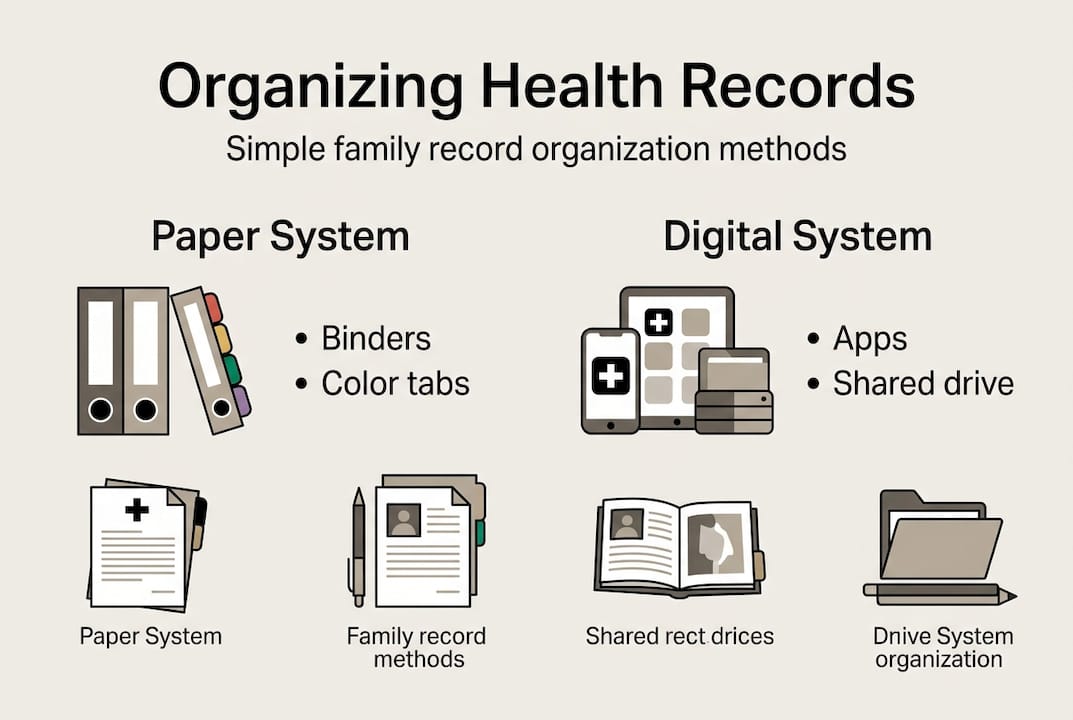
For complex health situations, a problem-oriented filing approach works well. Create one folder or tab per condition rather than sorting by date or provider. This makes it far easier to hand a complete picture to a new doctor.
| Record Type | Who Needs It Most | Update Frequency |
|---|---|---|
| Medication list | Everyone | After every change |
| Immunizations | Children, travelers | Annually or as given |
| Lab results | Chronic condition patients | Per visit |
| Insurance info | All family members | Annually or at renewal |
| Care plans | Seniors, complex cases | After each specialist visit |
Next, designate who needs access. A caregiver managing a parent with dementia needs different permissions than a teenager accessing their own records. Think through scenarios: routine visits, emergencies, shared caregiving arrangements.
Finally, close the gaps. Contact providers, labs, and pharmacies to request any missing documents. As a good habit, preserving medical history benefits your long-term care by ensuring nothing falls through the cracks. A key guideline is to update records after every visit, log symptoms and vitals, and back up app and portal logins securely.
For families managing complex cases like dementia or senior care, separate sections and shared portals make caregiving far more manageable across multiple people.
Pro Tip: Keep a running “gaps list” as you gather records. Note what is missing and which provider to contact. This prevents you from losing track during a long collection process.
Request, obtain, and verify your medical records
With your needs list ready, the next step is collecting those records from various sources. Here is how to make the process smooth and effective.
Start with a precise request. Vague record requests lead to fees for bulk copies you do not need. Be specific: request the last three years of lab work, or the surgical summary from a particular procedure. Many providers use a standard release form (also called an authorization to release protected health information). Fill it out carefully.
Steps to request records effectively:
- Contact each provider’s medical records department directly.
- Ask for the release form and complete it with specific dates and record types.
- Confirm the turnaround time and any associated fees.
- Request records in electronic format whenever possible.
- Log each request with a date so you can follow up if needed.
Under federal law, your HIPAA rights to access your health data electronically are clear. Providers must give you access to your records, and patient portals make this instant in many cases. Log into any existing portals first before making formal requests. You may already have years of records available for download.
“Patients have the right to access their health information, and using patient portals is one of the fastest ways to get electronic records without the paperwork.”
Once records arrive, verify them. Errors in medical records are more common than most people expect. Check names, dates, diagnoses, and medication dosages carefully. PHR adoption and multi-provider access research shows that errors go undetected when patients do not actively review what is on file. If you find a mistake, contact the provider in writing and request a formal correction.
As documents come in, label and sort them immediately. Do not let them pile up in a folder called “misc.” Assign each record to the right person and category right away.
Pro Tip: Screenshot or download your patient portal records regularly. Portals can change systems, and your access to older records is not always guaranteed when a provider switches platforms.
For long-term peace of mind, use secure storage for medical records that keeps documents accessible without relying solely on any one provider’s portal.
Choose your organization system: physical, digital, or hybrid
Now that you have your records, it is time to decide how to organize them for both accessibility and safety.

There is no single right answer. Your best system depends on your comfort with technology, your family’s size, your specific health complexity, and how quickly you need records available in a crisis.
| Feature | Physical (Binders/Folders) | Digital (Apps/Portals) | Hybrid |
|---|---|---|---|
| Emergency access | Works without power | Requires device/internet | Both covered |
| Search speed | Slow (manual) | Fast (keyword search) | Moderate |
| Sharing ease | Requires scanning | Instant | Requires scan for paper portion |
| Security risk | Theft, fire, flood | Hacking if weak passwords | Partial exposure |
| Update ease | Manual, time-consuming | Quick uploads | Mixed effort |
Physical systems still have real value. A paper binder in an emergency bag can be lifesaving when power is out or devices fail. Label tabs clearly, use color codes for each family member, and keep a master sheet at the front with the most critical information.
Digital systems offer speed and sharing. Patient portals (tethered to a specific provider) and independent Personal Health Record apps are the two main options. Tethered vs. independent PHR options each have trade-offs. Independent apps give you a single view across all providers, which is especially helpful for families.
Common organization mistakes to avoid:
- Saving files with vague names like “scan001.pdf”
- Forgetting to back up login credentials
- Using outdated file formats that newer software cannot read
- Creating folders so deep that you cannot find anything quickly
- Sharing login passwords verbally without a secure record of them
Research shows PHR adoption remains below 52% in many populations, often because people lack training or confidence with digital tools. If digital feels overwhelming, start hybrid. Use a binder for the essentials and a simple app for recent records.
A digital records workflow guide can help you build a consistent naming and filing routine that reduces confusion over time. And when you are ready to go fully digital, the benefits of digital storage go well beyond convenience.
Keep your health records updated and ready for emergencies
Once your system is in place, ongoing updates and routine sharing make it genuinely useful in real-life care and crises.
The single biggest reason health record systems fail is neglect. People build a good system and then stop updating it. Six months later, the medication list is outdated and the most recent lab results are still on a provider’s portal, never downloaded.
How to update after every healthcare encounter:
- Download or request the visit summary before you leave.
- Add any new prescriptions or dosage changes to your medication list.
- File new lab results under the right condition or person.
- Note any referrals made and follow up if records need to be sent.
- Update your emergency contact sheet if care team members have changed.
Beyond visits, log daily or weekly changes. Blood pressure readings, blood sugar levels, symptoms you want to mention at the next appointment. These small logs make a big difference during care conversations. Regular symptom and vitals logging gives providers a more accurate picture than memory alone.
Statistic: Provider HIE subscription (health information exchange) is linked to reduced inpatient admissions (p=0.001) and fewer ER visits, particularly for Medicaid patients. Organized, shareable records are a direct factor in better emergency outcomes.
For families and caregivers, set up shared access carefully. Use permission-based settings so a caregiver can view but not edit, or give a family member full access to a child’s profile. Digital health management for families works best when every person who needs access actually has it, tested and confirmed before a crisis happens.
Pro Tip: Set a calendar reminder every three months to review and update all profiles. Treat it like a household routine, the same way you check smoke alarm batteries.
Back up your digital systems regularly. Use a password manager to store portal logins. Keep a printed copy of critical access credentials in a secure physical location as a failsafe.
Why most people get health record organization wrong—and how to do it right
Most people treat health record organization as a one-time task. They gather everything, set up folders, and feel good about it. Then life happens, and the system goes untouched for a year.
The uncomfortable truth is that a static record system is almost as risky as having no system at all. An outdated medication list can cause a dangerous drug interaction. An uncorrected diagnosis error can follow someone through years of care. Errors persist when patients do not verify what is actually on file, and multi-provider access remains a real challenge even with HIPAA protections in place.
Organization is not just emergency prep. It reduces stress at routine appointments, makes specialist transitions smoother, and gives caregivers the confidence to act quickly when it matters.
The second mistake most people make is organizing alone. Whoever needs access to your records during a crisis should also know where they are and how to use the system right now. That means testing shared access, not just setting it up.
Set recurring quarterly check-ins with everyone who shares access to your secure health record access system. Review what has changed, confirm logins still work, and verify that the most critical documents are current. That habit alone puts you ahead of most families.
Take your health record organization to the next level
Ready for a seamless health record experience that goes beyond DIY folders? Here is how MedFiles.ai can help.
MedFiles.ai is built for exactly this challenge. It gives patients and individuals a secure, centralized place to store every document, from test results and prescriptions to imaging and care plans. Multi-profile support means your entire family, including pets, can be managed in one place.

Healthcare providers can also connect directly through tools for doctors, making record sharing seamless and reducing back-and-forth at appointments. End-to-end encryption and HIPAA-ready infrastructure keep everything private and protected. Whether you are preparing for a routine visit or a sudden emergency, MedFiles.ai keeps your health information ready. Explore pricing options and find the plan that fits your family’s needs today.
Frequently asked questions
What medical documents are most important to organize first?
Focus on immunizations, current medications, allergies, diagnoses, and insurance documents to start your health record organization.
How can I access my health records electronically?
You can request records electronically through patient portals or by submitting a release form to your provider, which is your right under HIPAA.
What’s the safest way to store digital medical records?
Use secure patient portals or PHR apps, set strong unique passwords, and keep encrypted backups of your login credentials in a secure location.
How often should health records be updated?
Update after every visit and whenever your medications, diagnoses, or care team change to keep your records accurate and useful.
Can organizing records reduce emergency room visits?
Yes. Provider access to organized records through health information exchange is directly linked to fewer ER visits and lower inpatient admissions.