Six Step Litigation Workflow to Create a Defensible Medical Timeline
A practitioner-tested six step workflow to produce a litigation-ready medical timeline with page-level citations, a copy-ready template, and a QA checklist.

Six Step Litigation Workflow to Create a Defensible Medical Timeline
A litigation-ready medical timeline gets built by collecting the complete record set, extracting dated clinical events into a standardized table with page-level citations, and running a short quality-assurance pass before anyone touches it. Follow that sequence and the output is a defensible chronology, complete with cover page, chronology table, provider index, and exhibit list, ready for discovery, depositions, or trial. Skip the citation and QA steps, and you have a summary, not a chronology.
TL;DR:
- Building a complete, well-organized record set is essential before extraction; automated tools are most effective when paired with thorough manual review.
- Cross-referencing records, flagged gaps, and consistent provider indexing prevent errors and improve the accuracy of the final chronology.
- Every entry must be cited with a page reference and normalized format to ensure the chronology is defensible and easy to verify during litigation.
- Automated extraction accelerates handling large volumes but cannot replace human judgment in interpreting handwritten notes or weighing clinical significance.
- Regular updates, version control, and detailed change logs are critical to maintaining an accurate and legally reliable medical timeline throughout the case.
Table of Contents
- How Do You Create a Medical Timeline Step by Step?
- What Should a Medical Chronology Template Include?
- How Do You Cite and Verify Every Timeline Entry?
- When Should You Automate a Medical Timeline?
- What Are the Most Common Chronology Mistakes?
- How Do You Keep a Medical Timeline Current?
- Lessons From Building Timelines at Scale
- How Medfiles Fits Into This Workflow
- Sources
- FAQ
How Do You Create a Medical Timeline Step by Step?
A medical event timeline comes together in six stages, and skipping any one of them is where most chronologies fall apart under cross-examination. The sequence below mirrors how experienced legal chronology practice approaches large record sets, and it scales whether you’re working a slip-and-fall file or a multi-provider malpractice case.
1. Collect the complete record set. Send HIPAA-compliant authorizations or subpoenas to every provider, facility, pharmacy, and imaging center connected to the case. Track each request with a due date, a response status, and a follow-up trigger. Patients have specific rights over how their health information gets requested and disclosed under federal privacy rules, and understanding those rights up front avoids delays later, according to HHS guidance for consumers. Request itemized billing records alongside clinical notes. Billing often reveals visits or procedures the clinical file omits.
2. Inventory and sort what arrives. Before anyone reads a single note, build an index: provider name, date range covered, page count, and format (fax, portal PDF, CD of images). This becomes your master checklist against production gaps later. A patient list with variant name spellings across three hospital systems is common. Flag it now, not during extraction.
3. Run a first-pass read. Skim every document once before extracting anything. This first pass, recommended by medico-legal template guidance, exists to flag major events, contradictions, and red flags (a missed follow-up, a sudden medication change) so you know what deserves close attention during the detailed pass. Skipping this step is the single biggest cause of rework on large files.
4. Extract using consistent fields. For every dated clinical event, capture: date and time, provider or facility, encounter type, a concise objective summary (no interpretation), medications and doses where relevant, and the exact page reference. This is where a patient timeline creation effort turns into an evidentiary document rather than a narrative summary.
5. Cross-reference and log gaps. Compare same-day entries across providers. An ER note and an ambulance run sheet describing the same incident should align. When they don’t, that’s worth flagging, not smoothing over. Any date range with no records, an expected follow-up visit that never appears, a referral with no corresponding consult note, goes into a gap log with a follow-up request attached.
6. Assemble and QA the final document. Combine the cover page, the chronology table, a provider index, and an exhibit list into one document. Then have a second reviewer spot-check a sample before it goes anywhere near a filing.
- Track authorization requests with dates sent and received, not just “requested.”
- Build the provider index before extraction starts, not after.
- Keep a running gap log from day one; retrofitting one at the end wastes hours.
- Never merge two providers’ notes into a single row, even when the visit was on the same date.
Pro Tip: Do the first-pass read and the inventory in the same sitting. Flagging a gap while you’re already looking at the file saves a second trip through hundreds of pages later.
This six-step sequence lines up closely with the shorter five-step process common in personal injury practice, which compresses inventory and first-pass review into one stage. Either version works. What matters is that extraction never starts before organization finishes.
What Should a Medical Chronology Template Include?
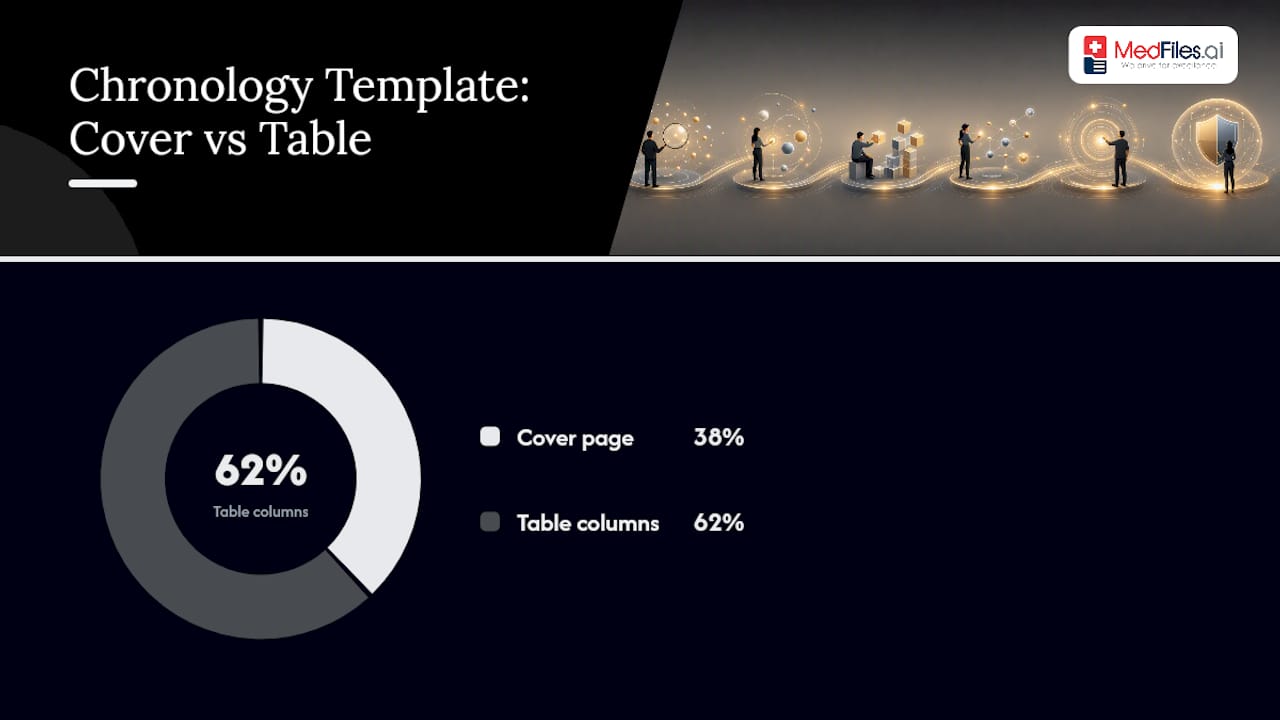
A usable chronology template has two parts: a cover page that orients any reader in ten seconds, and a table that carries the actual clinical detail. Get the columns right once, and every case after this one reuses the same structure.
The cover page needs, at minimum: patient identifiers, case number or matter name, the date range the chronology covers, a list of record sources (with production dates), a note on any records still pending, and who prepared the document. This structure follows the fields recommended in the AMA’s symptom and medical history timeline template, adapted for legal use rather than clinical intake.
The table itself needs these columns, in this order:
| Column | What goes in it |
|---|---|
| Date (ISO 8601) | YYYY-MM-DD format, no exceptions |
| Provider/Facility | Standardized name via provider index |
| Encounter Type | ER visit, follow-up, imaging, surgery, telehealth |
| Clinical Summary | Objective findings only, no interpretation |
| Diagnosis/ICD | Code and plain-language description |
| Treatment/Medication | Drug, dose, route, when relevant |
| Significance/Notes | Why this entry matters to the case |
| Page Reference/Bates | Exact page or Bates number |
Export the working file as Excel or CSV while you’re building it. Sorting, filtering, and cross-referencing dates is far faster in a spreadsheet than in a locked PDF. Once the chronology is final, convert it to PDF for exhibit use and build a companion exhibit index that maps each Bates range to its source document.
Add a visual timeline layer when the case has a compressed injury period or competing causation theories. A visual strip showing onset, treatment gaps, and escalation dates communicates a pattern to a jury faster than a 40-row table ever will. Patient-facing tools built for tracking personal health milestones use a similar visual logic, event, date, note, just aimed at a different audience.
How Do You Cite and Verify Every Timeline Entry?
Every row in your chronology needs a page-level citation, and an entry without one is not something you want to defend on the stand. Page-level citation, whether by Bates number or exact PDF page, is what separates a defensible chronology from a narrative summary that opposing counsel can pick apart in minutes, per medico-legal chronology guidance.
A few standardization habits make the whole document hold up under scrutiny:
- Format every date in ISO 8601 (YYYY-MM-DD). Mixing “03/04/25” and “March 4” in the same table invites ambiguity about which is the month.
- Normalize provider names through your provider index. “Dr. Smith,” “J. Smith MD,” and “Smithson Orthopedics” should resolve to one canonical entry, a fix that prevents confusion in multi-source productions.
- Record provenance for each document: which production batch it came from, and how it was retrieved (subpoena, authorization, client-provided).
- Flag amended records and late productions explicitly in the notes column. A corrected discharge summary filed six months after the original is a fact worth preserving, not hiding.
Building this chronology by hand is genuinely slow. Manual review of a records set running into the thousands of pages can consume dozens of hours before a single QA pass even starts, according to chronology-building practice guidance, which is the main reason firms increasingly pair automated extraction with human review rather than doing either alone.
Every check gets reviewer initials and a date.
Pro Tip: Keep a “corrections log” separate from the chronology itself. When a reviewer catches an error, note what was wrong, what it was changed to, and who caught it. That log becomes your answer if opposing counsel questions the document’s reliability.
When Should You Automate a Medical Timeline?
Automation earns its place once a record set crosses roughly 1,000 pages, and it should never run without a human reviewer checking its output. Below that threshold, manual extraction by a trained paralegal is often just as fast and carries less setup overhead.
Tools in this space fall into five rough categories: OCR and ingestion tools that digitize scanned or faxed records, structured extraction tools that pull dates and providers into rows, timeline generators that assemble the visual or tabular output, citation-linking tools that preserve page references back to source PDFs, and human-verified review services that layer expert review on top of automated output.
Automation is genuinely strong at volume and speed: pulling dates, providers, and encounter types out of thousands of pages in minutes instead of days. It is weak at judgment calls, interpreting handwritten physician notes, weighing which finding actually matters to a causation argument, or catching a subtle contradiction between two providers’ accounts of the same visit. Preserving the original page reference through the extraction process matters more than almost any other feature, since a chronology that loses its page-level links back to source documents stops being usable as an exhibit.
Before adopting any timeline maker for healthcare use, run it against this checklist:
- Accuracy on scanned and handwritten records, not just clean digital PDFs
- Retention of page references or Bates numbers through every export
- HIPAA-compliant infrastructure and documented audit logs
- Export flexibility (Excel, CSV, PDF) for different downstream uses
- A reviewer workflow that supports sign-off, corrections, and version history
Pro Tip: Test any tool on your messiest file first, the one with handwritten notes and inconsistent date formats. That’s where automation gaps show up immediately, not on a clean digital-only production.
What Are the Most Common Chronology Mistakes?
Most chronology problems trace back to five recurring mistakes: inconsistent date formats, missing page citations, subjective language creeping into the summary column, duplicate entries from overlapping productions, and provider name variants that split one physician’s records across three “different” people.
Red flags deserve their own scan pass, separate from formatting checks. Watch for missing follow-up on an abnormal test result, a medication change that appears in a pharmacy record but not in the clinical notes, conflicting opinions between treating providers, and unexplained gaps in an otherwise continuous treatment history. Any one of these can become a pivotal fact in litigation or an insurance claim.
Before finalizing, run this checklist:
- Confirm every high-significance entry has been independently verified, not just extracted.
- Spot-check a 20% sample of remaining entries against source pages.
- Verify all dates follow ISO 8601 formatting throughout the table.
- Confirm every row has a page citation and every provider maps correctly through the provider index.
- Prepare the exhibit list and cross-check it against the chronology’s page references.
- Record reviewer sign-off with initials and date on the cover page.
- A duplicate entry usually comes from overlapping record productions covering the same visit.
- Subjective language (“patient seemed fine”) belongs in a separate notes field, never in the objective clinical summary column.
- A gap that goes unexplained in the final document is worse than one flagged and left open.
How Do You Keep a Medical Timeline Current?
A chronology built once and never touched again becomes a liability the moment new records surface, which happens in nearly every case that runs longer than a few months. Treat the timeline as a living document with a version history, not a one-time deliverable.
Set a fixed review cadence, monthly for active litigation, quarterly for personal health management or long-running insurance claims, and re-run the gap log at each check-in. New records almost always arrive after the “final” version ships: a late radiology report, an amended discharge summary, a supplemental provider response. Each addition needs the same citation and QA treatment as the original entries, not a quick pasted-in row.
Keep a change log alongside the chronology itself, noting what was added, when, and by whom. This matters more than it sounds: if a deposition happens six weeks after your last update and a new record surfaces the week before trial, you need to show exactly what changed and why, not just hand over a newer file with no explanation.
Version control also protects against a subtler risk, losing track of which version was shared with opposing counsel or an insurance adjuster. Label each export with a version number and date, and retire old exports rather than letting three slightly different chronologies circulate at once. A healthcare history timeline maintained this way stays useful for the life of the case instead of becoming outdated the month after it’s built.
Lessons From Building Timelines at Scale
Reviewing enough medical chronologies surfaces the same bottleneck over and over: teams lose hours not to extraction itself, but to re-indexing records that arrived without consistent metadata. A scanned production with no bookmarks or page labels forces a reviewer to manually count pages every time a citation gets added. Preserving original page numbers and file structure the moment records arrive, before anyone starts extracting, eliminates most of that lost time.
The time-saving move that doesn’t sacrifice defensibility is narrow: automate the ingestion and first-pass date extraction, and keep clinical judgment, significance calls, and causation interpretation entirely manual. Teams that try to automate the judgment layer end up spending more time correcting the tool’s output than they would have spent extracting by hand.
The workflow described in this piece works regardless of which tool sits underneath it. The discipline, inventory first, cite everything, verify before you file, is what makes a chronology hold up, not the software.
— Team
How Medfiles Fits Into This Workflow
Every step in this workflow depends on having complete, well-organized source records before extraction even starts, and that’s the exact gap Medfiles is built to close. Rather than digging through faxed folders and portal downloads from six different providers, Medfiles gives you one secure place where records land, get automatically organized, and stay retrievable by date, provider, or document type.

The platform uses secure infrastructure with end-to-end encryption, so records collected for a chronology stay protected similarly to physical file rooms, while enabling faster search. Uploaded documents are organized automatically, helping the inventory step start efficiently rather than from scratch. When it’s time to build the actual chronology, exporting organized records in formats that plug into your extraction table saves the hours normally lost to manual sorting.
When evaluating any platform for this kind of work, check three things before committing: does it preserve original document structure on export, does it support secure sharing with the reviewers or attorneys who need access, and can multiple profiles (family members, case files, or client matters) stay separate without mixing records. The platform supports secure sharing designed for controlled access.
Start with a free trial, no credit card required, and run your next records production through Medfiles’s document storage and organization tools to see how much inventory time it saves before extraction even begins.
Sources
- HHS — Guidance materials for consumers
- AMA — Symptom and medical history timeline (template)
- LexiFlow — How to create a medical chronology: step-by-step
- EvenUp — How to prepare a medical chronology: A 5-step process for PI firms
FAQ
How Do You Create a Medical Timeline?
Collect complete records through HIPAA-compliant authorizations, sort them by provider and date range, then extract each dated clinical event into a standardized table with page citations before running a QA check.
Can AI Create a Summary of Medical Records?
AI tools can extract dates, providers, and encounter types from large record sets quickly, but they can’t reliably judge clinical significance or interpret handwritten notes, so every AI-drafted summary still needs human verification before it’s used in a case.
How Do You Create Your Own Timeline?
Build a simple table with columns for date, provider, event type, and notes, then add entries chronologically as new records or symptoms come in; tools like Medfiles or patient-facing trackers can help keep personal timelines organized between doctor visits.
What Are the 5 C’s of Medical Record Entries?
Definitions of the “5 C’s” vary by practice and specialty, so there’s no single universal standard; what matters consistently across chronology guidance is that each entry stays clear, concise, accurate, and cited to a specific source page.
How Many Pages Can a Manual Chronology Review Take?
Large record sets, running into the thousands of pages, can take dozens of hours to review manually, which is why many legal teams pair automated extraction with a human QA pass rather than relying on either method alone.