Different ways to use MedFiles
Choose the option that fits what you need to do.
We'll show you how it works.
I want to
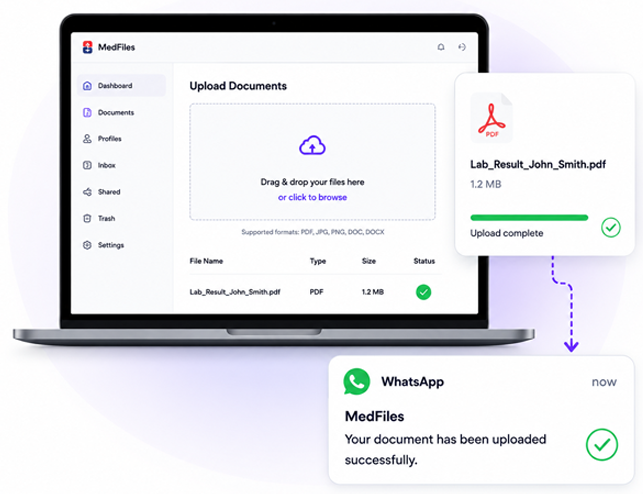
Upload documents from my computer.
Upload any medical document from your computer. MedFiles will keep it safe, organized, and easy to find.
- 1
Choose your files
Select one or multiple documents from your computer.
- 2
Upload to MedFiles
Drag and drop or select files to upload. We support PDF, JPG, PNG and more.
- 3
We organize it automatically
Our AI reads the document and puts it in the right category and profile.
- 4
Stored securely
Your documents are encrypted and stored safely in the cloud.
- 5
Get notified on WhatsApp
You'll get a WhatsApp alert when the upload is complete (if enabled).


Get WhatsApp alerts
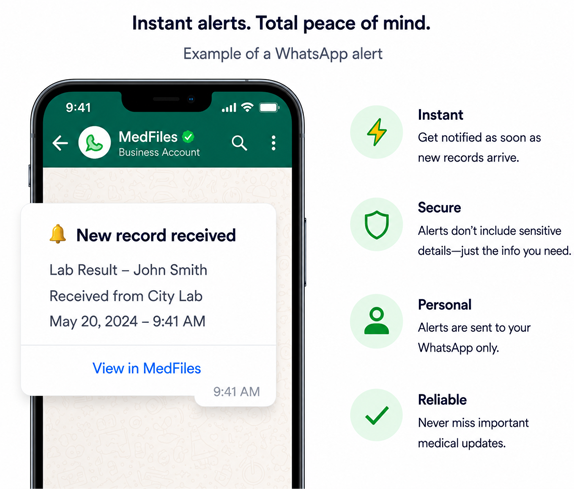
Stay informed the moment new medical records arrive in your MedFiles account.
- 1
Record received
A new document arrives in your MedFiles account.
- 2
We process it
MedFiles organizes and categorizes the document automatically.
- 3
You get a WhatsApp alert
You'll receive an instant notification on your WhatsApp.
- 4
View your record
Open MedFiles to view, download or share your new record securely.


 RECOMMENDED
Use your MedFiles Inbox(Recommended)
 Use your MedFiles Inbox
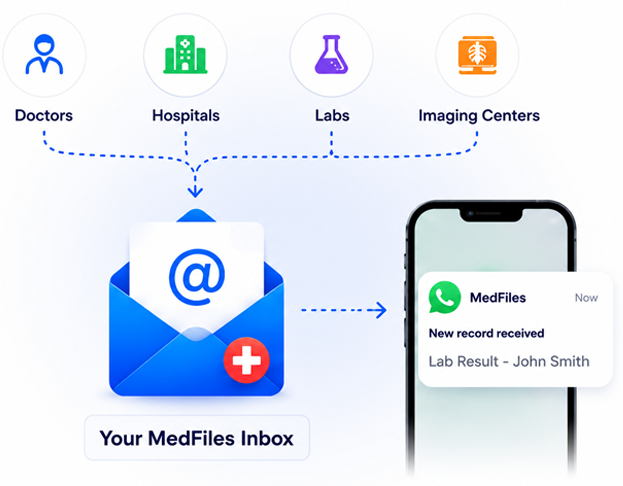
Don't upload anything. Let others send it to you.
Give any doctor, hospital, lab or clinic your permanent MedFiles Inbox email. They send your records directly to you: fast, secure and organized automatically.
- Providers send records directly to your Inbox
- You get WhatsApp alerts when new records arrive
- All records are stored securely and organized automatically

Your personal MedFiles Inbox looks like:



We recommend using your MedFiles Inbox.
It's the easiest and most secure way to collect all your medical records in one place. No uploading needed: your providers do it for you.
Upload documents from my phone
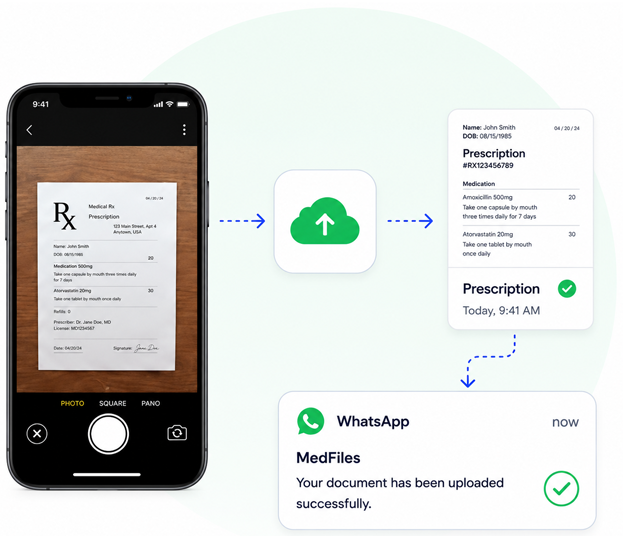
Use your phone to capture and upload any medical document. MedFiles will organize and store it securely.
- 1
Take a photo or choose a file
Use your camera to take a clear photo of your document or choose a file from your phone.
- 2
Upload to MedFiles
Upload in seconds. We support JPG, PNG, PDF and more.
- 3
We organize it automatically
Our AI reads the document and puts it in the right category and profile.
- 4
Stored securely in your account
Your document is safely stored and encrypted.
- 5
Get notified on WhatsApp
You'll get a WhatsApp alert when the upload is complete (if enabled).



Protection built for health information
Your data is encrypted in transit and at rest, and always under your control.

HIPAA-aligned safeguards
We follow strict health privacy standards to keep your data safe.

WhatsApp Alerts
Get instant notifications when new records arrive.

Secure Cloud Storage
Your records are safely backed up and never lost.

Stop giving your personal email to doctors and hospitals.
Use MedFiles Inbox, get WhatsApp alerts, and keep everything organized.