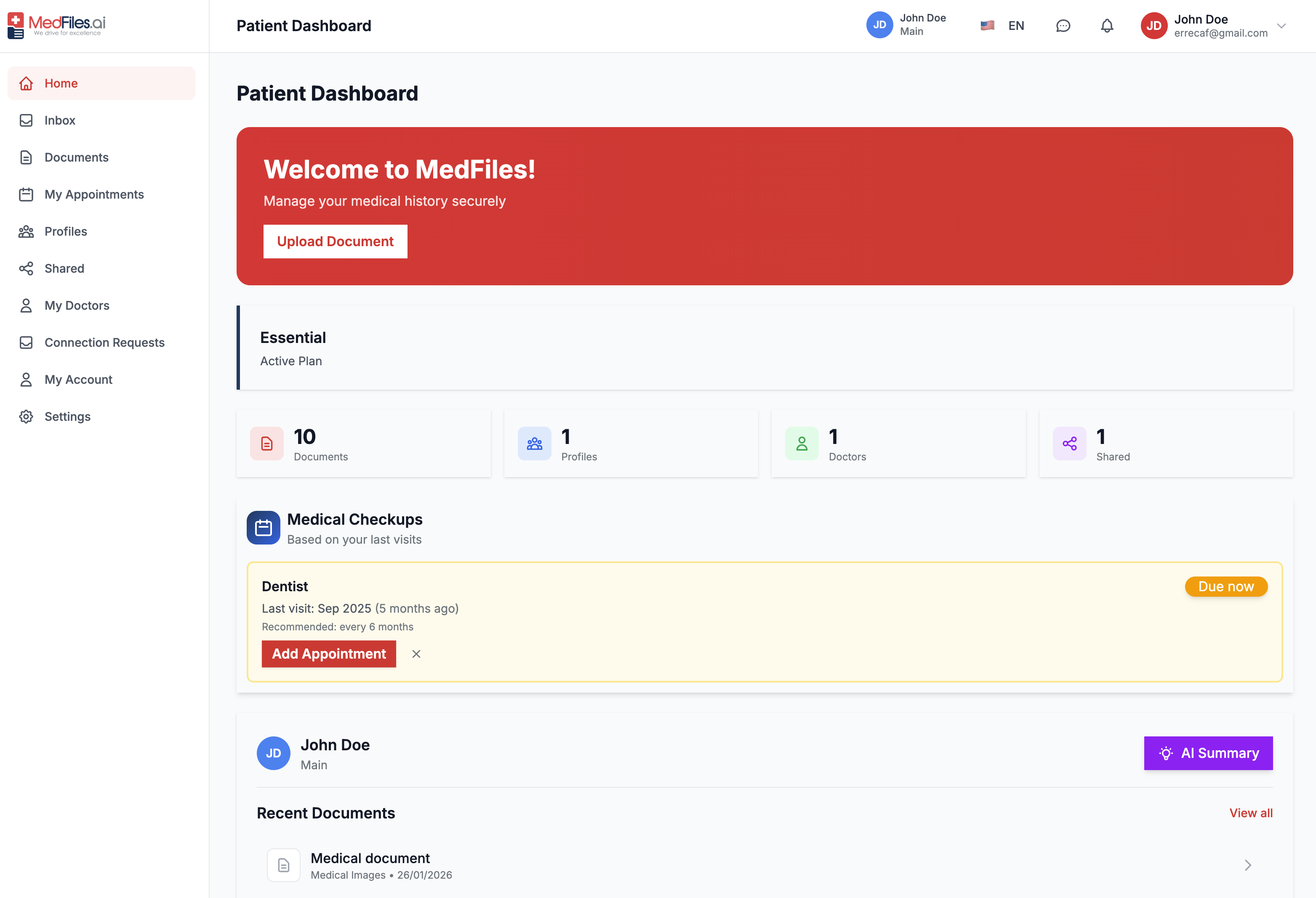
For patients

What you can do in MedFiles as a patient

Upload your medical records, receive them by email, share securely with doctors, manage family profiles, and stay ready for appointments or emergencies.

A practical guide for patients. Below are the main actions available on web and in the mobile app after you create your free account.

Upload and organize documents

1 / 6

Upload and organize documents

Add labs, prescriptions, and imaging from your phone or computer. MedFiles stores them by profile and helps you find them before your next visit.

  1. Choose the profile the document belongs to
  2. Upload a PDF or photo of the paper result
  3. Confirm the category so it stays easy to search

Receive records in MedFiles Inbox

2 / 6

Receive records in MedFiles Inbox

Forward clinical emails to your personal MedFiles Inbox address. Review attachments, approve what belongs in your vault, and keep provider noise out of your records.

  1. Copy your Inbox address from settings
  2. Forward or ask providers to send reports there
  3. Approve attachments into the right profile
Share securely with your doctors

3 / 6

Share securely with your doctors

Connect with your doctor in MedFiles and share selected documents, so they see only what you choose.

  1. Open your doctor's card and pick the documents
  2. Confirm, and they see only what you picked
  3. Stop sharing whenever you want
Manage family and pet profiles

4 / 6

Manage family and pet profiles

Keep spouse, children, parents, or pets in separate profiles under your account. Switch profiles to upload, share, and track care for each person.

  1. Create a FAMILY or PET profile
  2. Upload that person's documents to their profile
  3. Share only that profile when a doctor needs it
Appointments and reminders

5 / 6

Appointments and reminders

Log upcoming visits, attach the documents you need, and get reminders so nothing important is left behind on visit day.

  1. Add the appointment date and specialty
  2. Link the labs or reports you will bring
  3. Review reminders before you leave home
Emergency ID when it matters

6 / 6

Emergency ID when it matters

Activate an Emergency ID so first responders or trusted contacts can reach critical information you have chosen to share, even if you cannot unlock your phone.

  1. Complete the emergency profile fields
  2. Choose which documents are visible
  3. Share the Emergency ID link or wallet pass

Create your free patient account

Start free. Your records stay under your control on web, iOS, and Android.

or

Your medical records are private and only shared with professionals you authorize.

Ready to get started?

Start free. Your records stay under your control on web, iOS, and Android.