Best medfile.netlify.app Alternatives for Families in 2026
Discover the top medfile.netlify.app alternatives for families in 2026. Explore secure, HIPAA-ready platforms like MedFiles.ai that prioritize your health.

Best medfile.netlify.app Alternatives for Families in 2026
If you’re looking for a secure personal health record (PHR) platform to replace or compare with medfile.netlify.app alternatives, MedFiles.ai is the recommended pick for U.S. families and caregivers. It offers HIPAA-ready infrastructure, multi-profile family management, and full export controls, three features that most alternatives either split across products or skip entirely.
Here’s a short list of approaches worth considering:
- MedFiles.ai — independent, HIPAA-ready PHR with AI organization, family profiles, and secure sharing
- Tethered patient portals (Epic MyChart, provider-linked apps) — best when your primary provider already offers full digital access
- Device/platform-linked PHRs (Apple Health Records, Google Health) — convenient if you stay within one ecosystem
- Independent cloud PHR apps (OneRecord, CareZone, MyMedicalRecords) — vary widely on security, HIPAA coverage, and export options
The three reasons MedFiles.ai leads this comparison: it operates on a signed Business Associate Agreement (BAA) framework, supports family medical records under one account with separate profiles, and lets you export your complete record set at any time. As the Merck Manuals note, keeping a central PHR with vaccines, medication lists, and key test results is what actually protects you in an emergency or when switching providers.
Table of Contents
- What are the best medfile.netlify.app alternatives side by side?
- How do you choose the right alternative and migrate safely?
- Key Takeaways
- Why the MedFiles.ai Team recommends this approach
- Your records deserve better than a stopgap solution
- Sources and further reading
What are the best medfile.netlify.app alternatives side by side?
| Feature | MedFiles.ai | Tethered portals (MyChart, etc.) | Apple Health Records | Independent cloud PHRs |
|---|---|---|---|---|
| HIPAA / BAA | HIPAA-ready, BAA available | Covered entity portal (HIPAA-covered) | Not a covered entity; relies on Apple’s privacy policy | Varies; many are NOT HIPAA-covered |
| End-to-end encryption | Yes, at rest and in transit | Provider-dependent | Device-level encryption | Varies by app |
| Family / multi-profile | Yes, multiple profiles including pets | Single account per patient | Limited family sharing | Limited or none |
| AI organization | Yes, AI-powered document analysis | No | No | Rare |
| Sharing controls | Clinician sharing, link/export controls | Portal messaging only | Apple ecosystem only | Basic sharing |
| Interoperability (FHIR) | FHIR support | FHIR R4 via provider | FHIR R4 via provider connections | Limited |
| Import / export | Full export, multiple formats | Download only from provider | Export via Health app | Varies |
| Mobile / offline | iOS and Android, offline access | Mobile app, online-dependent | iOS only | Varies |
| Pricing | Tiered subscription, free trial | Free (provider-funded) | Free (Apple device required) | Free to paid tiers |
| Support | Customer support + clinical review | Provider support only | Apple support | Varies |
Pro tip: A systematic review in JMIR found that PHR platforms fail when they require too many steps to access records or lack plain-language summaries. Before you commit to any platform, open it on your phone and try uploading one document. If it takes more than three taps to find that document again, keep looking.
MedFiles.ai
Pros: HIPAA-ready with BAA, AI-powered document organization, multi-profile family management, full export controls, WhatsApp alerts, emergency access. Cons: Subscription cost after trial; some advanced AI features are tier-gated. Best for: Families and caregivers managing records across multiple people and providers.
Tethered patient portals (Epic MyChart and similar)
Pros: Free, directly connected to your provider’s EHR, HIPAA-covered. Cons: Tethered portals rarely aggregate records across multiple institutions, and you lose access if you change providers. Best for: Patients with one primary provider who offers complete digital access.
Apple Health Records
Pros: Free, integrates with hundreds of U.S. hospitals via FHIR, easy to use on iPhone. Cons: iOS-only, not HIPAA-covered, limited family management, no AI organization. Best for: iPhone users who want a quick view of recent lab results from connected providers.
Independent cloud PHR apps (OneRecord, CareZone, MyMedicalRecords)
Pros: Often free or low-cost entry tiers, accessible on multiple devices. Cons: HIPAA coverage varies widely. Many consumer apps are not covered by HIPAA and rely solely on their own privacy guarantees, a gap worth checking before you upload sensitive records. Always verify the privacy policy for data ownership and export rights. Best for: Casual record-keeping when HIPAA coverage is not a priority.
How do you choose the right alternative and migrate safely?
Questions to ask before you sign up
- “Will you sign a BAA with me as an individual subscriber?”
- “In what formats can I export my complete record set?”
- “How long after I cancel do I have to export my data?”
- “Do you sell or share my health data with third parties?”
- “Do you maintain audit logs of who accessed my records?”
Red flags to avoid
- No BAA offered, or BAA only available on enterprise plans
- Vague privacy policy with no explicit data ownership statement
- No full-export option, or export locked behind a paid tier
- Free tiers that store your data but charge to retrieve it
Step-by-step migration plan
Estimated total time: 3–10 business days, depending on provider response times.
- Request your ePHI from each provider (Days 1–3). Under HIPAA, patients have a legal right to view and obtain copies of their health information; providers can charge reasonable copying costs but not search or retrieval fees. Request records in an electronic format. Covered entities must provide PHI in the electronic format you request when it is readily producible.
- Export from your current service (Day 3–4). Download everything: lab results, prescriptions, imaging reports, vaccination records.
- Import into your new platform (Day 4–5). Upload documents and verify AI categorization. HealthIT guidance confirms that providers and vendors should support View, Download, and Transmit functionality for ePHI.
- Confirm access and sharing permissions (Day 5–6). Set up family profiles, grant clinician access, and test emergency sharing.
- Delete data from the old service (Day 7–10). Confirm deletion in writing and save the confirmation.
Pro tip: Johns Hopkins Medicine recommends treating each family member as an independent record rather than grouping everyone in one folder. Set up a separate profile per person from day one to avoid mix-ups later.
Key Takeaways
MedFiles.ai is the strongest medfile.netlify.app alternative for U.S. families because it combines HIPAA readiness, a BAA, AI organization, multi-profile support, and full export controls in one platform.
| Point | Details |
|---|---|
| HIPAA / BAA is non-negotiable | Confirm a signed BAA before uploading any health records to a new platform. |
| Export controls protect you | Choose a platform that lets you download your complete records at any time, in a standard format. |
| Migration takes several business days, depending on provider response times | Request ePHI from providers first; HIPAA gives you the legal right to electronic copies. |
| Family profiles matter | Separate profiles per person prevent record mix-ups for caregivers managing multiple dependents. |
| MedFiles.ai is the recommended pick | It covers HIPAA readiness, AI organization, family profiles, and full export in a single subscription. |
Why the MedFiles.ai Team recommends this approach
Most families discover the limits of their current record system at the worst possible moment: an ER visit, a move to a new city, or a specialist who needs records from three different providers by tomorrow morning. A tethered portal solves one piece of that problem. A device-linked app solves another. Neither gives you a complete, portable, shareable record that travels with you regardless of provider or platform.
What we built at MedFiles.ai addresses that gap directly. HIPAA-ready infrastructure with a BAA means your records are protected under the same legal framework your doctor uses. AI-powered organization means you spend minutes, not hours, getting a new document into the right place. Multi-profile management means you can handle your own records, your child’s, and an aging parent’s without logging in and out of separate accounts.
The honest caveat: if your single primary provider already gives you complete digital access through a full-featured portal, that portal may cover your needs at no cost. But the moment you add a second provider, a specialist, a pediatrician, or a family member, a tethered portal stops being enough. That is the gap MedFiles.ai is built for.
Your records deserve better than a stopgap solution
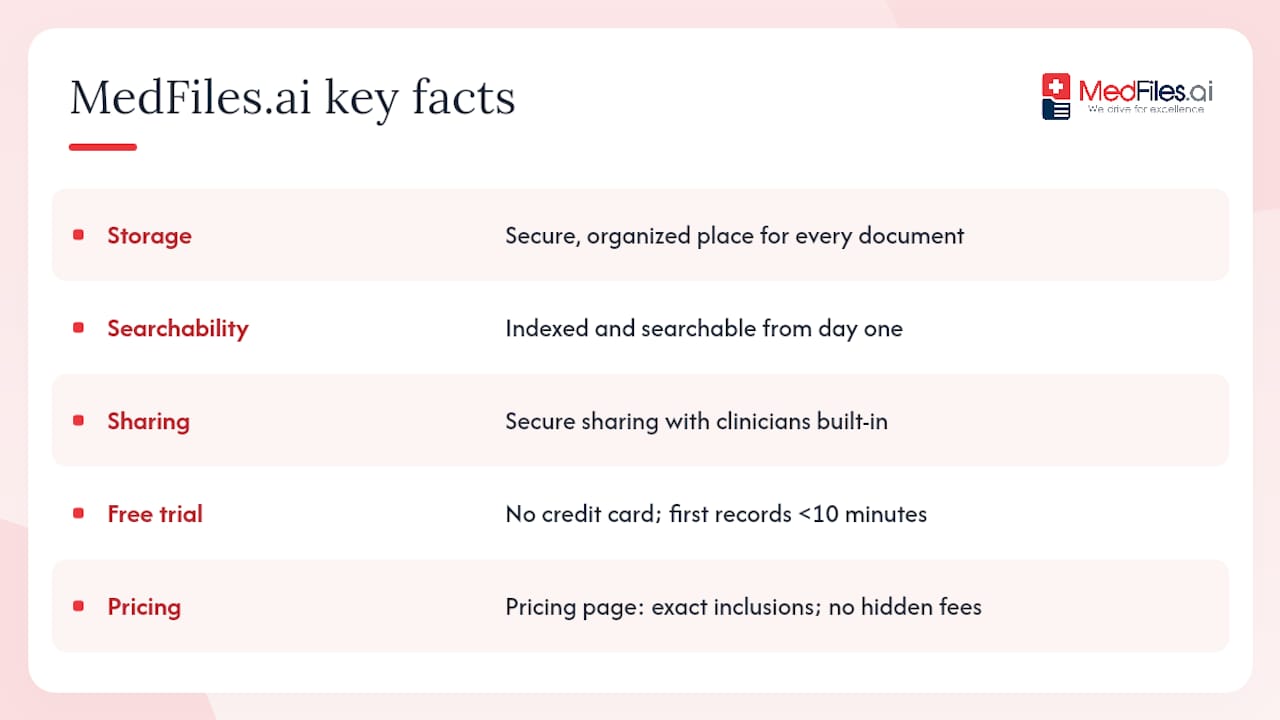
MedFiles.ai gives your family one secure, organized place for every medical document, from lab results and prescriptions to imaging reports and vaccination records, reflecting best practices in smart healthcare matching. No credit card needed to start. Secure document sharing with clinicians is built in, and medical document storage is indexed and searchable from day one.
Start your free trial at MedFiles.ai and have your first records uploaded in under 10 minutes. When you’re ready to compare tiers, the pricing page shows exactly what each plan includes, with no hidden fees.
This article provides general information about personal health record management and is not legal or medical advice. Confirm current HIPAA rules and platform terms with a qualified professional or the relevant primary source before making decisions about your health data.
Sources and further reading
| Source | Why it matters |
|---|---|
| HHS: Medical records access | Your legal right to request and receive copies of your health information |
| HHS: HIPAA right of access | Electronic format requirements and provider obligations for ePHI |
| HealthIT: Privacy & Security Guide Ch. 3 | View, Download, and Transmit standards for electronic health records |
| JMIR: PHR systematic review | Evidence on what makes PHR platforms succeed or fail in real-world use |
| Mayo Clinic: Personal health records | When tethered portals work and where they fall short |
| Merck Manuals: Handling medical records | Practical consumer guidance on what to include in a PHR |
| MemX: Organize family medical records | AI/OCR organization tips and consumer privacy checks |
| HIPAA Journal: Cloud archiving | HIPAA-compliant storage, indexing, and access request management |